Production website: https://advisorflow.ca/
Project Overview
The File Upload feature was designed to streamline document exchange between financial advisors and their clients. The goal was to create a secure, intuitive system that allows both parties to upload, view, download, and manage shared documents—while maintaining clear role-based permissions.
The solution supports seamless collaboration by centralizing files within both the Advisor Portal and Client Portal. Automated notifications, clear ownership rules, and simple file handling help reduce friction, eliminate confusion, and improve the overall client–advisor experience.
My Role:
I led the end-to-end product design for the File Upload feature, from initial discovery and requirement gathering to final UI/UX design and developer handoff.
My responsibilities included defining user roles and permissions, mapping key user flows for both advisors and clients, designing interfaces for the Advisor and Client Portals, and ensuring the experience aligned with security, usability, and business requirements. I worked closely with product managers and developers throughout the process to validate decisions and support implementation.
Tools:
Figma was used for wireframes, high-fidelity designs, and interactive prototypes. Jira supported task tracking and collaboration with the development team, while Confluence was used for documenting requirements, user flows, and design decisions. Slack facilitated ongoing communication with stakeholders and developers throughout the project lifecycle.
Problem
Advisors and clients lacked a centralized, reliable way to exchange documents within the platform. Existing workflows relied on email or external tools, leading to version confusion, missing files, and unclear ownership.
Additionally, permission management was inconsistent—clients needed the ability to interact with shared documents without compromising data integrity, while advisors required full visibility and control over all client-related files.
Solution
I designed a role-based file management system that clearly separates advisor and client responsibilities while keeping collaboration simple.
Advisors can upload files directly from the client details page, making documents immediately available in the client’s portal. Clients can download, modify, and re-upload files through their MyFiles section. Advisors retain full control over file deletion, while clients are given flexibility to manage visibility without affecting server-side data. Automated email notifications ensure both parties stay informed of updates in real time.
Key Features
Unified Dual-Portals Experience
A cohesive system connecting the Advisor and Client Portals, each tailored to their unique workflows. Advisors can upload and manage client documents directly from their dashboard, while clients access, download, and re-upload files through their own portal—ensuring a seamless, consistent experience across both sides.
Advanced Security and Permission Controls
Built with strict role-based permissions, advisors retain full control over file deletion and visibility, while clients can manage their own files and hide advisor-uploaded documents without affecting the advisor’s records. This structure maintains data integrity, compliance, and transparency.
Email Notifications and Governance Tools
Automated email alerts notify both advisors and clients of new uploads or updates in real time. Administrators can configure team-level permissions to enable or disable file uploads for specific members, ensuring scalable governance and accountability.
Optimized File Management and Accessibility
Supports standard document formats up to 10MB, balancing performance and usability. Advisors benefit from a centralized dashboard to view and manage all client files, improving oversight, efficiency, and collaboration across the platform.
The following screens showcase the File Upload experience across both Advisor and Client Portals, highlighting role-based permissions, system feedback, and key file management workflows.
Advisors; My Files
This section shows how advisors manage all client-related documents from a centralized workspace. Advisors can upload files directly from the client details page, switch between grid and list views, preview documents, and take actions such as downloading or deleting files. Clear empty, loading, success, and error states help ensure a predictable and reliable experience.
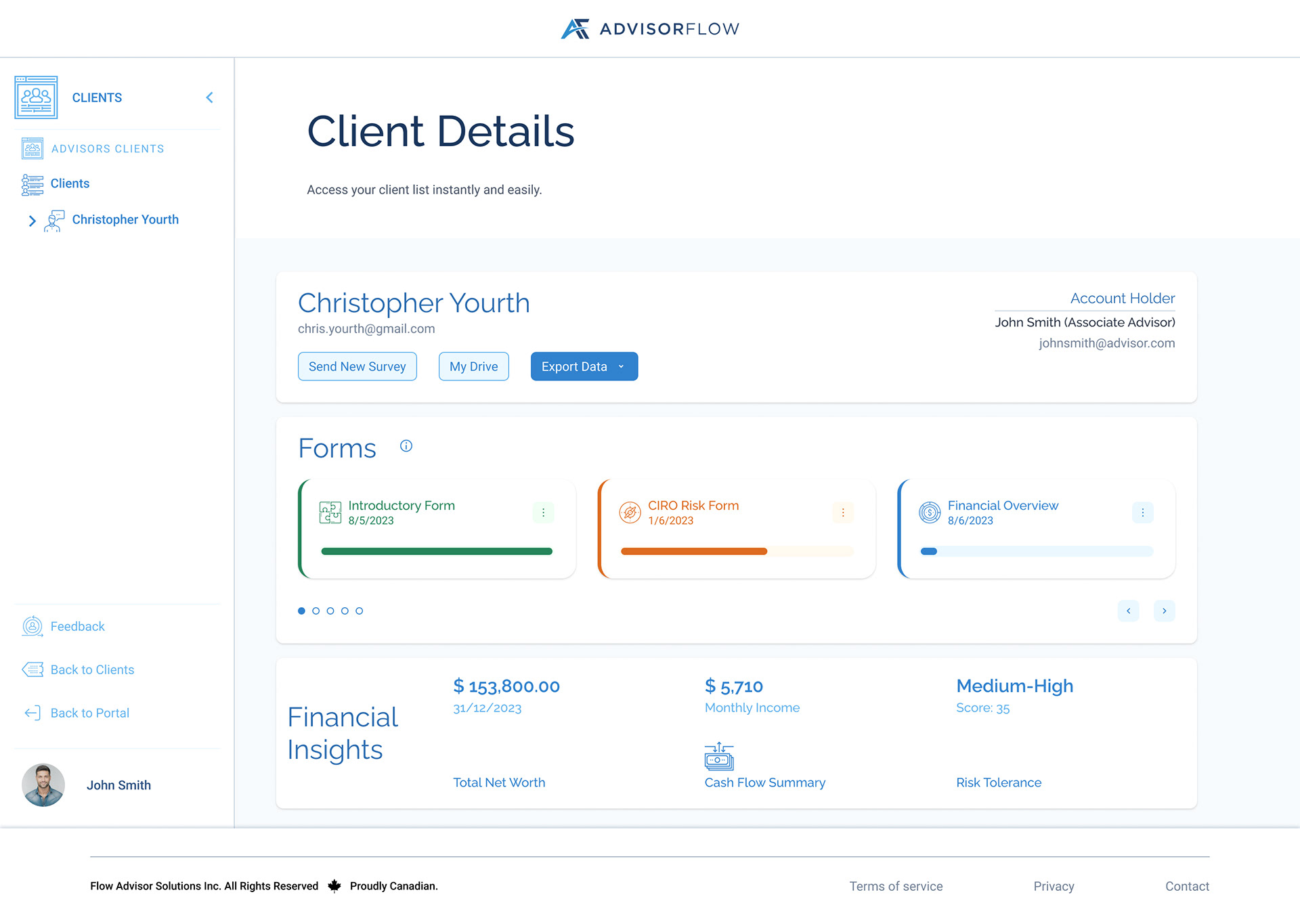
Client Details - Entry Point
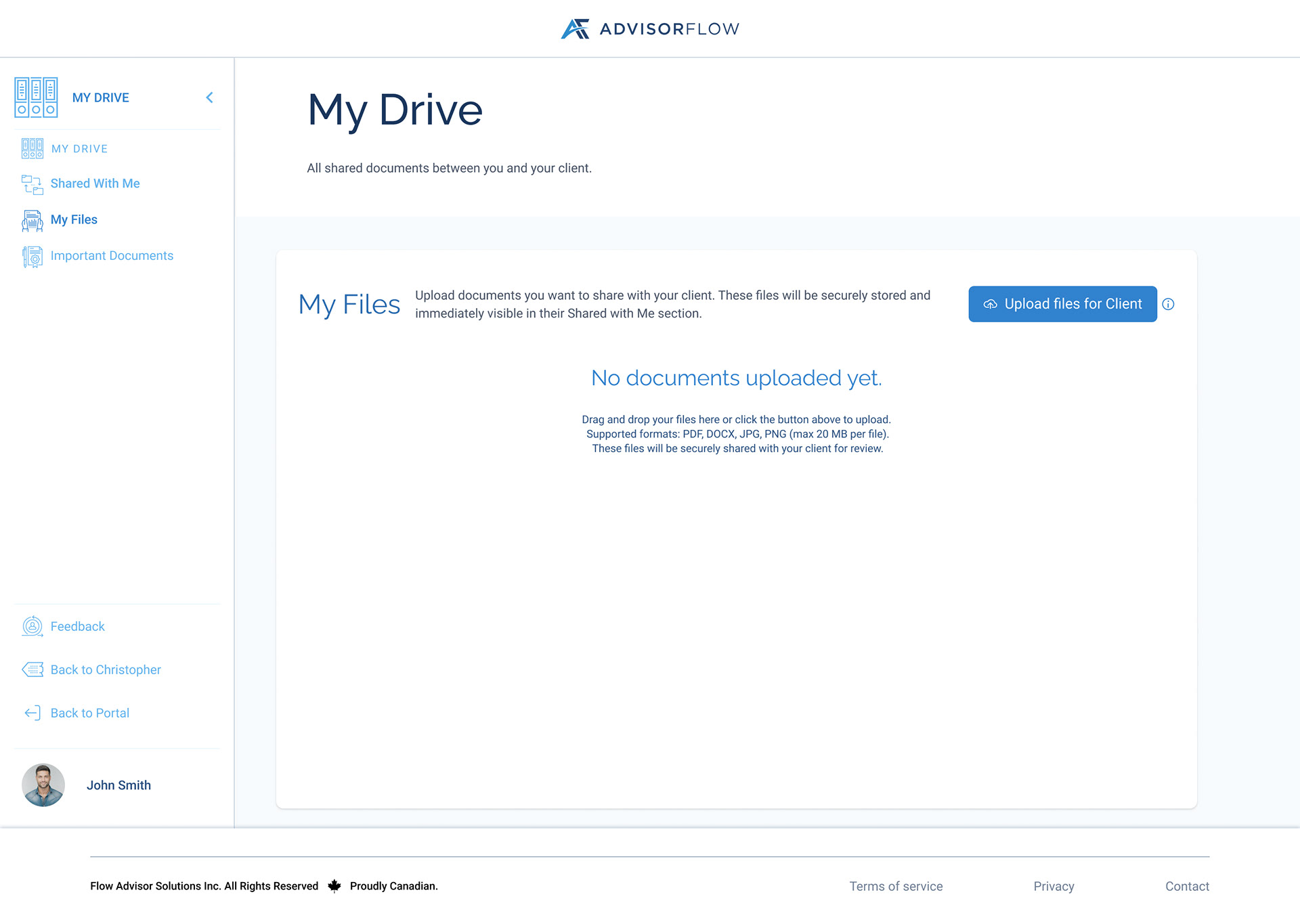
My Drive Empty State
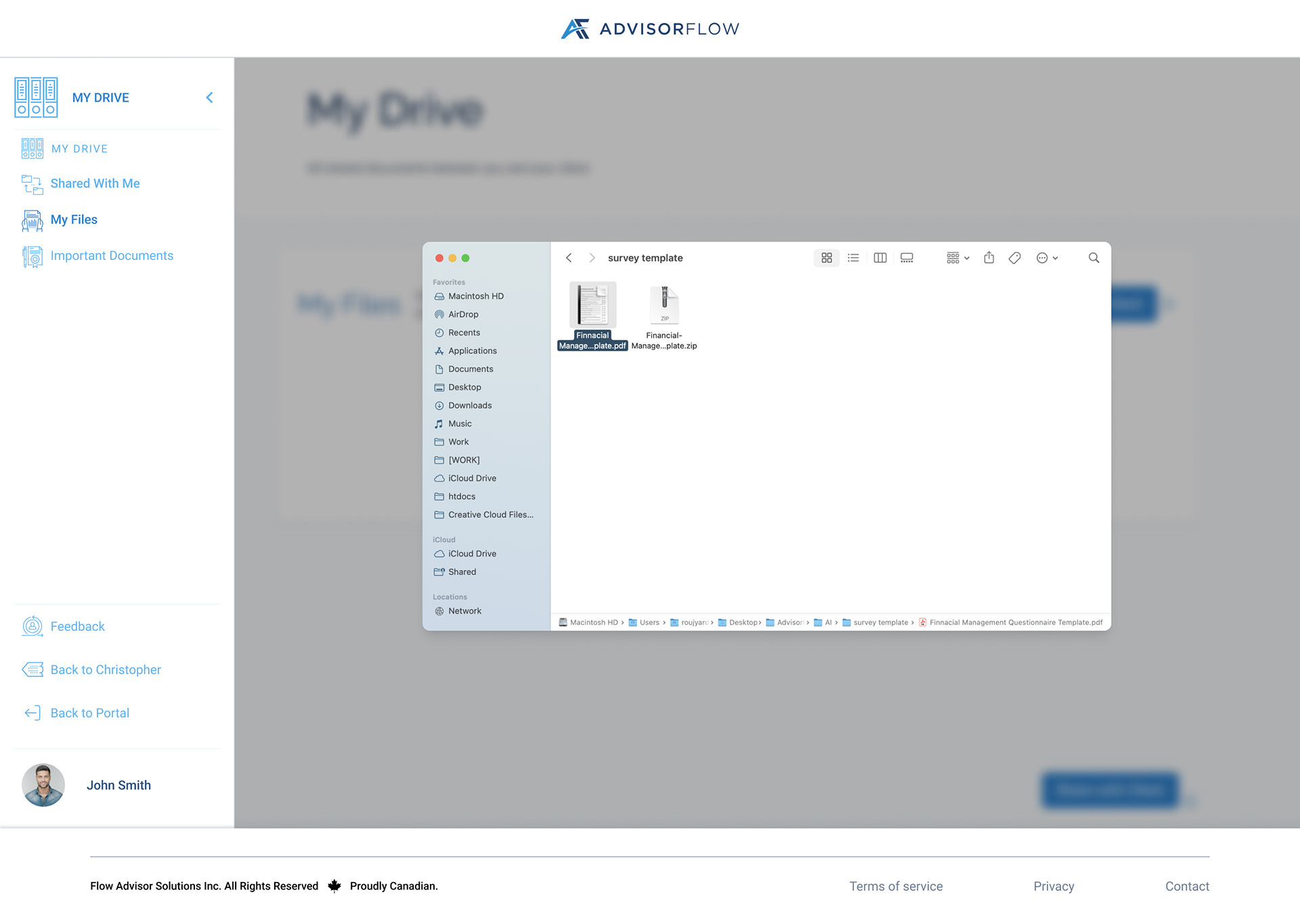
My Drive - File Picker
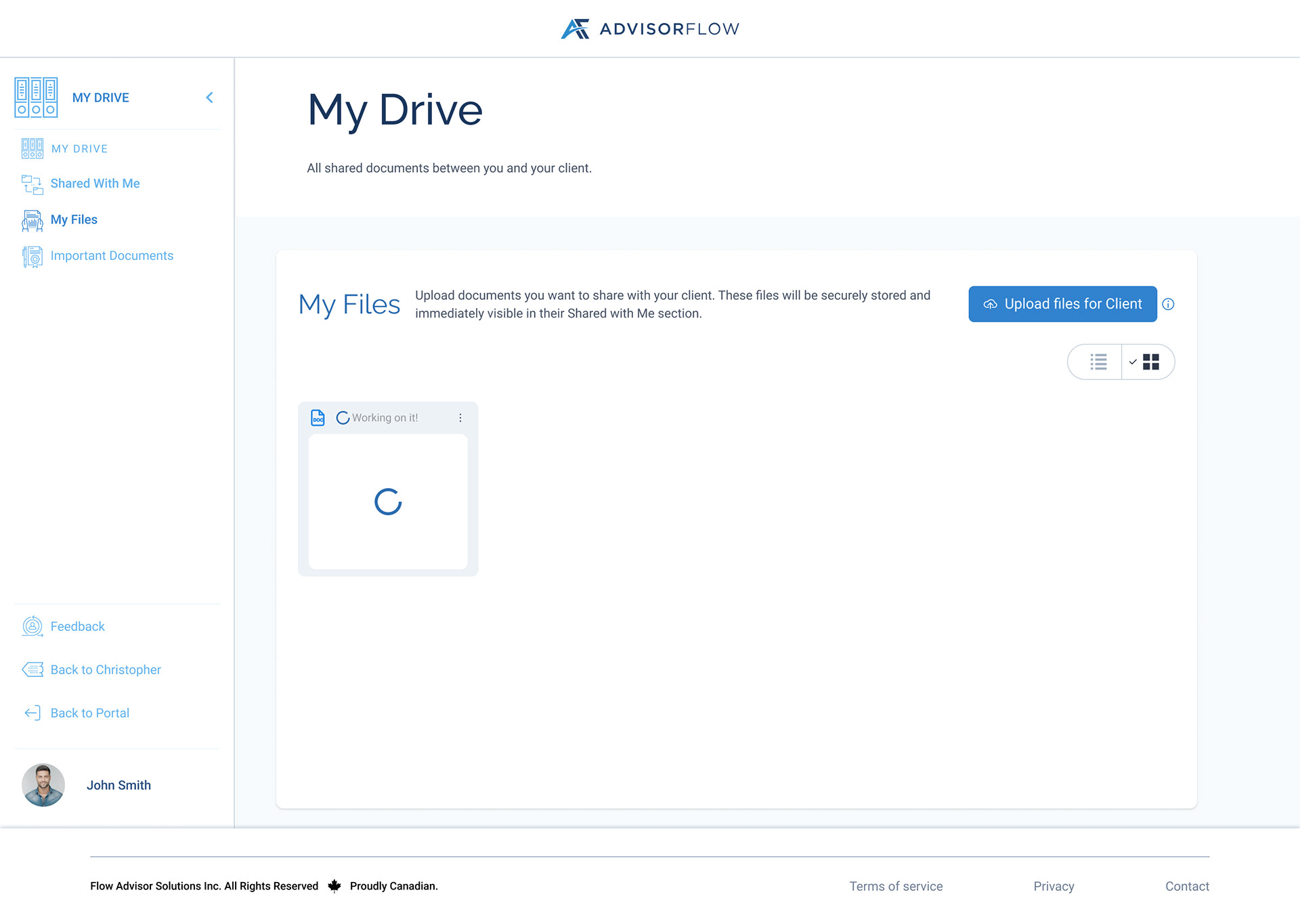
Uploading File Grid View
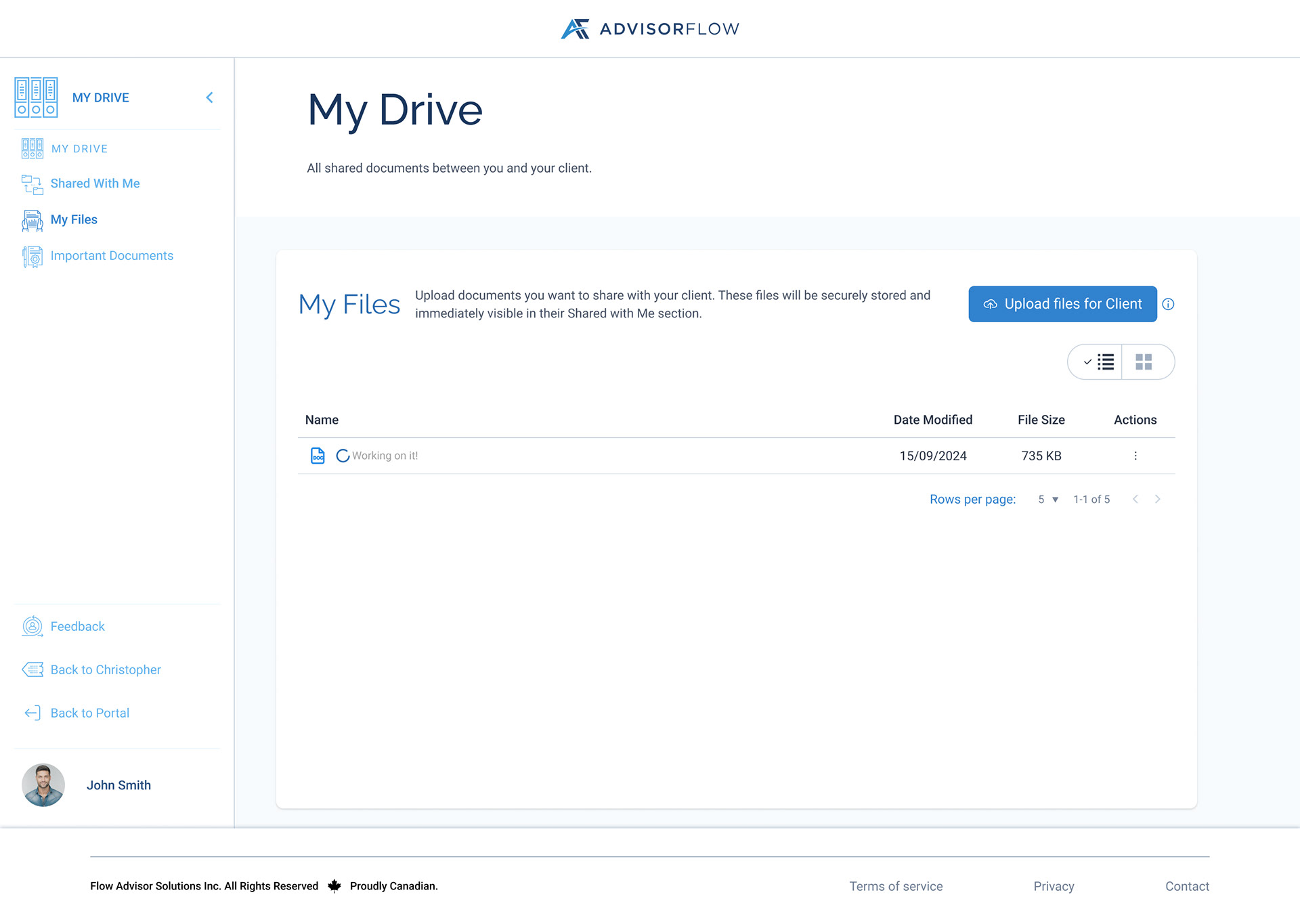
Uploading File List View
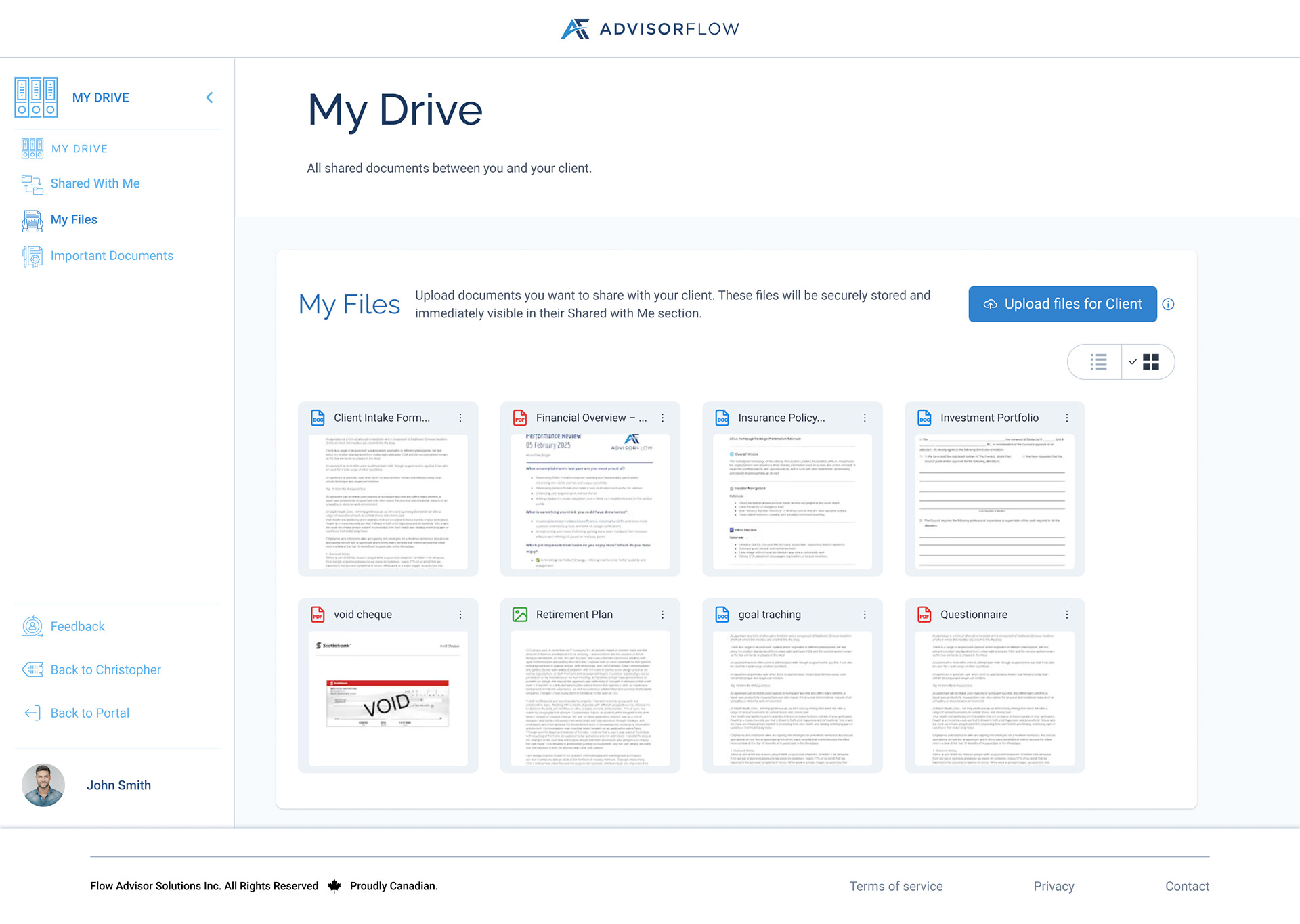
My Files Grid View
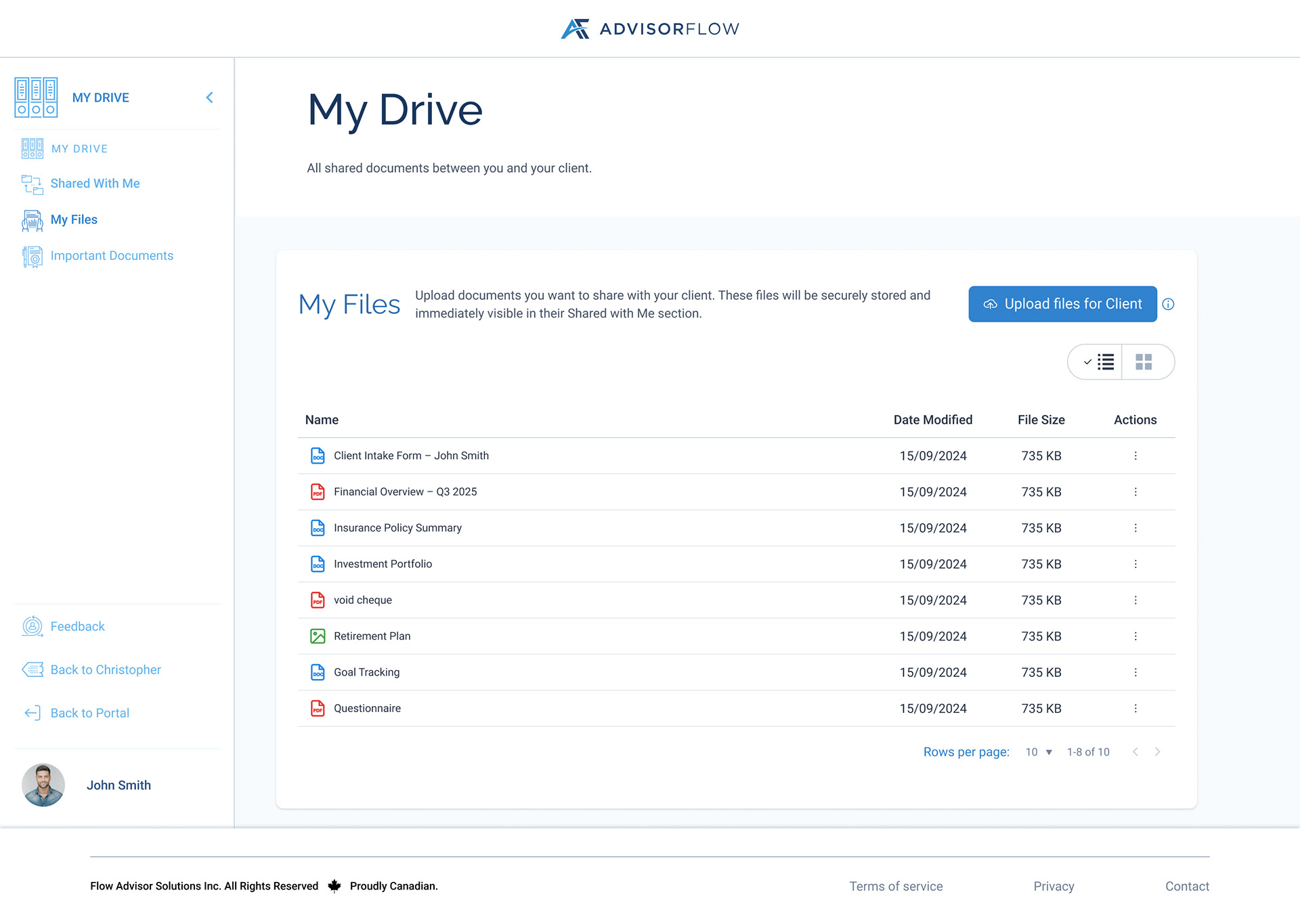
My Files List View
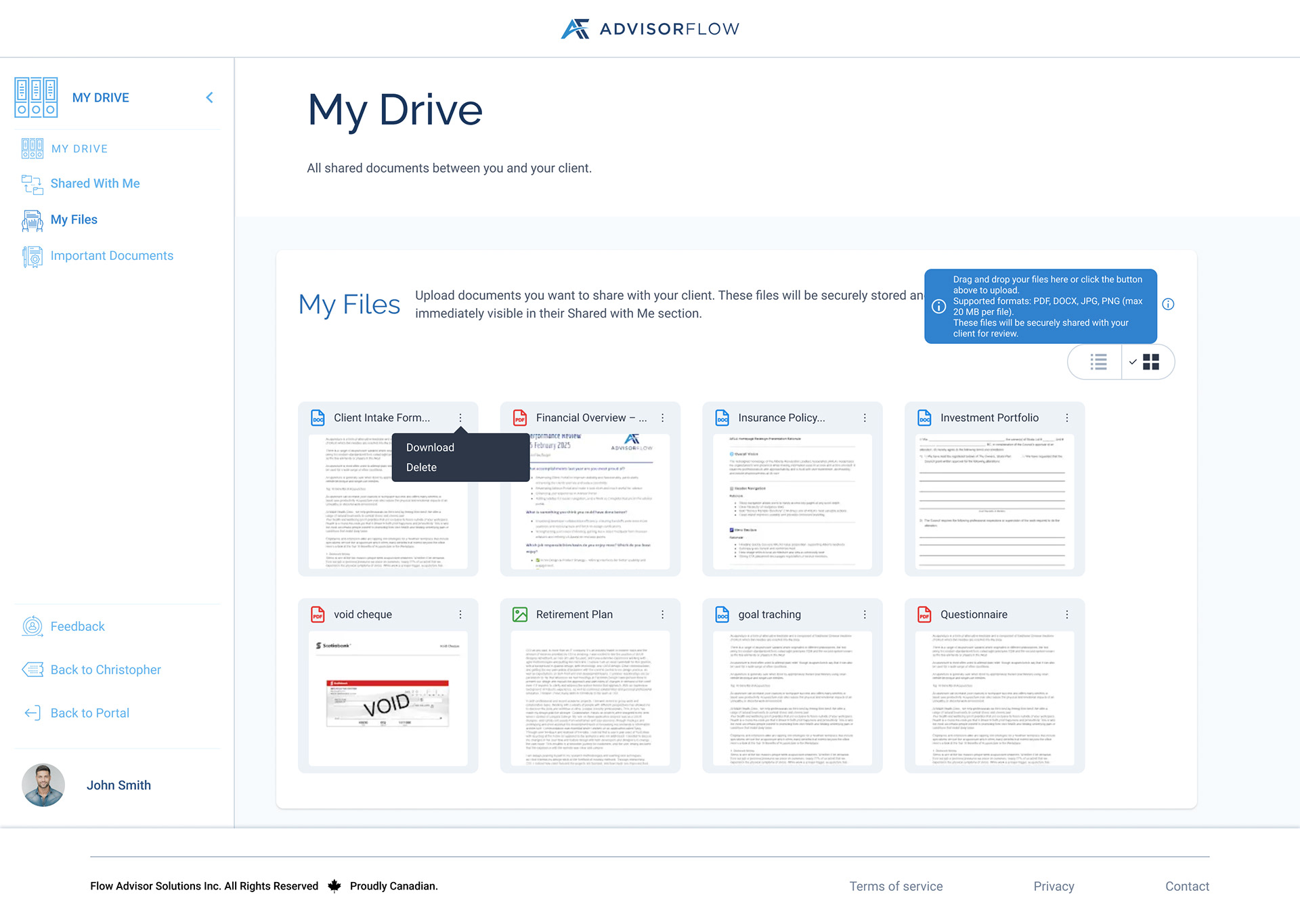
Overflow Tooltip Grid View
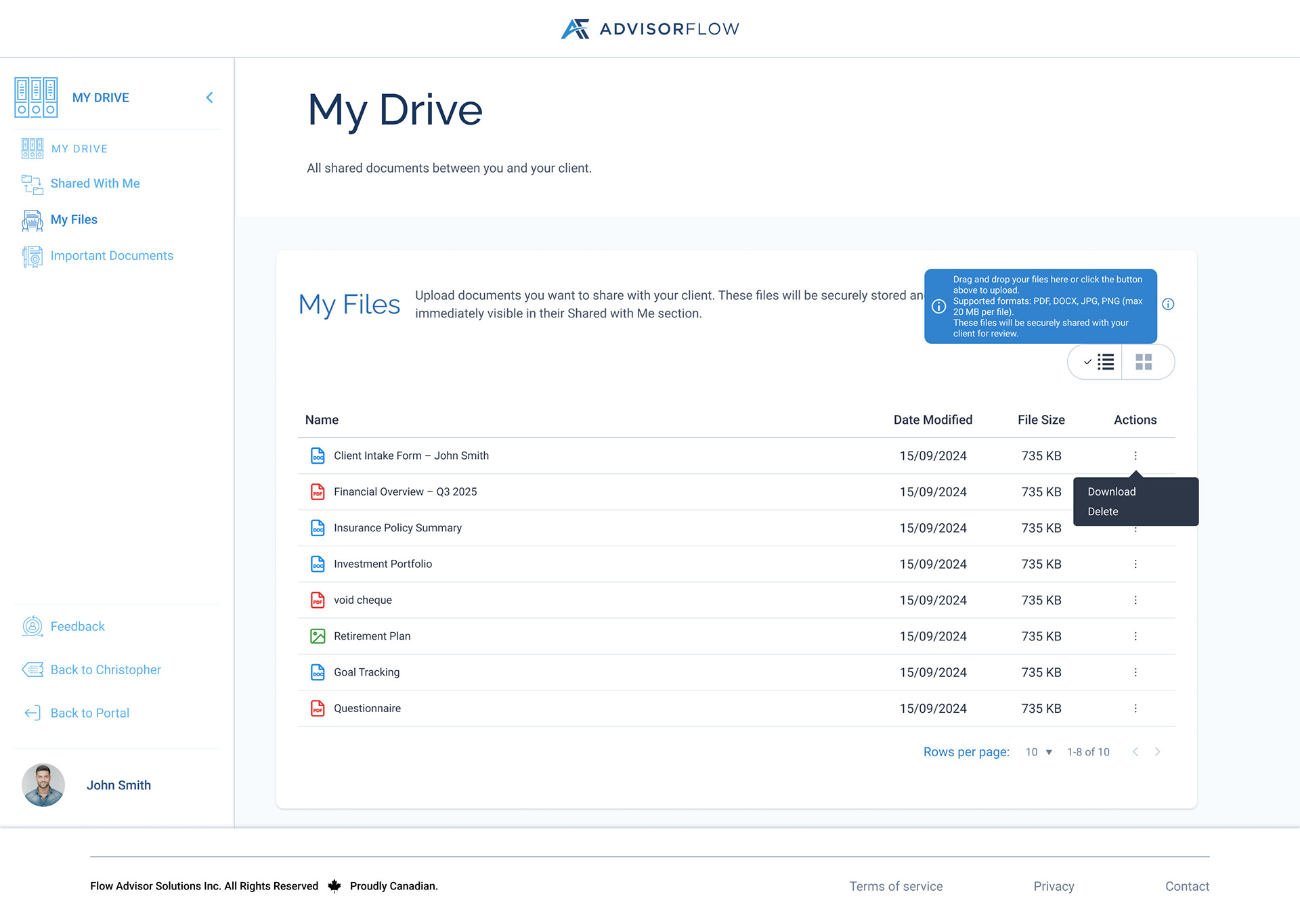
Overflow Tooltip List View
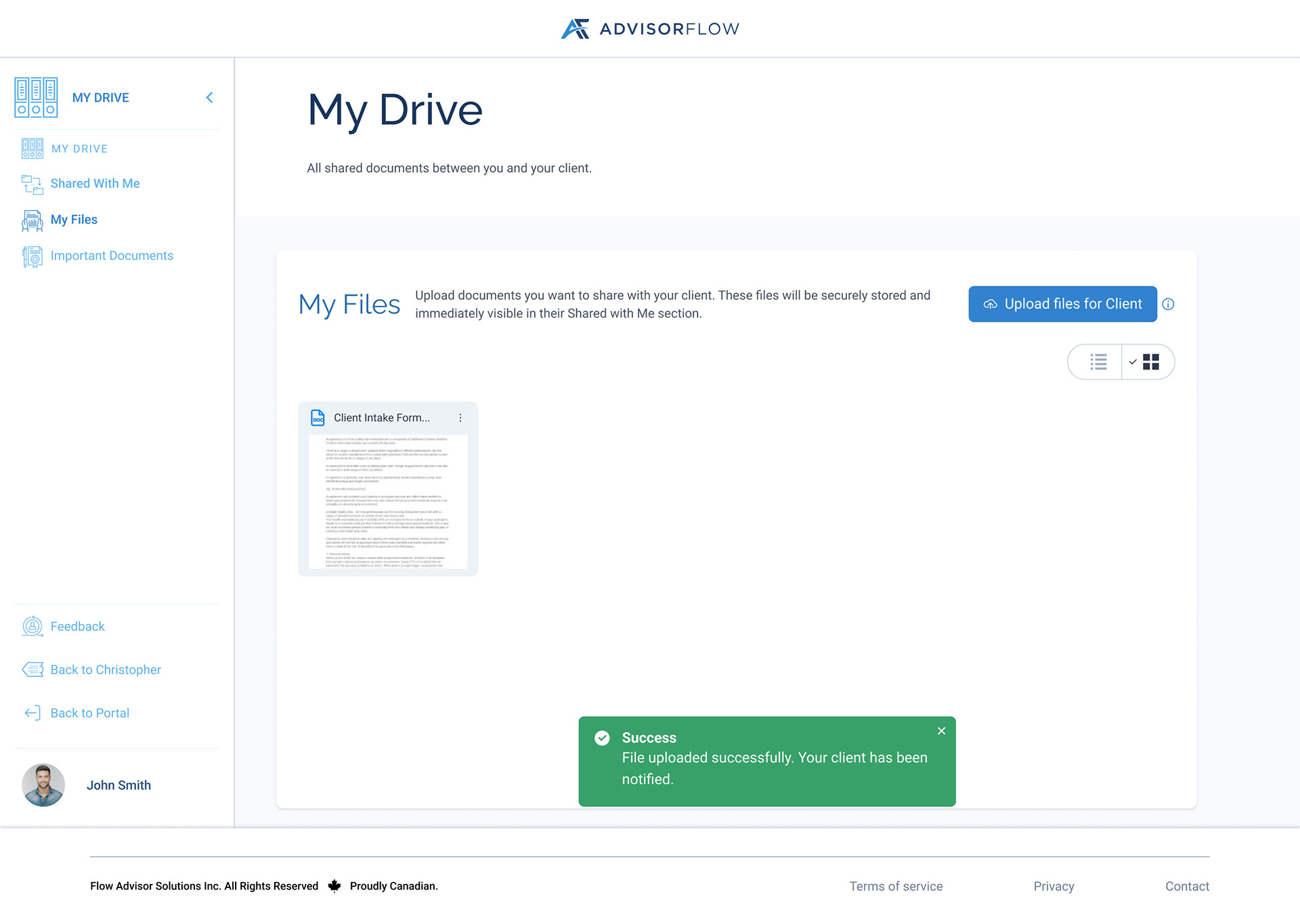
Success Toast
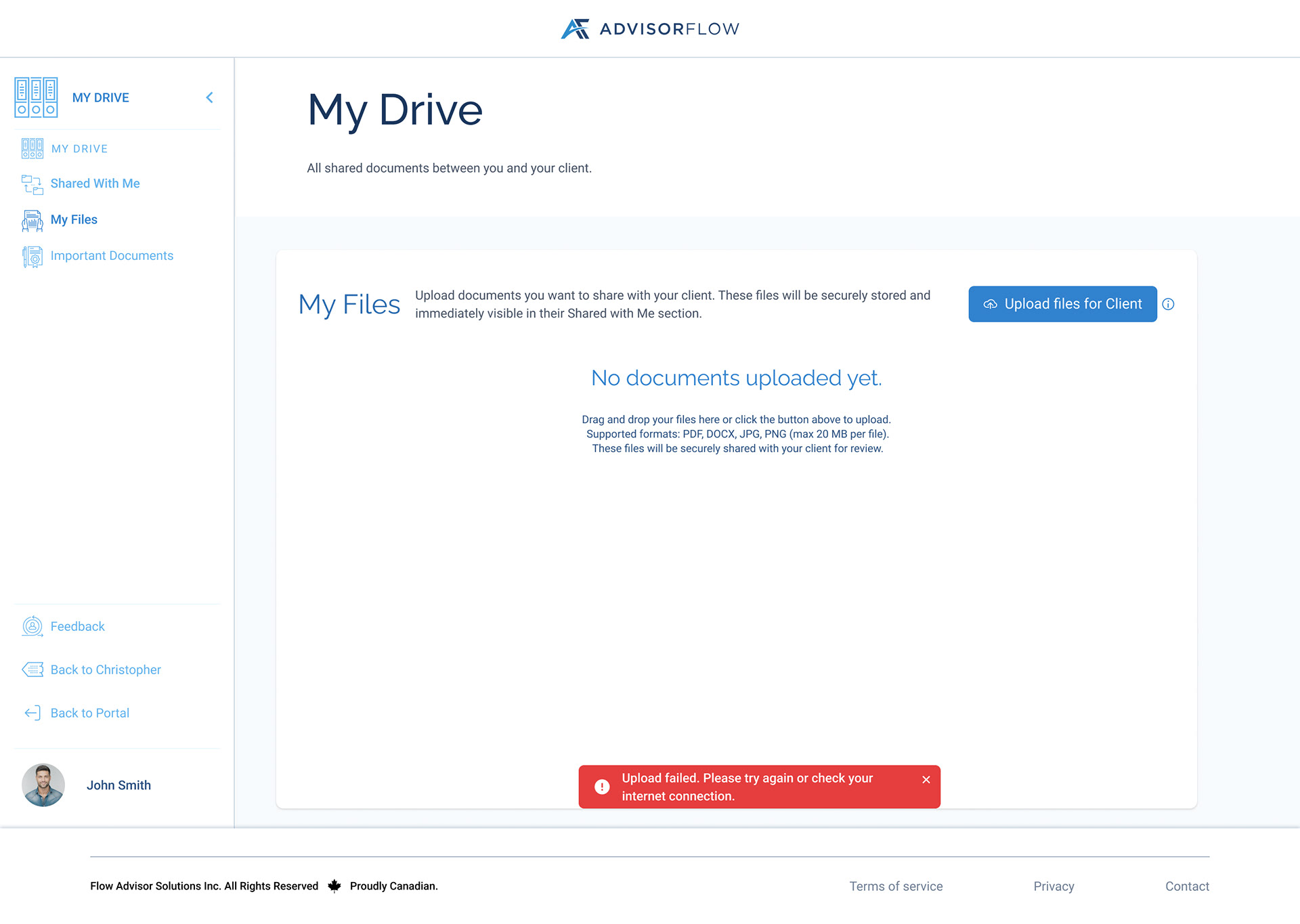
Error Toast
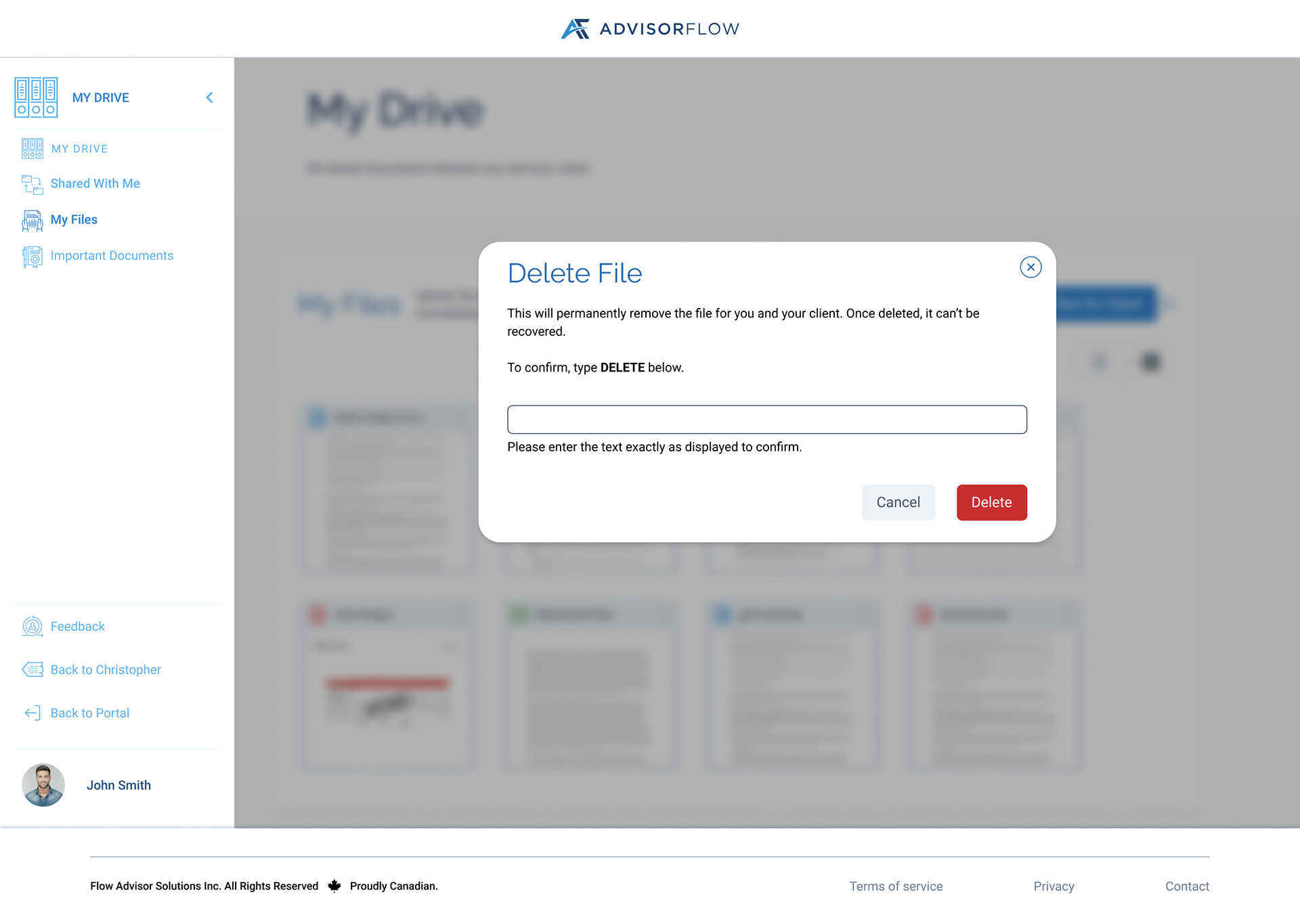
File Deletion
Advisors; Shared With Me
The “Shared With Me” view allows advisors to quickly access documents uploaded by clients. Advisors can review, download, and manage shared files while maintaining full visibility into document ownership and status. Overflow actions and confirmation modals were designed to prevent accidental actions and reinforce file control.
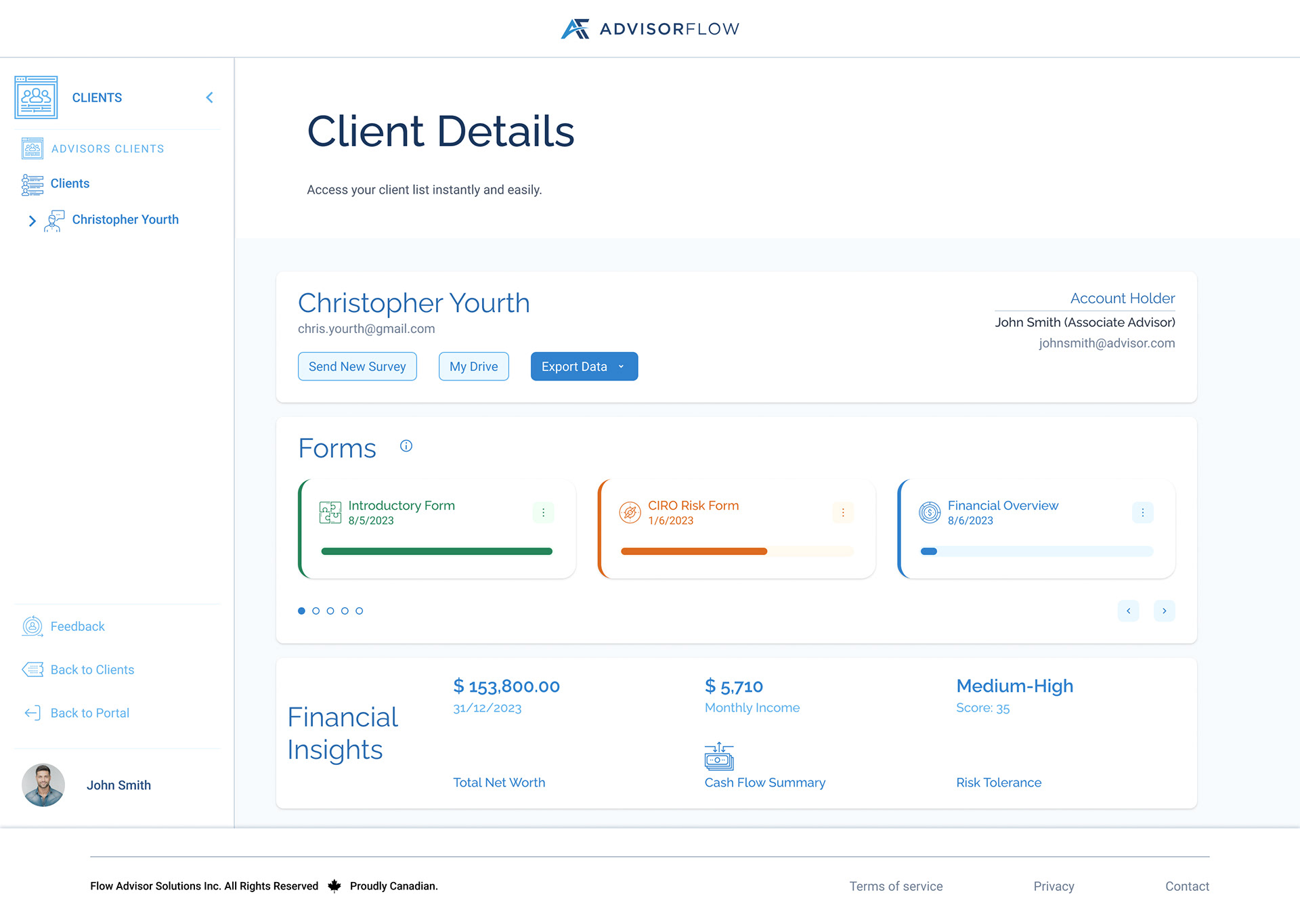
Client Details Page Entry Point
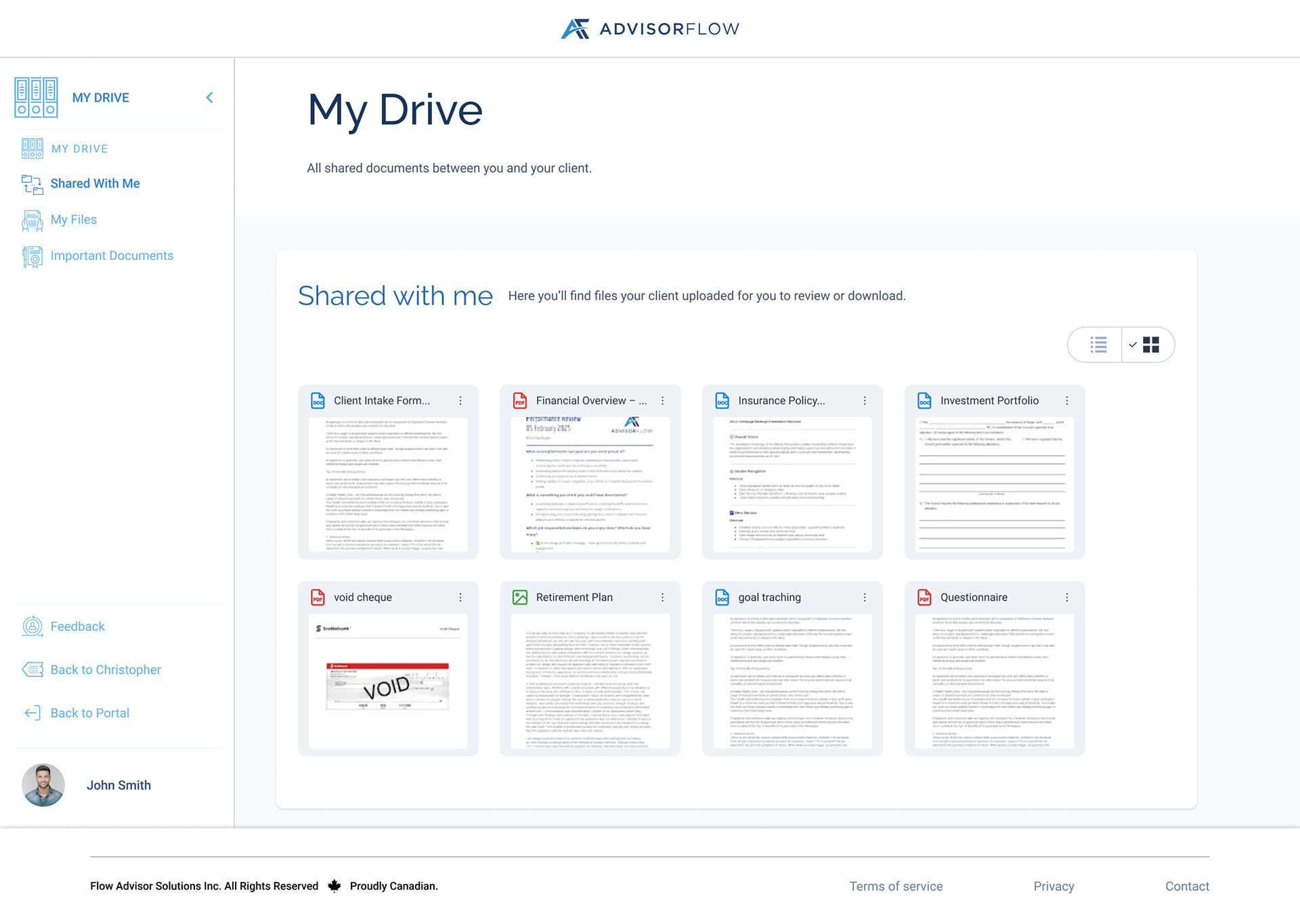
My Drive, Shared With Me Grid View
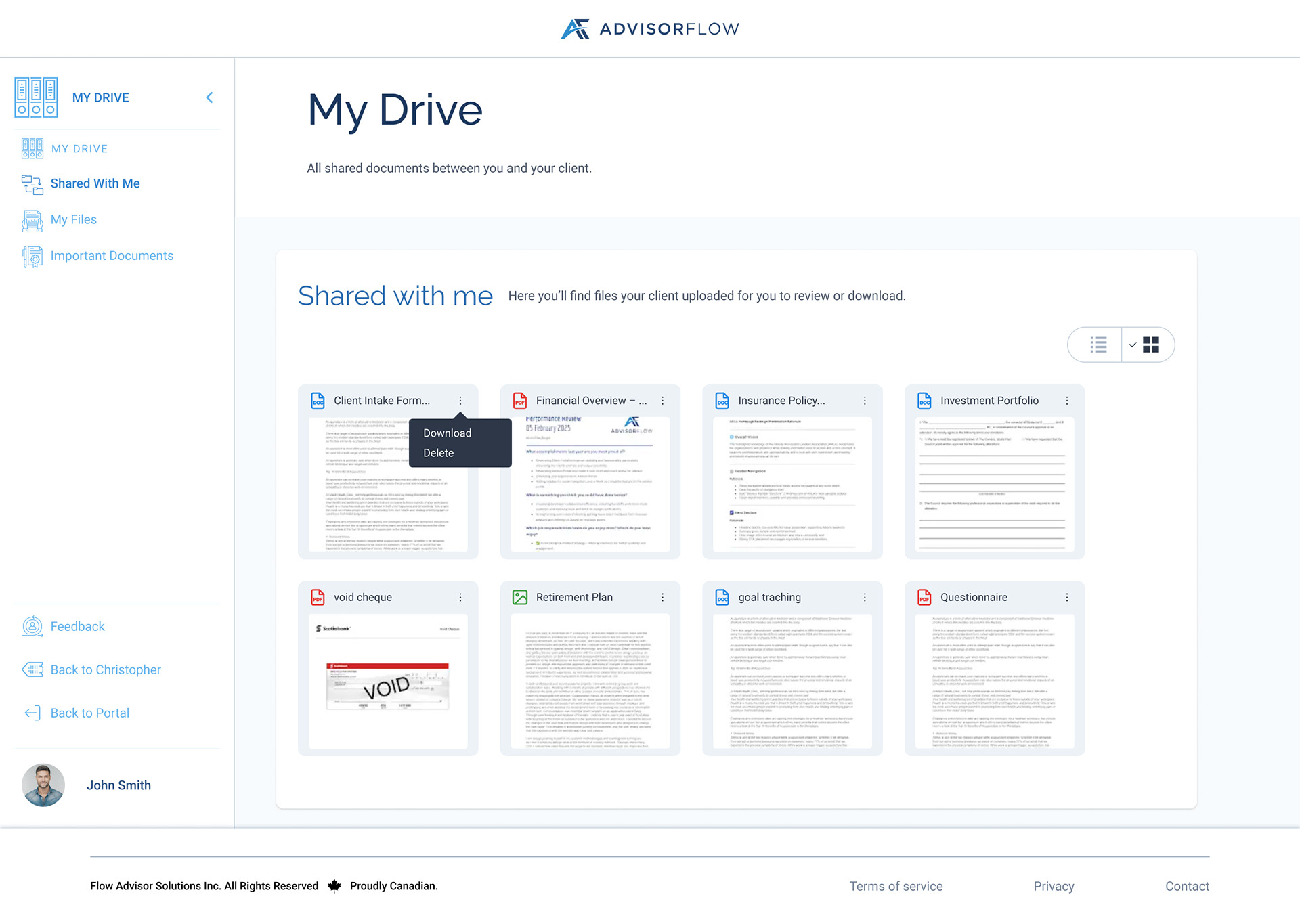
My Drive, Shared With Me Grid View Overflow
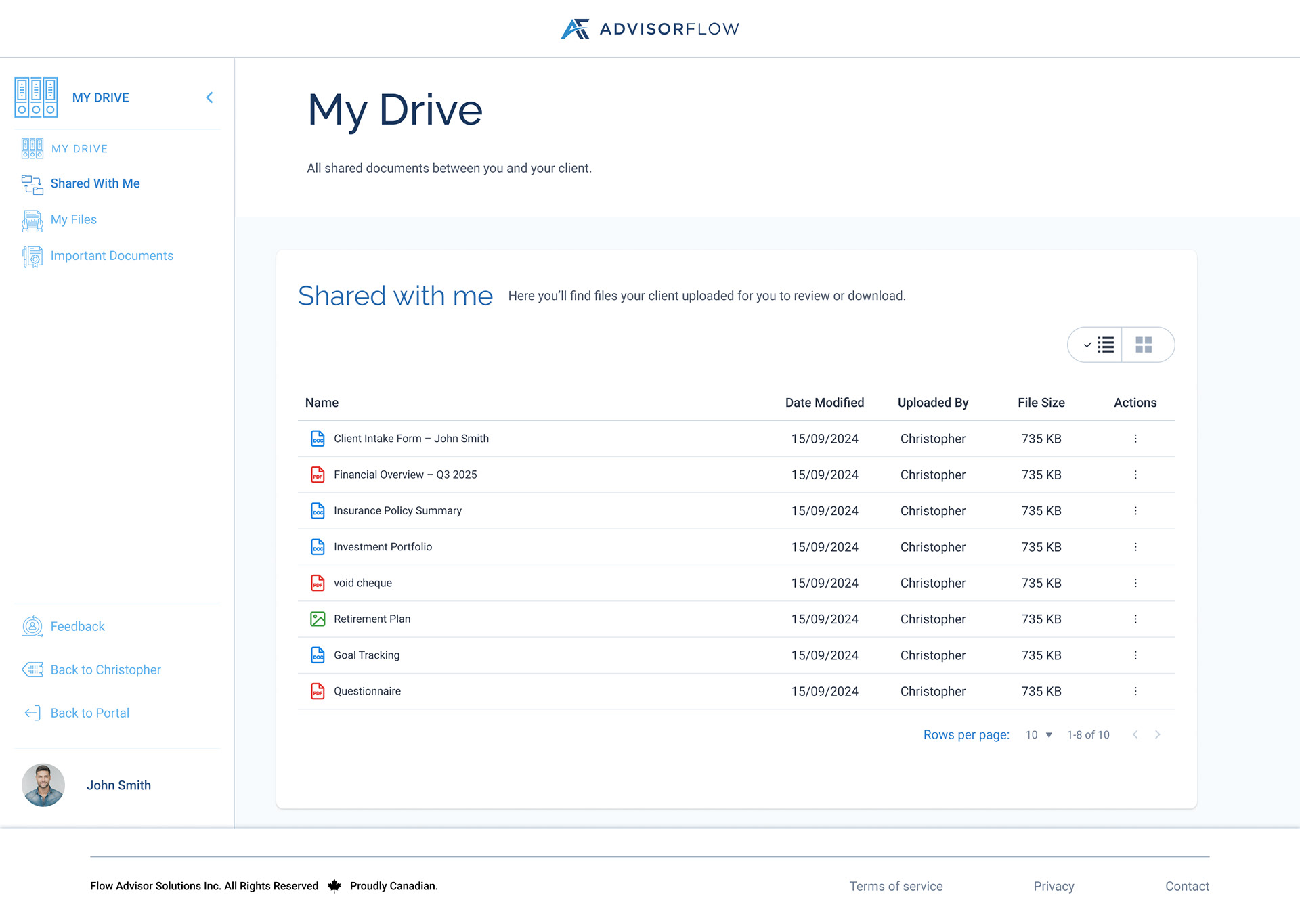
My Drive, Shared With Me List View
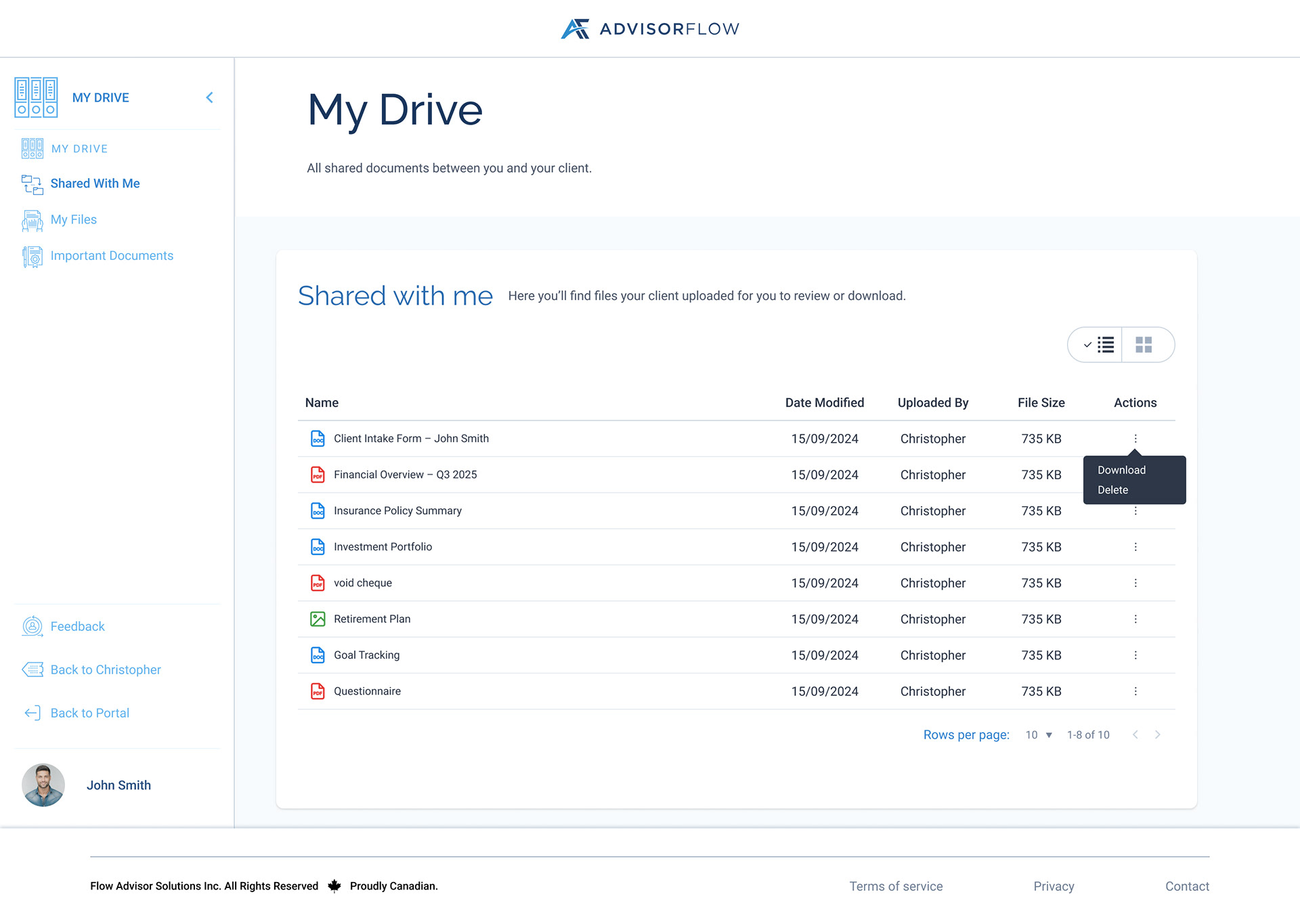
My Drive, Shared With Me List View Overflow
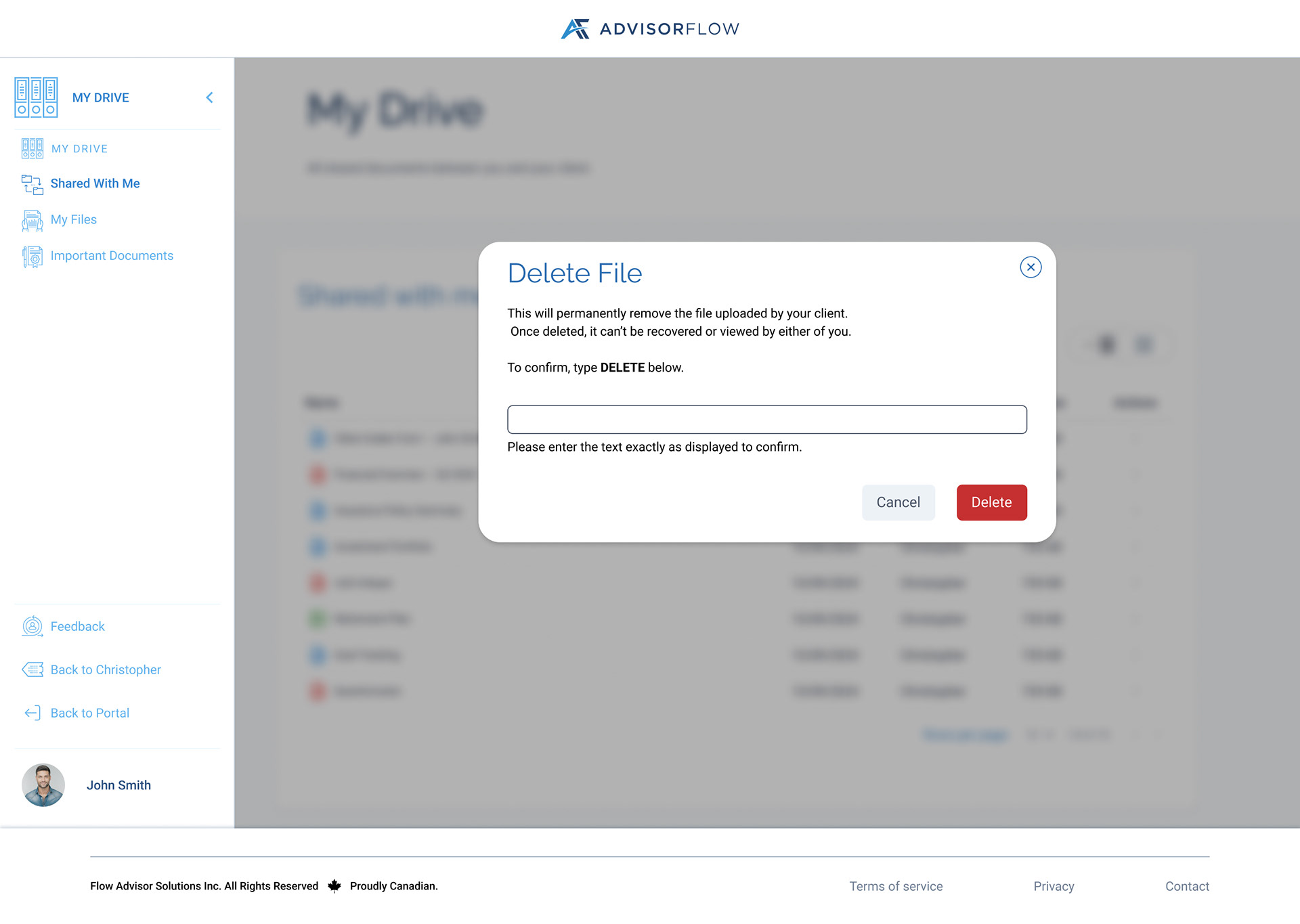
Delete Modal
Advisor; Important Documents
Important Documents highlights key files that advisors want quick access to while their clients are filling the necessary forms, reducing the need to search across multiple clients or folders. This view supports both grid and list layouts and provides consistent file actions, helping advisors stay organized when working with high-priority documentation.
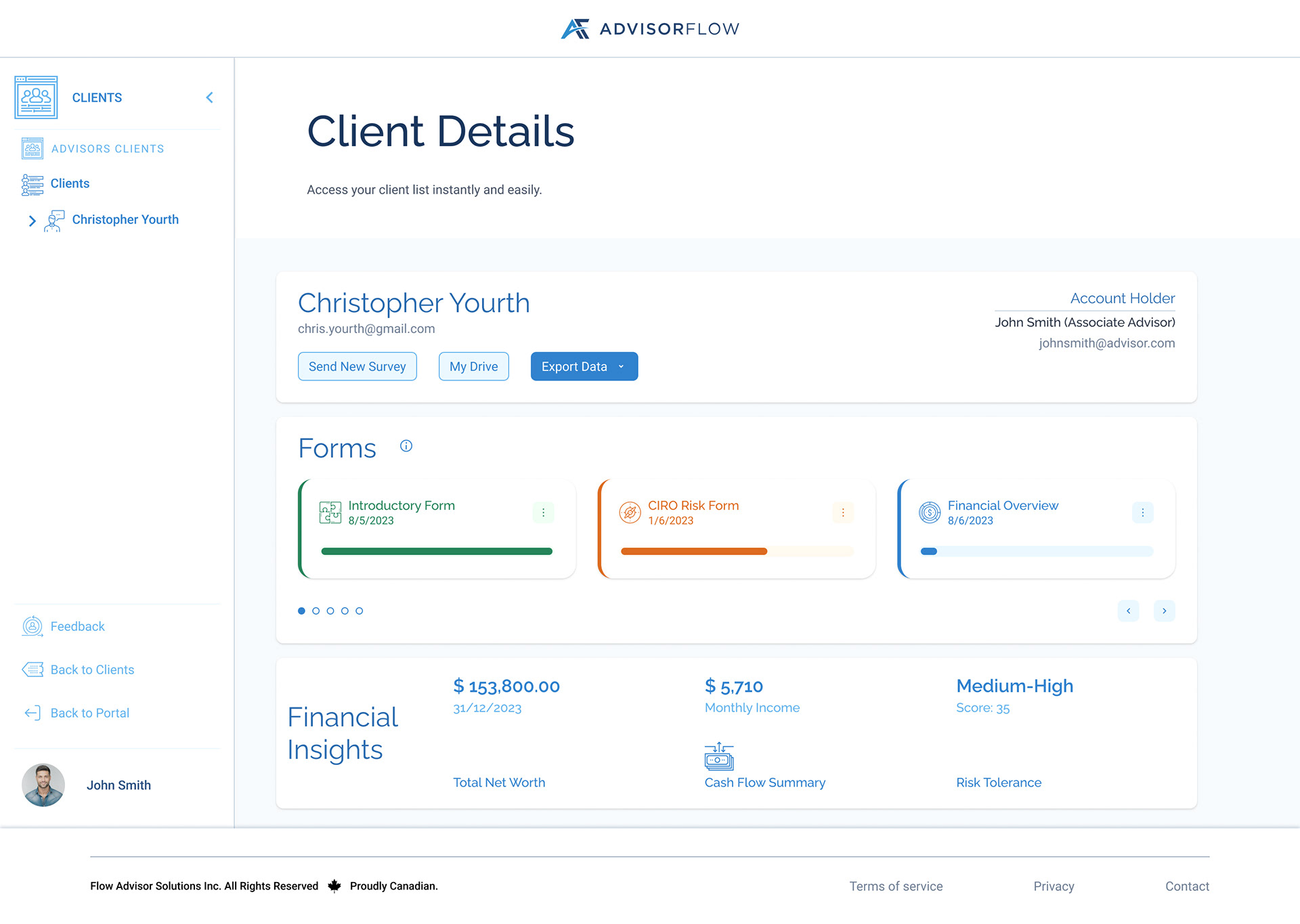
Entry Point Client Details
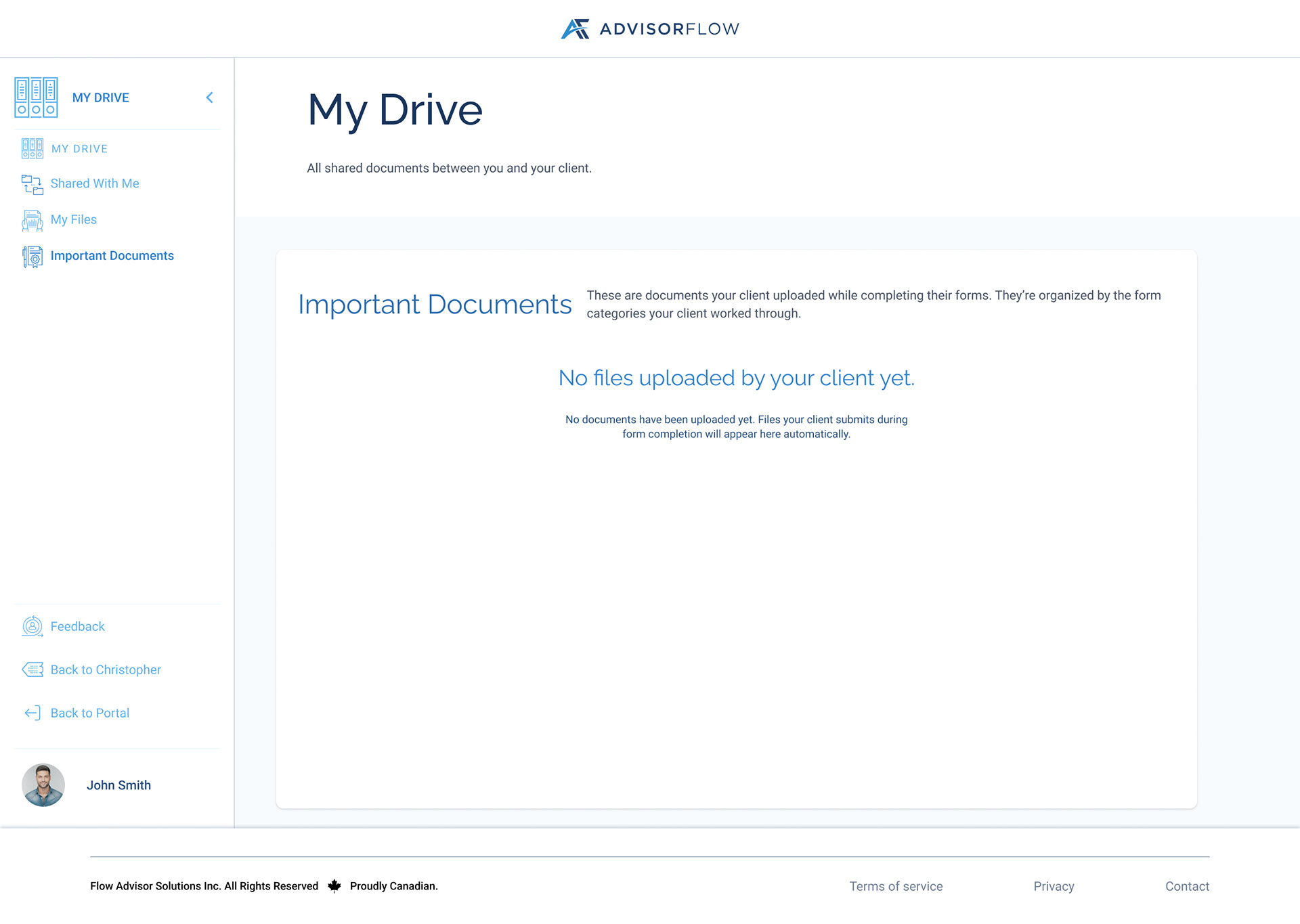
Empty State
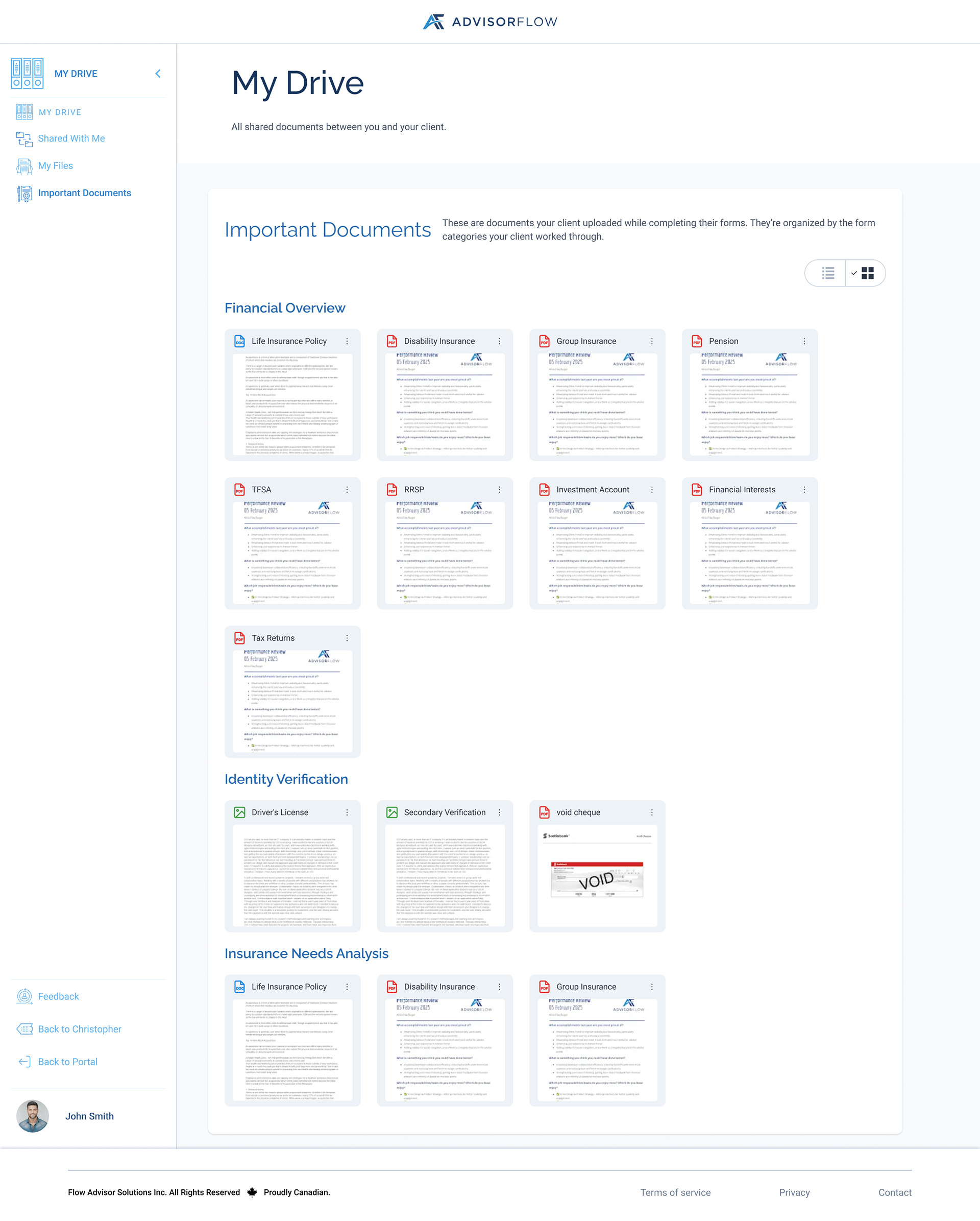
Important Documents Grid View
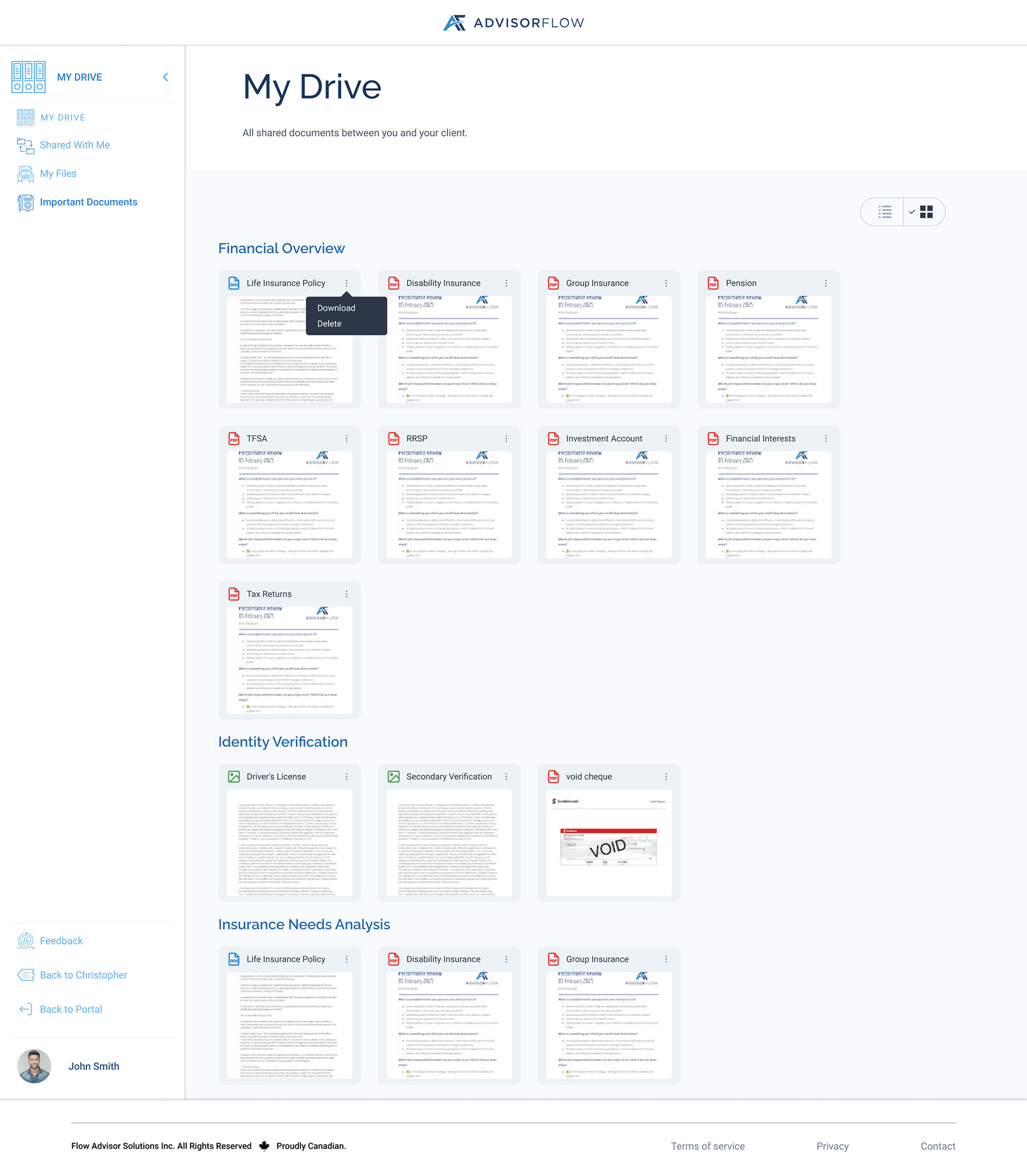
Grid View Overflow Open
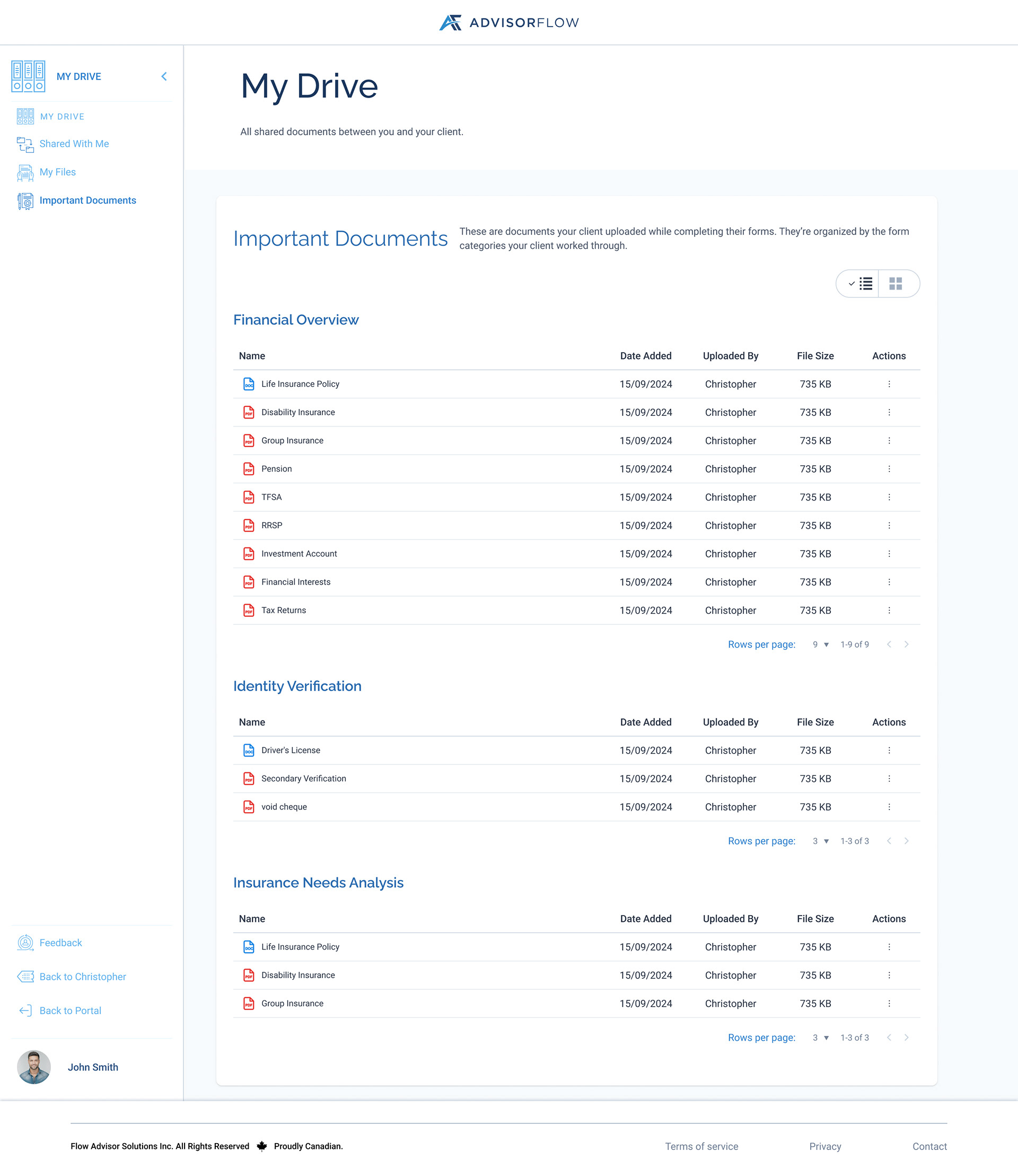
Important Documents List View
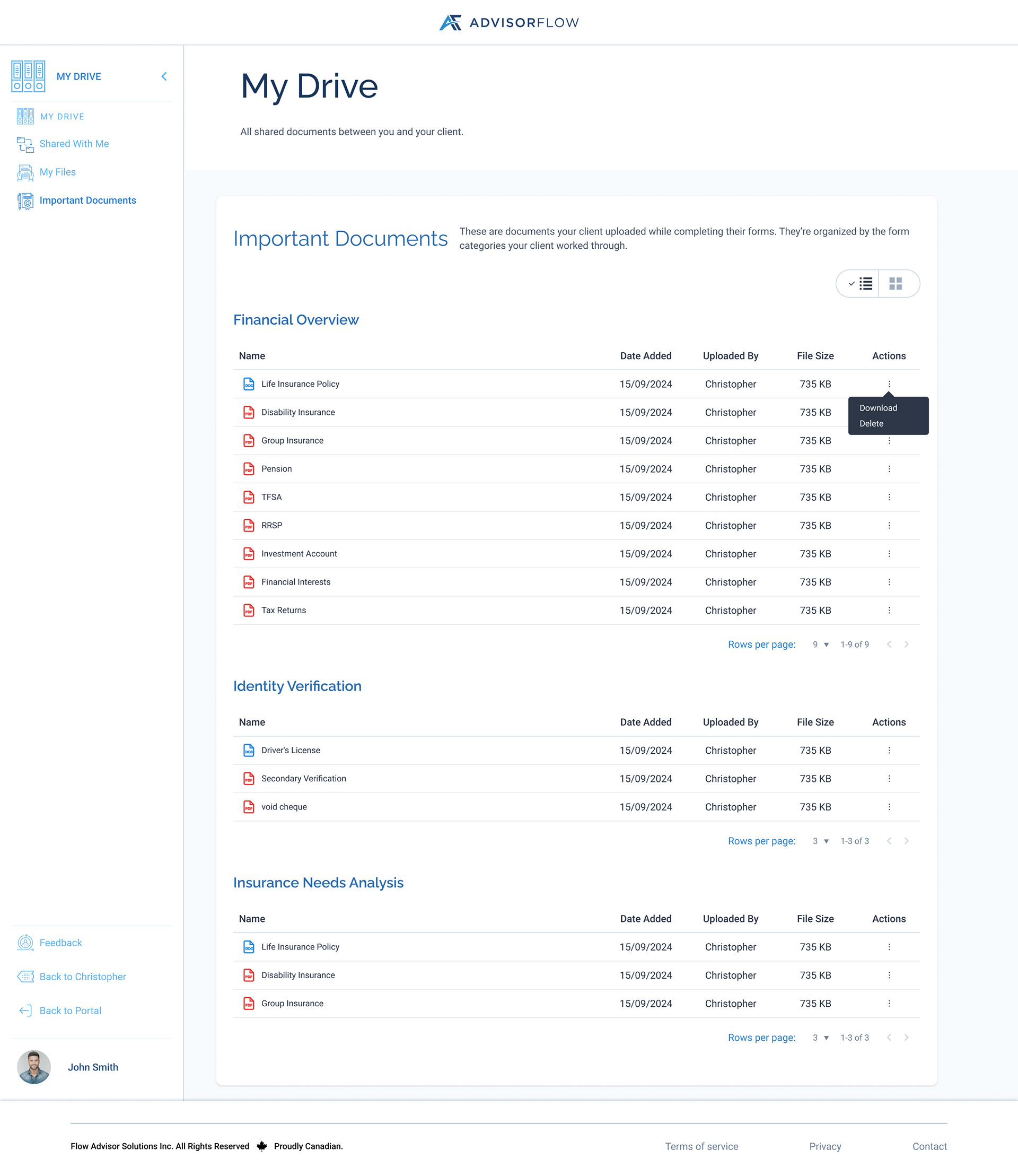
List View Overflow Open
Clients; My Files
In the Client Portal, users can upload, view, download, and manage their own documents through the My Files section. Clients can re-upload edited files and track upload progress with clear loading and success feedback, giving them confidence that their documents have been securely shared.
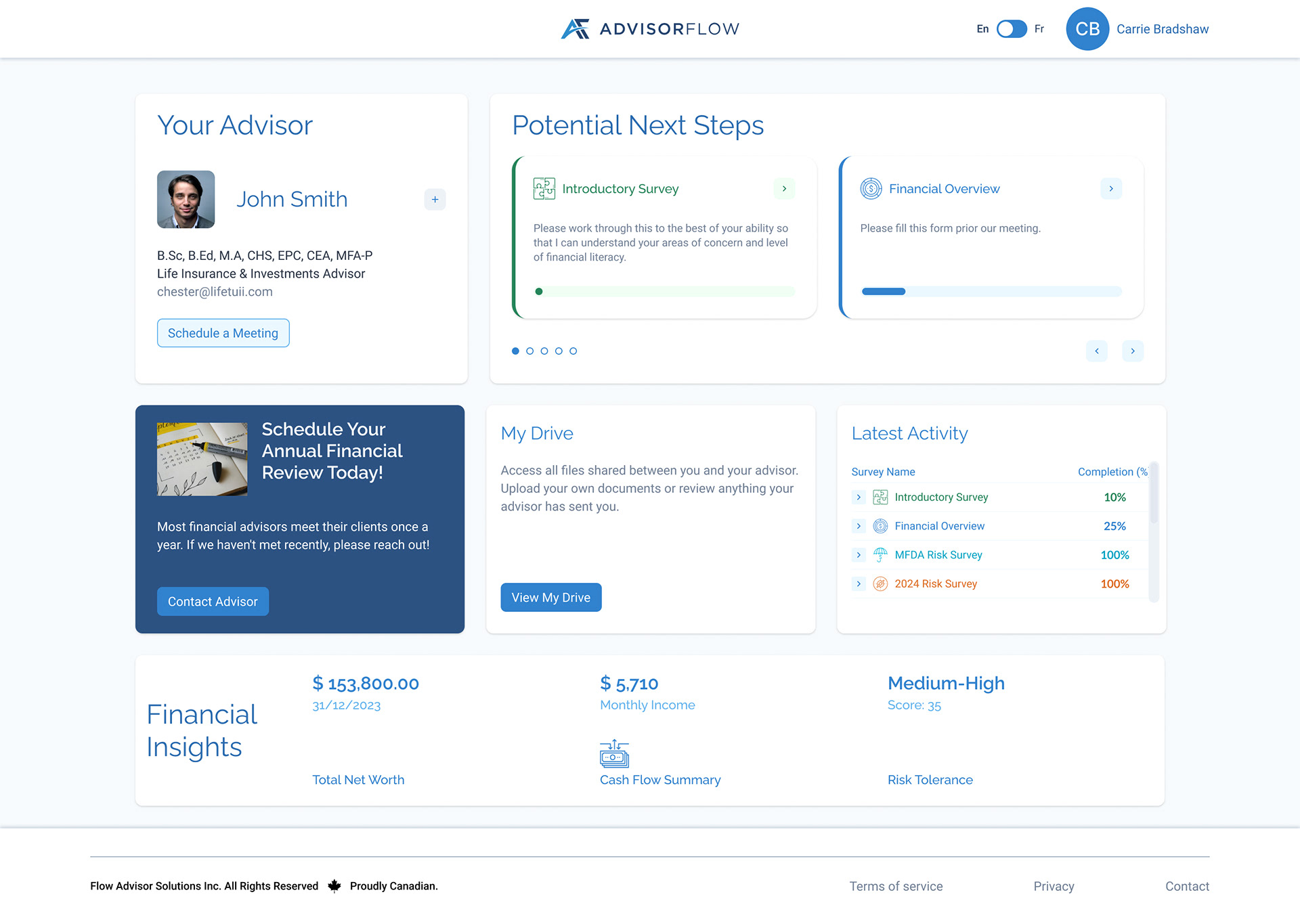
Client Portal Entry Point
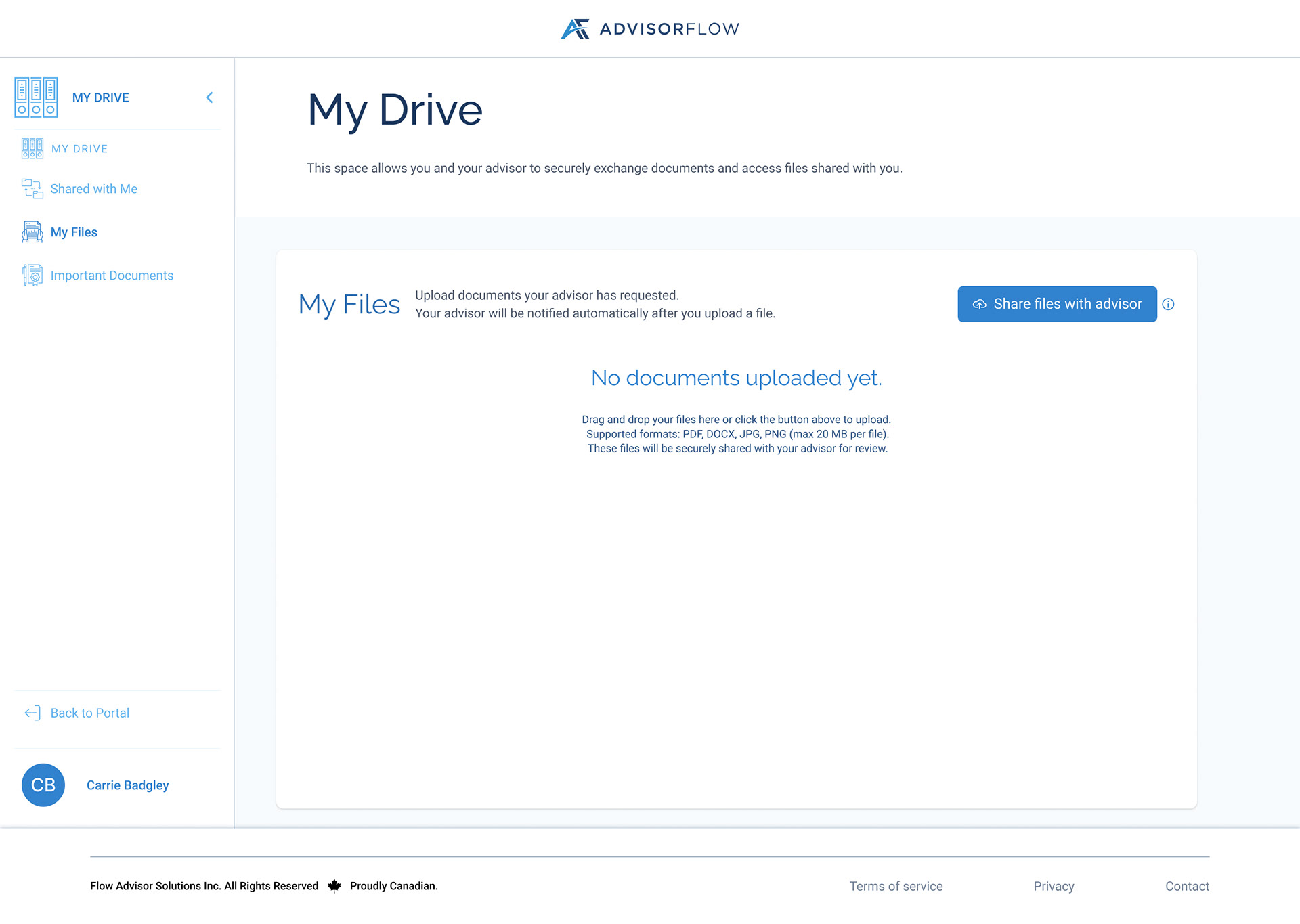
My FIles Empty State
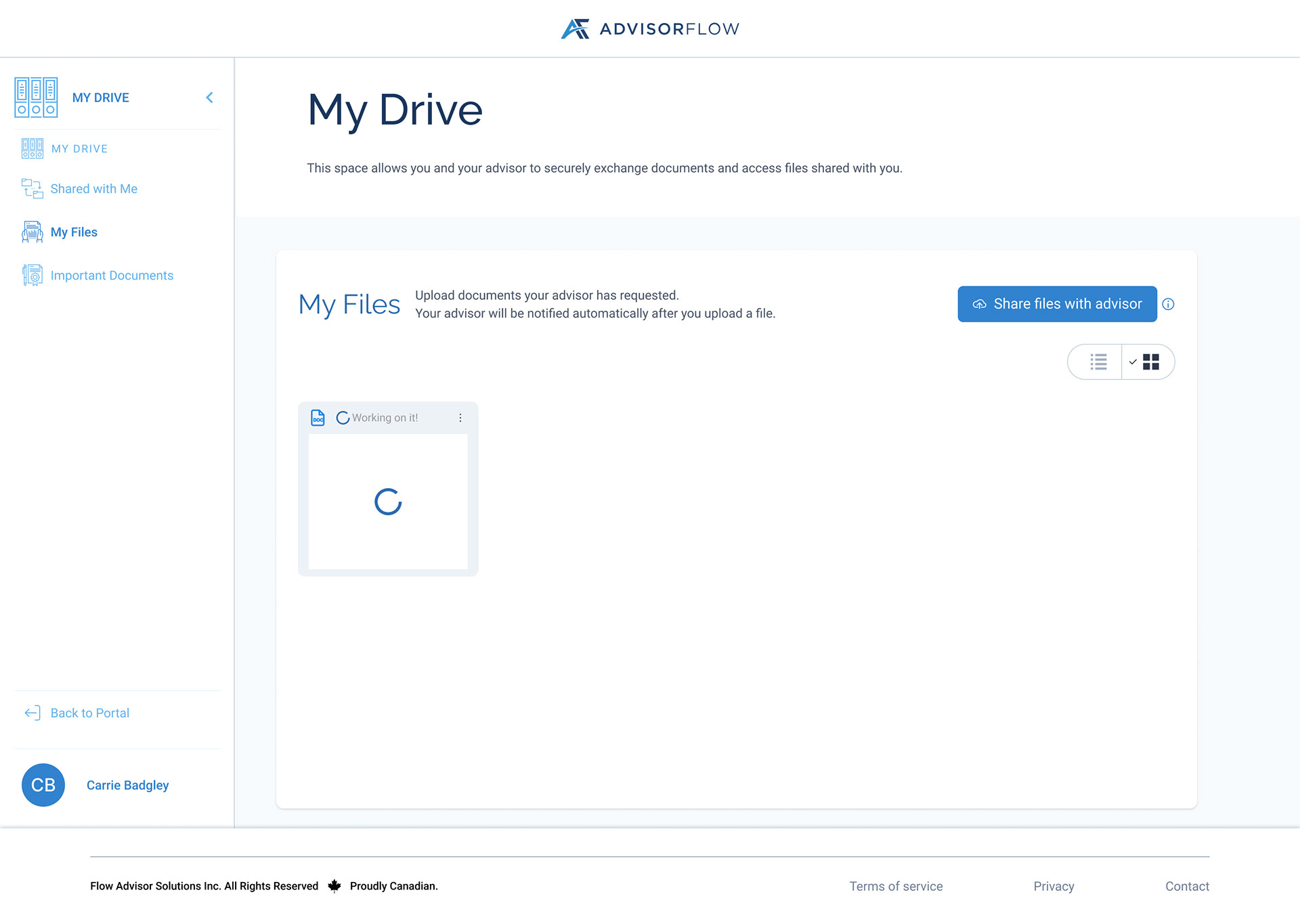
My Files Loading State Grid View
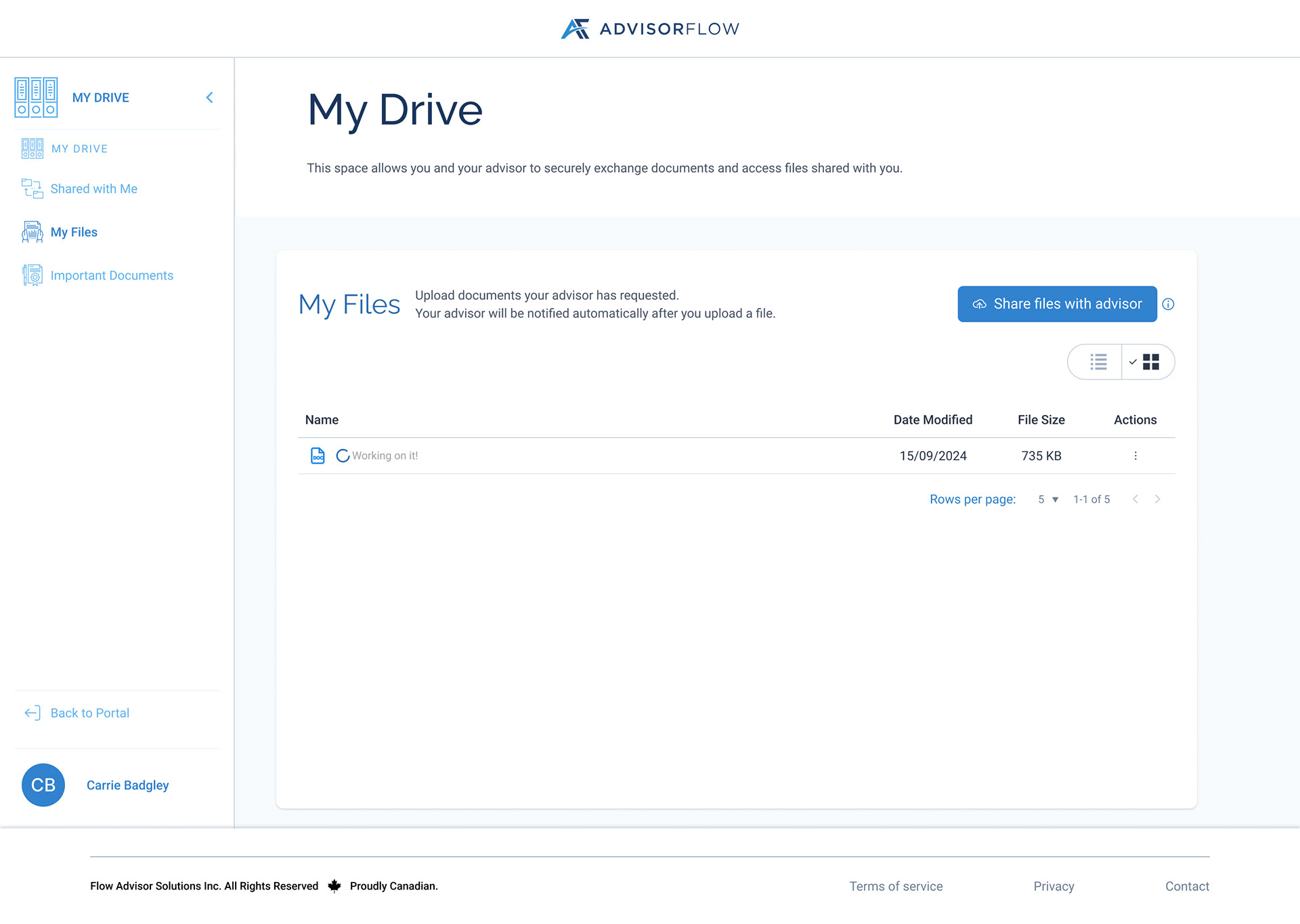
My Files Loading State List View
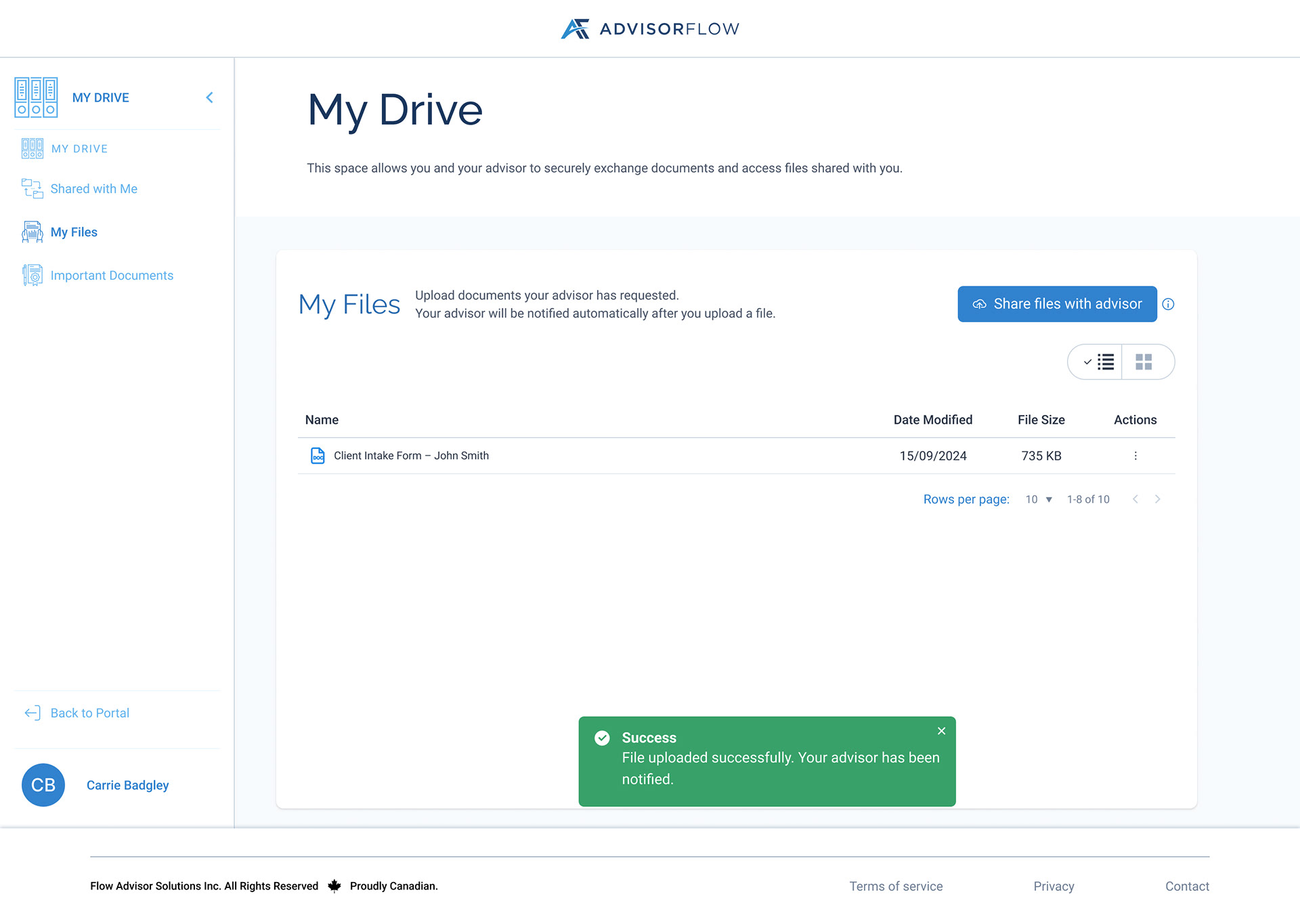
My Files Success Toast
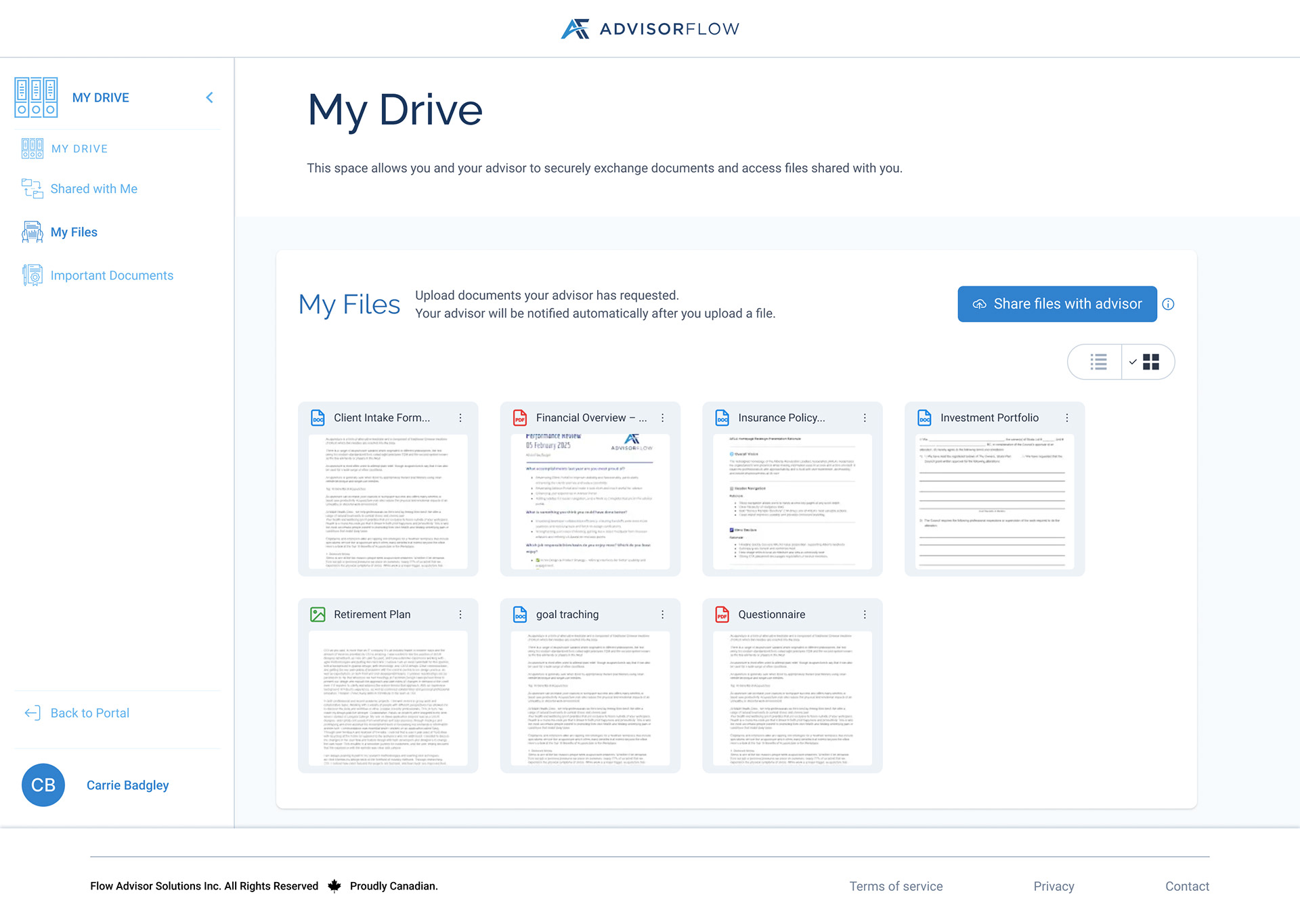
My Files Grid View
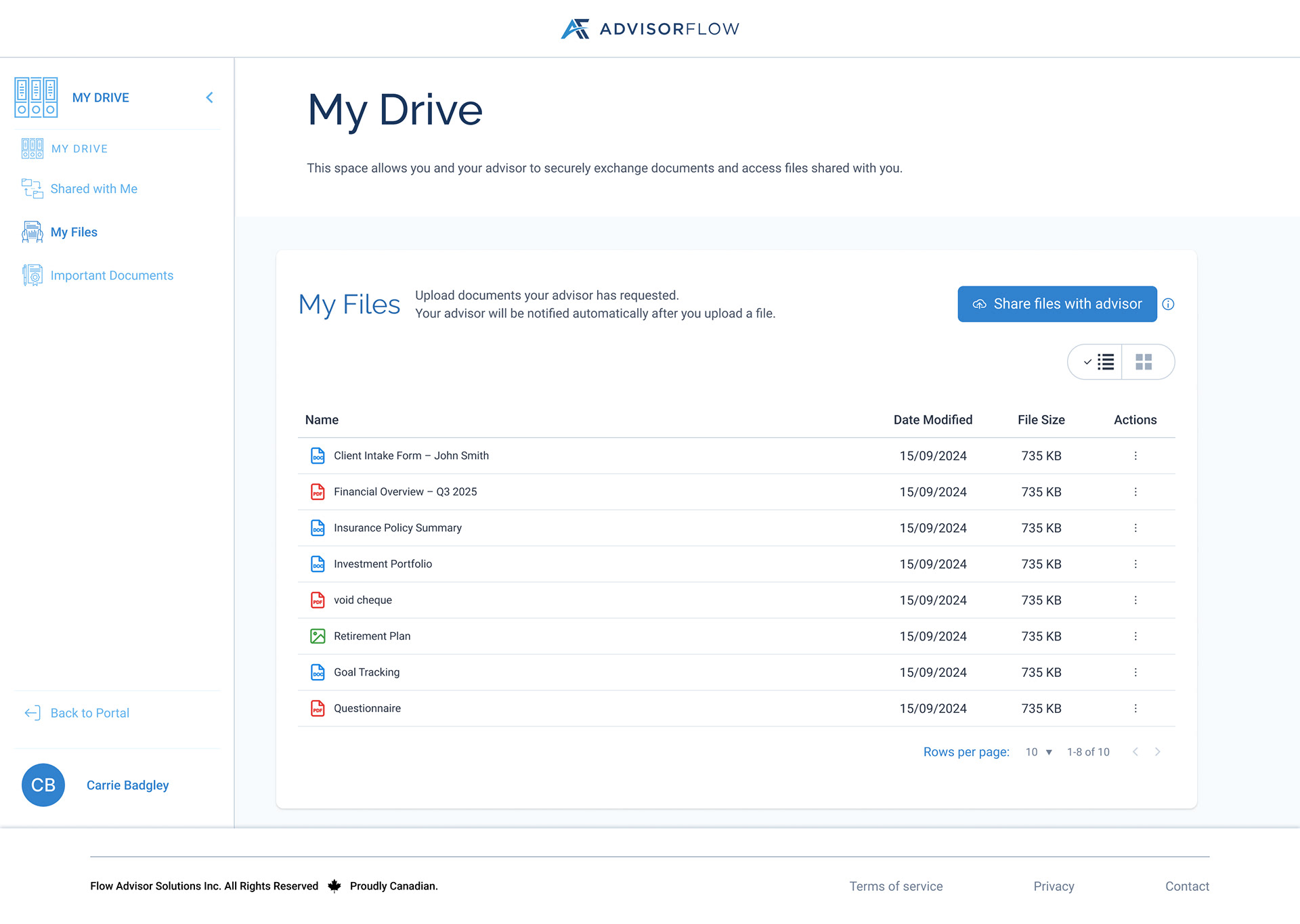
My Files List View
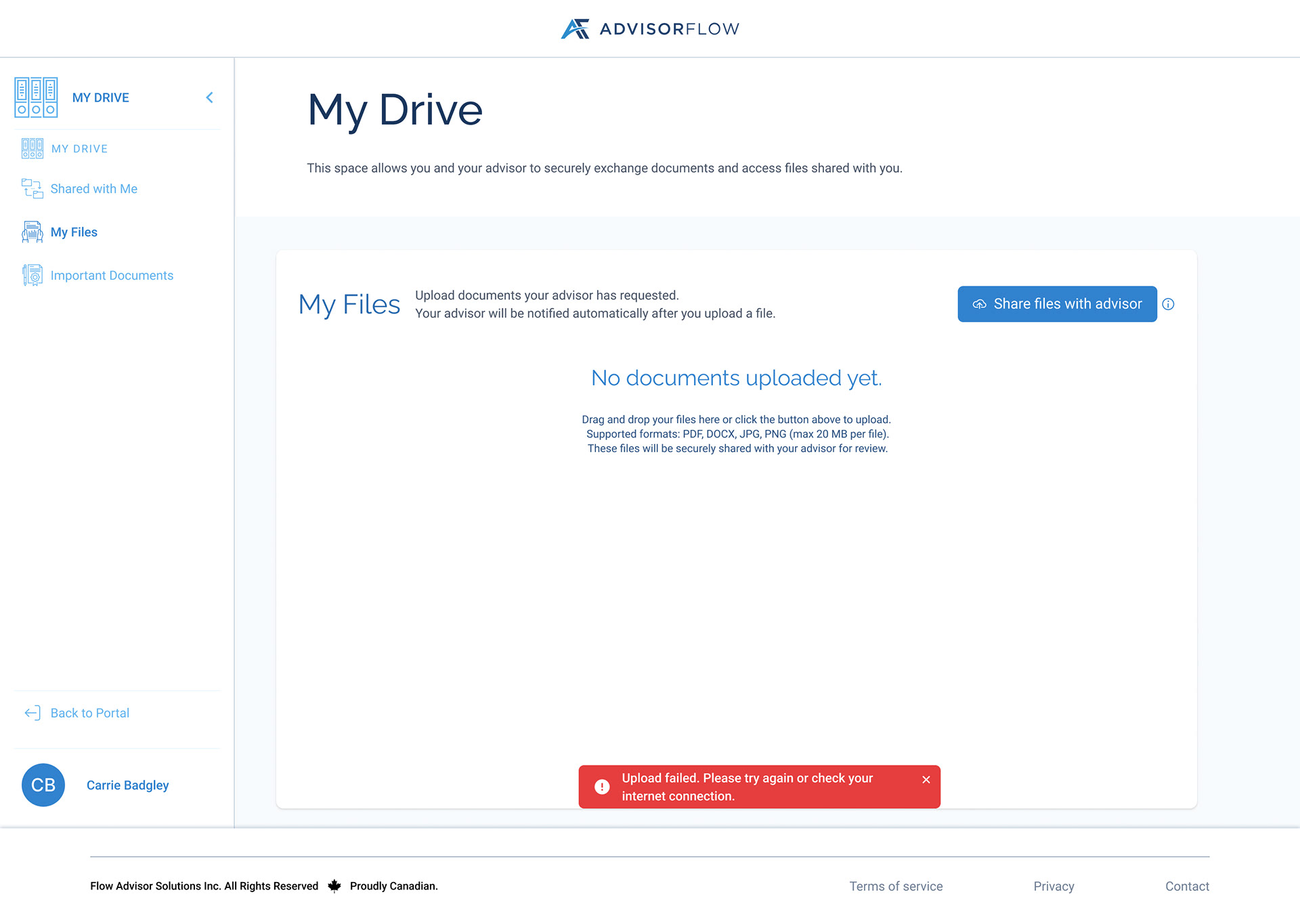
My Files Error Toast
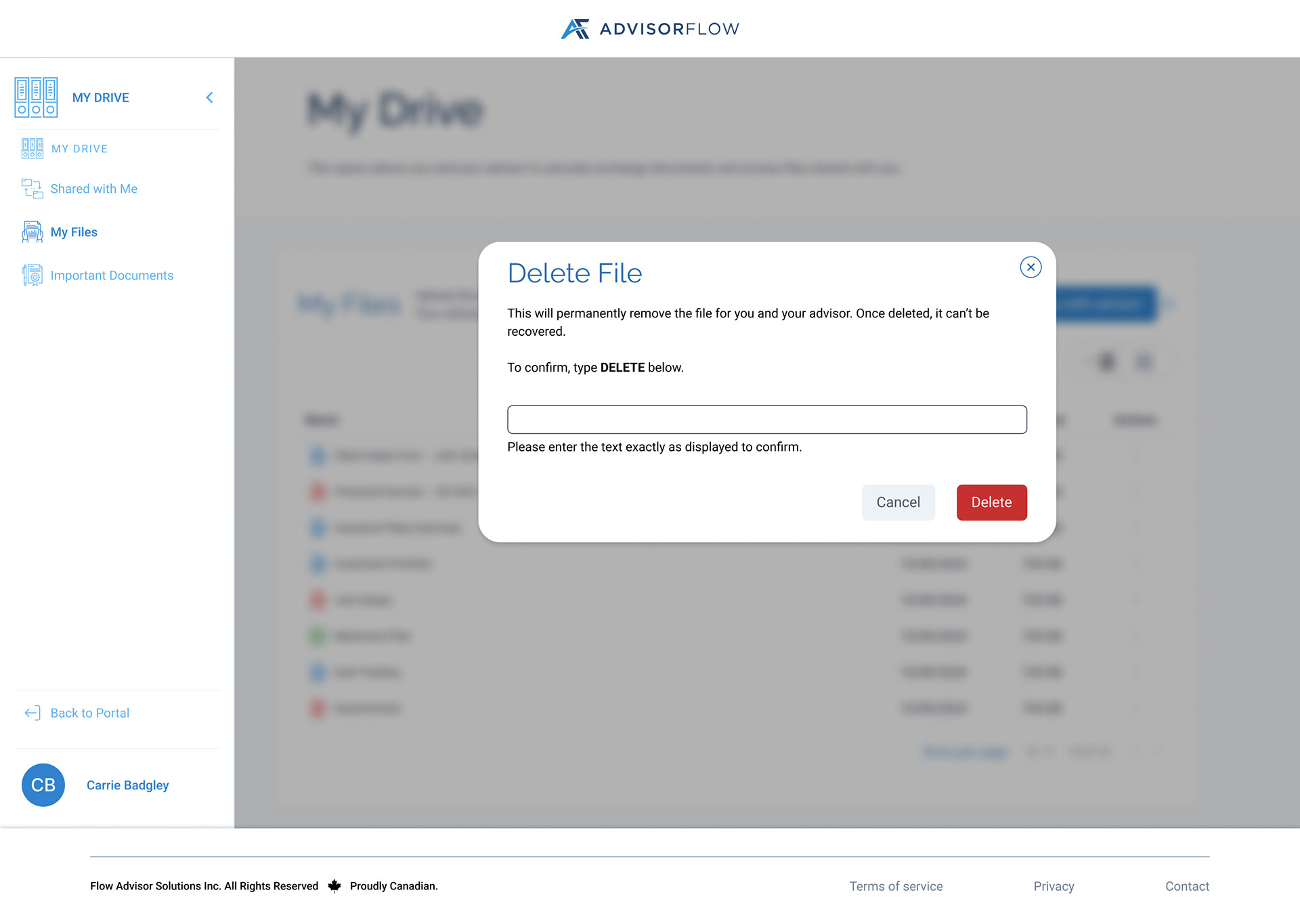
My Files Delete Modal
Clients; Shared With Me
The “Shared With Me” section allows clients to access documents uploaded by their advisor. Clients can download files and fill them on their own, ensuring transparency while preserving advisor control and data integrity.
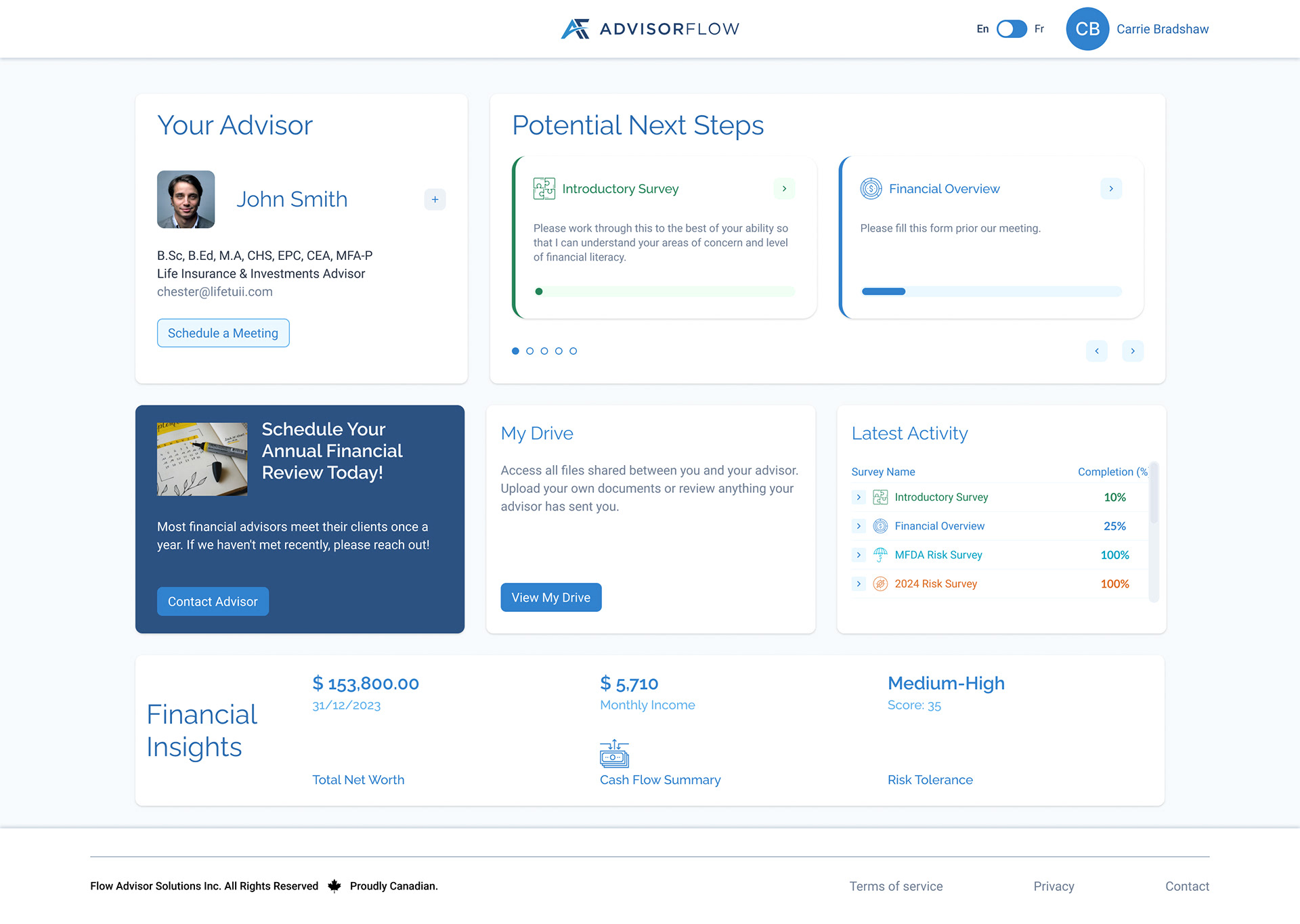
Client Portal Entry Point
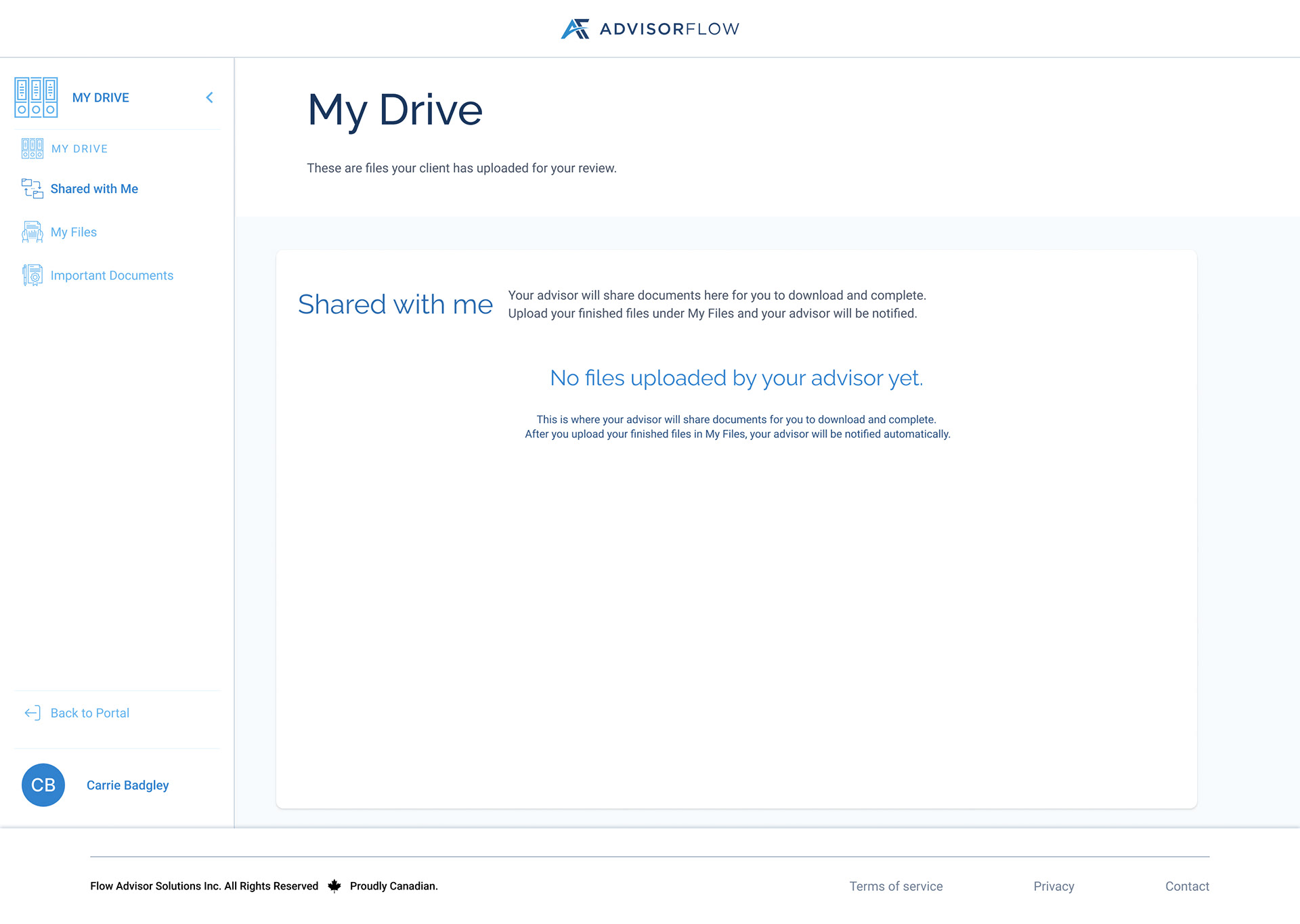
Shared With Me Empty State
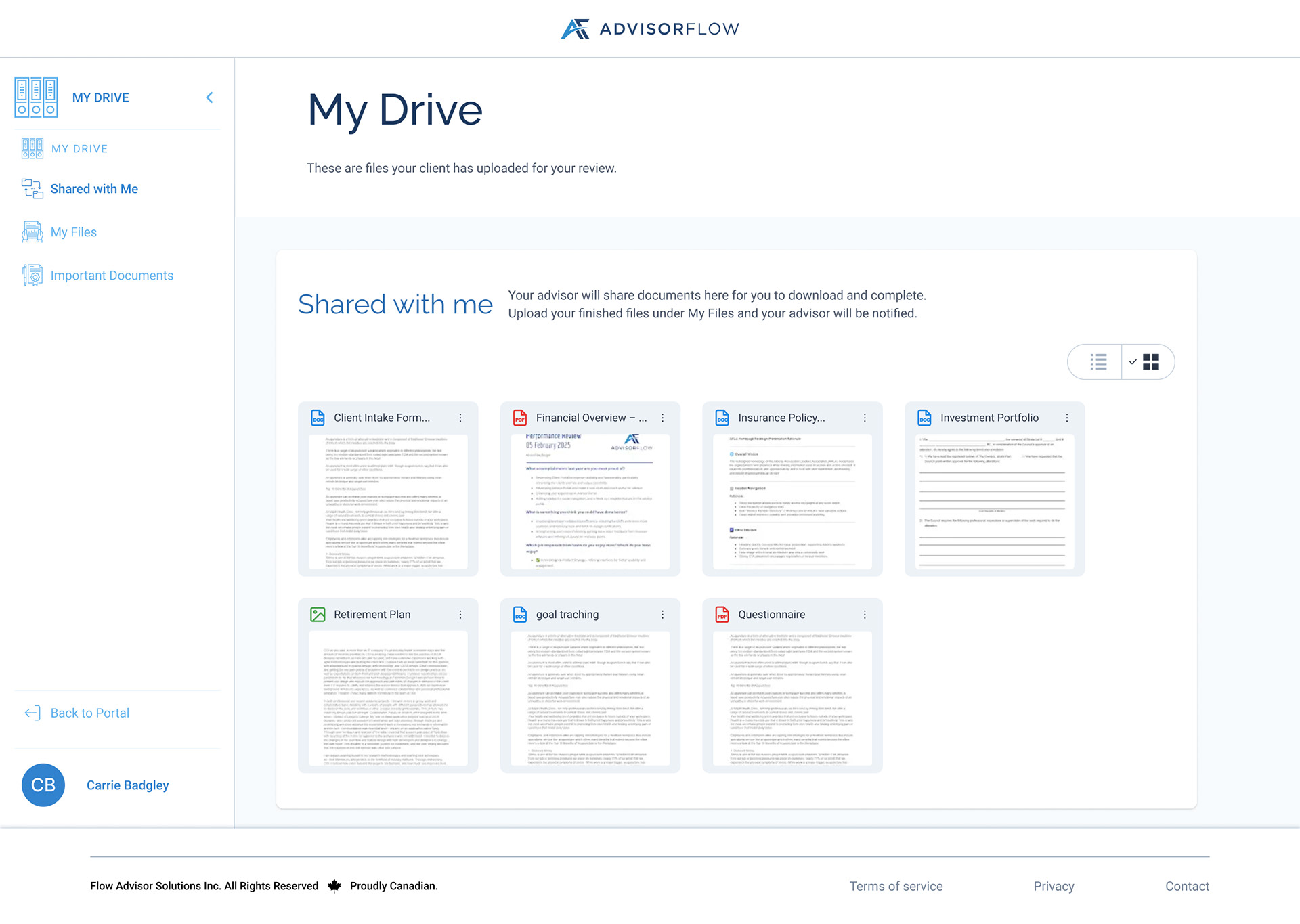
Shared with Me Grid View
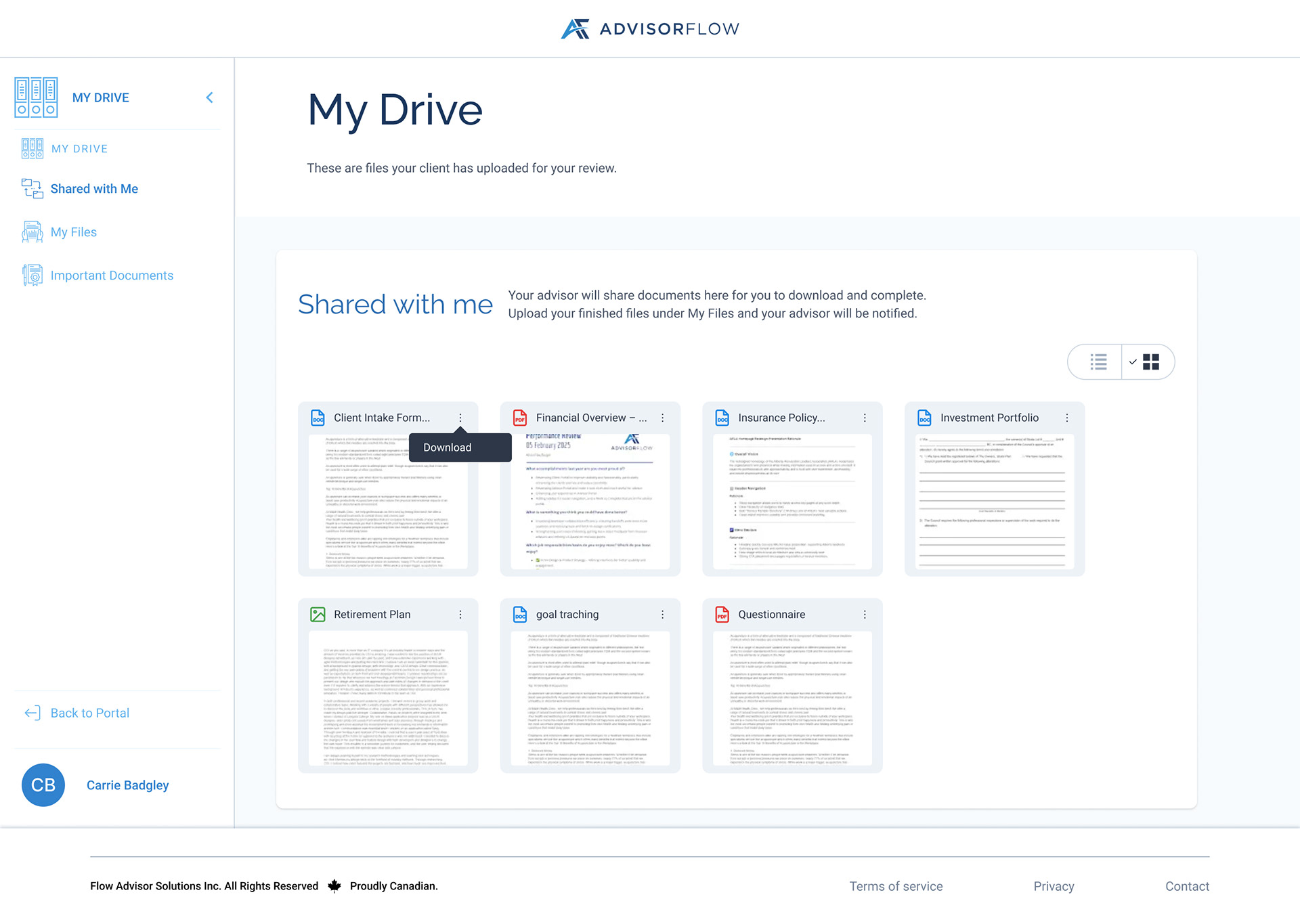
Shared with Me Grid View Overflow Open
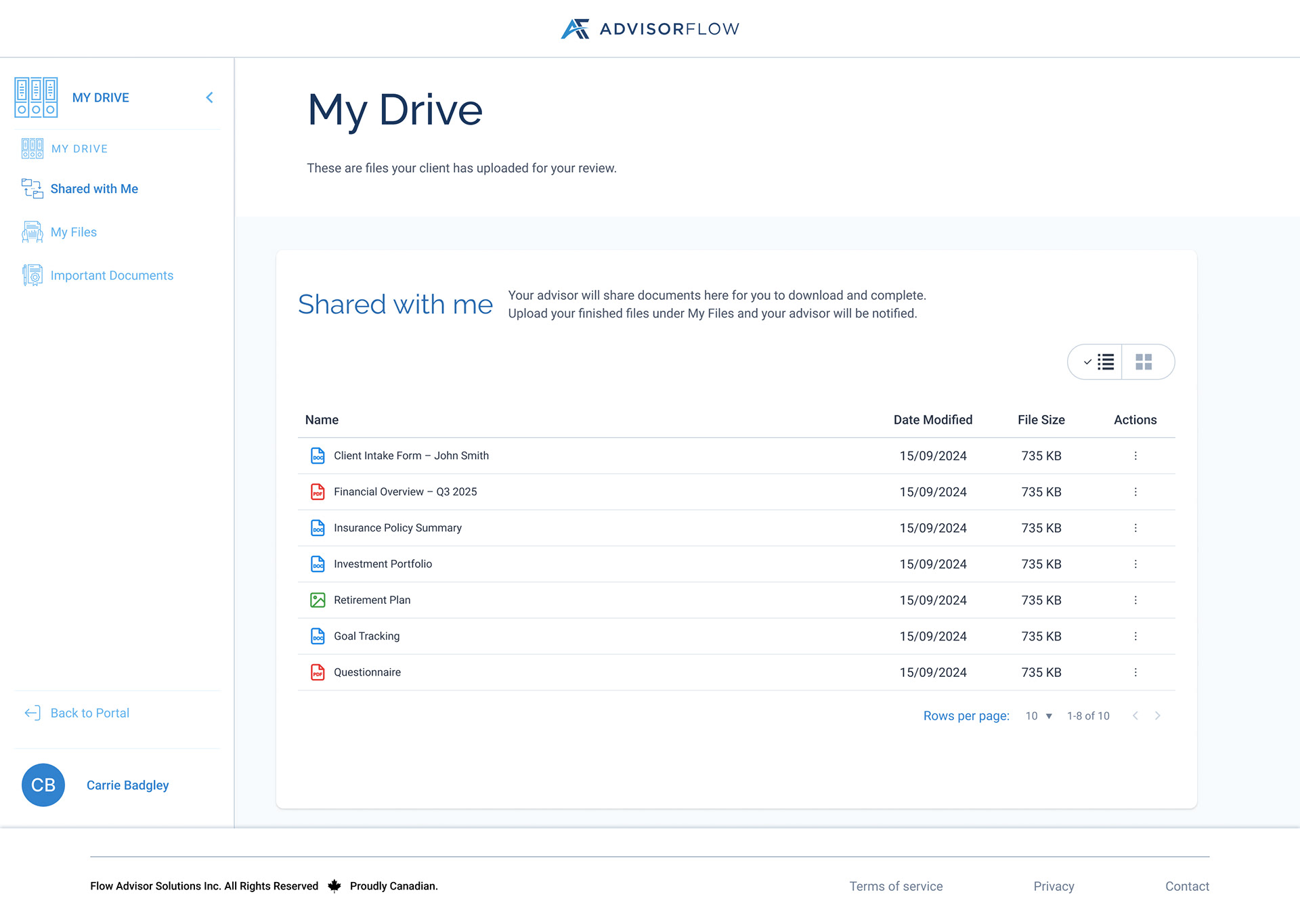
Shared with Me List View

Shared with Me List View Overflow Open
Clients; Important Documents
This view surfaces documents that clients added while working on the forms that their advisors sent them and may need to reference frequently. By separating important files from the rest of the document library, the experience helps clients quickly find and revisit essential paperwork without confusion. Clients won't be able to edit these documents and they can only view them or download them from their portal.
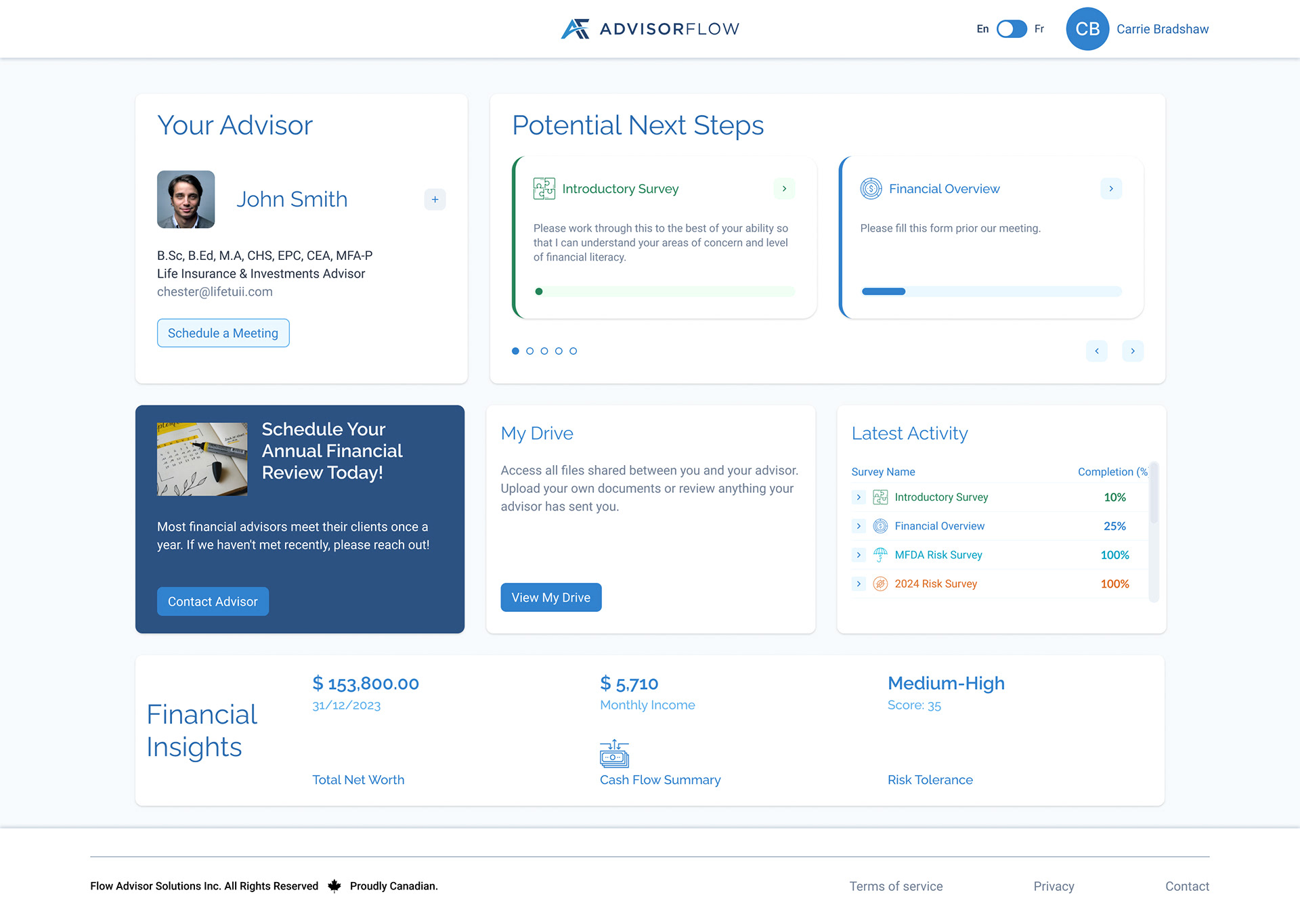
Client Portal Entry Point
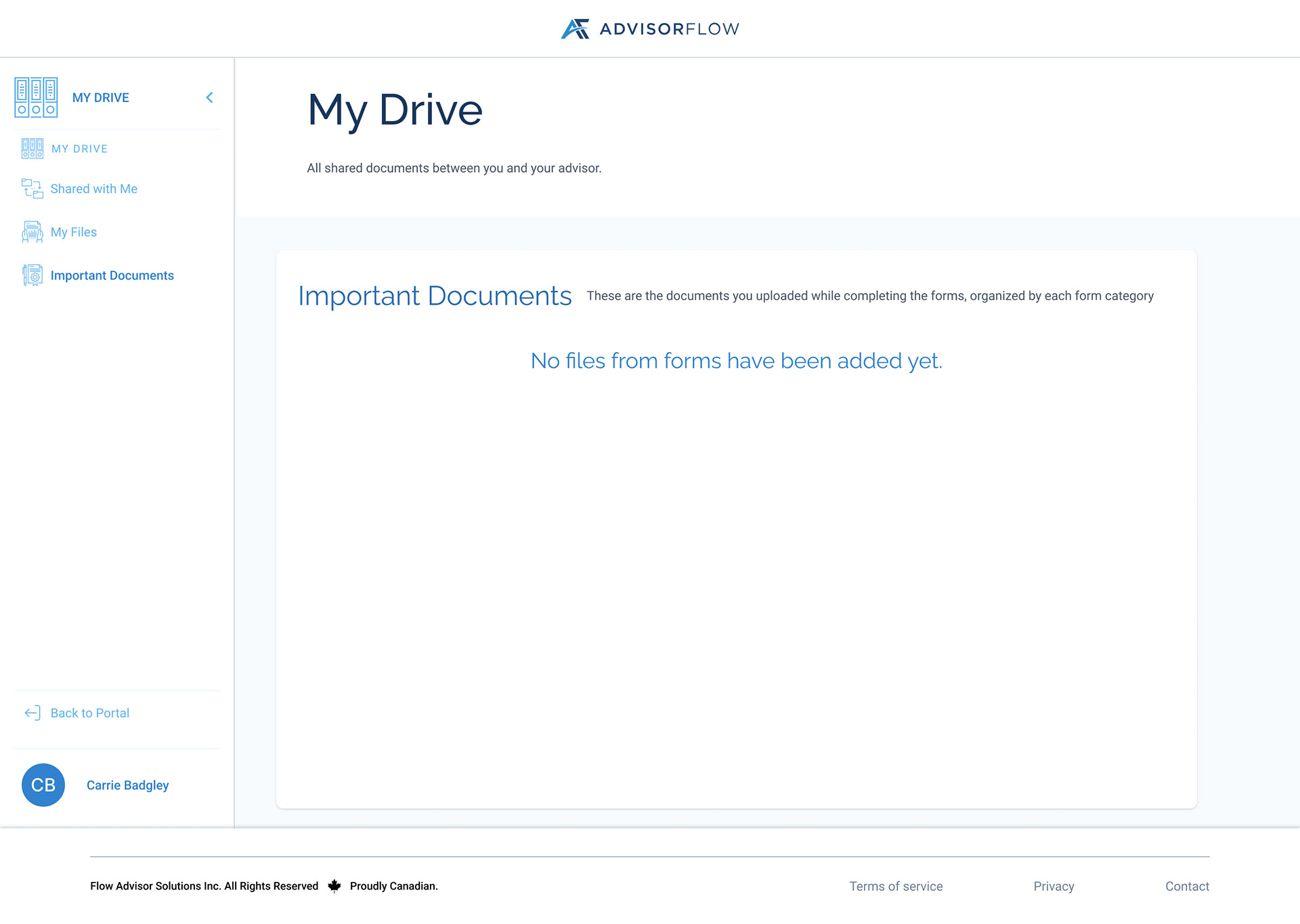
Important Documents Empty State
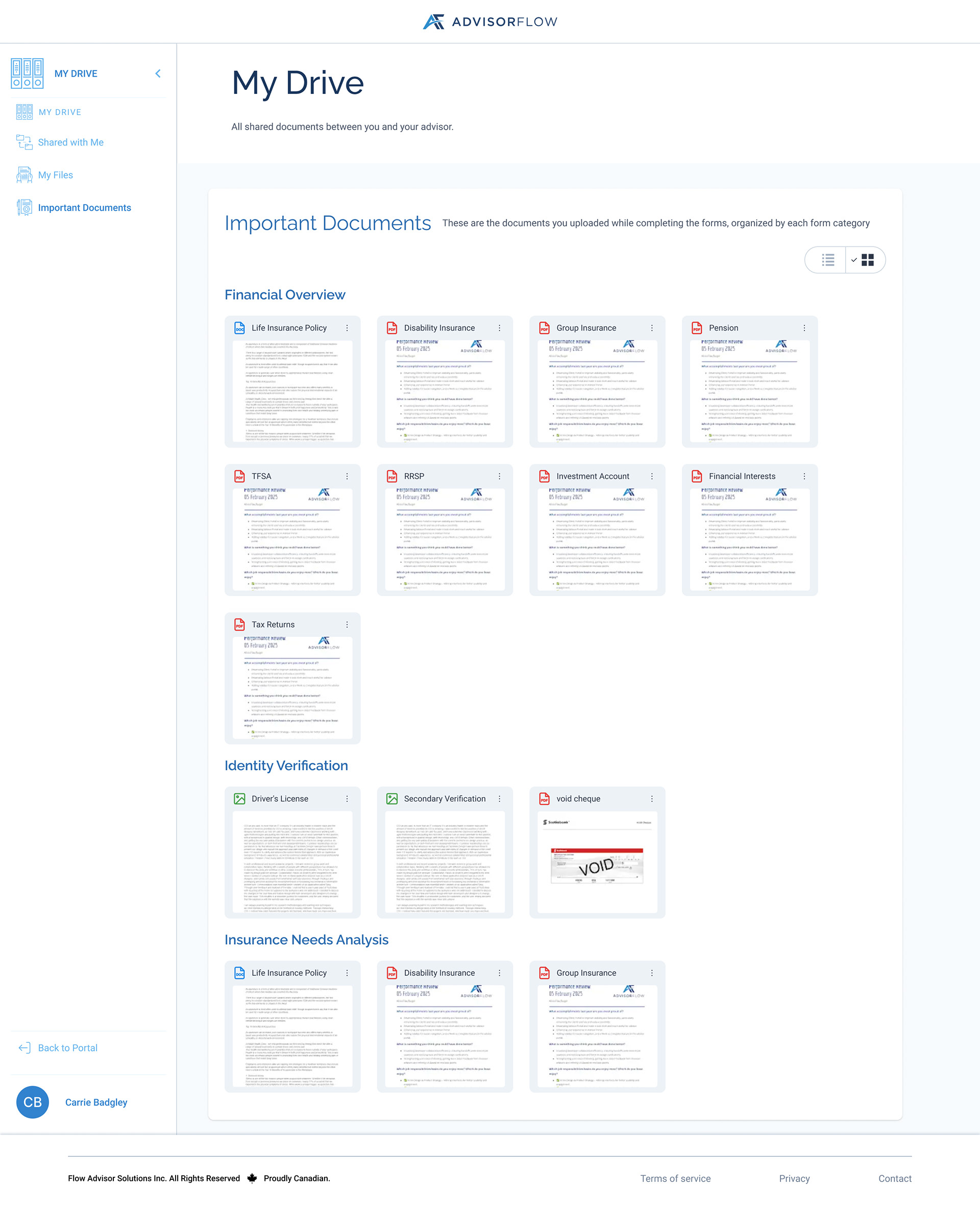
Important Documents Grid View
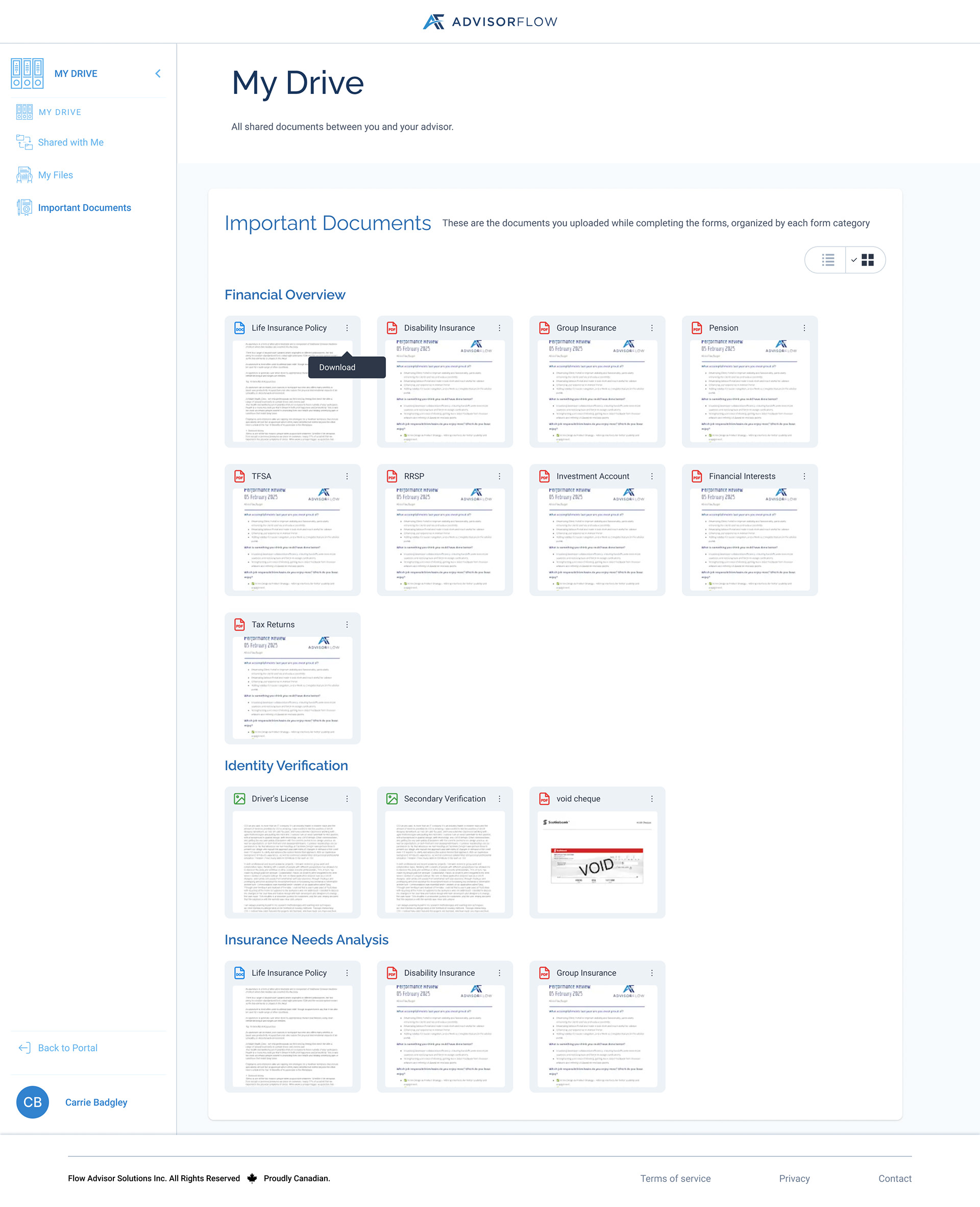
Important Documents Grid View Overflow Open
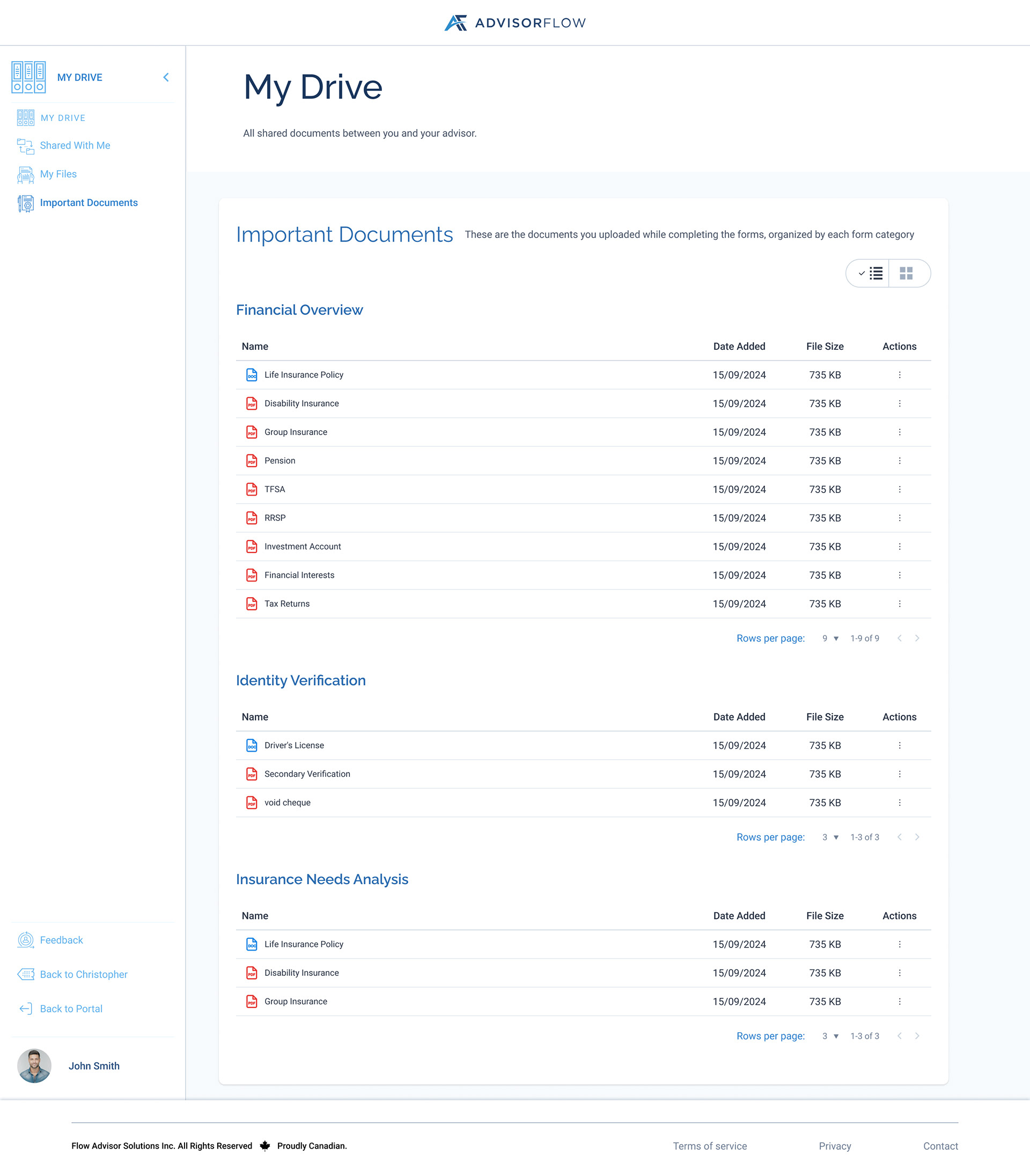
Important Documents List View
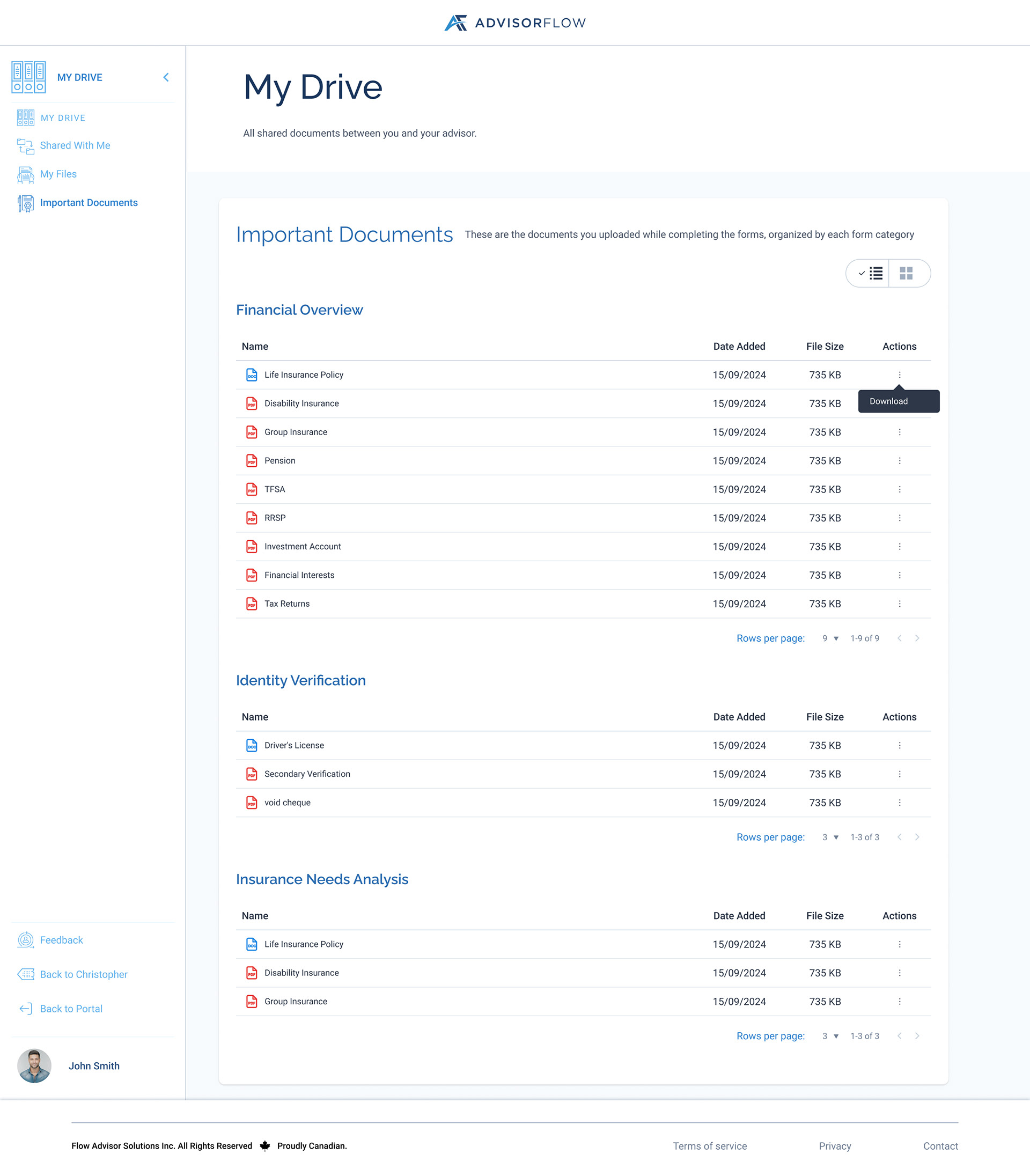
Important Documents List View Overflow Open
Email Notification
To support transparency and reduce manual follow-ups, the File Upload feature includes automated email notifications for both advisors and clients. Emails are triggered when new documents are uploaded or updated, ensuring all parties are informed in real time—even when they are not actively using the platform.
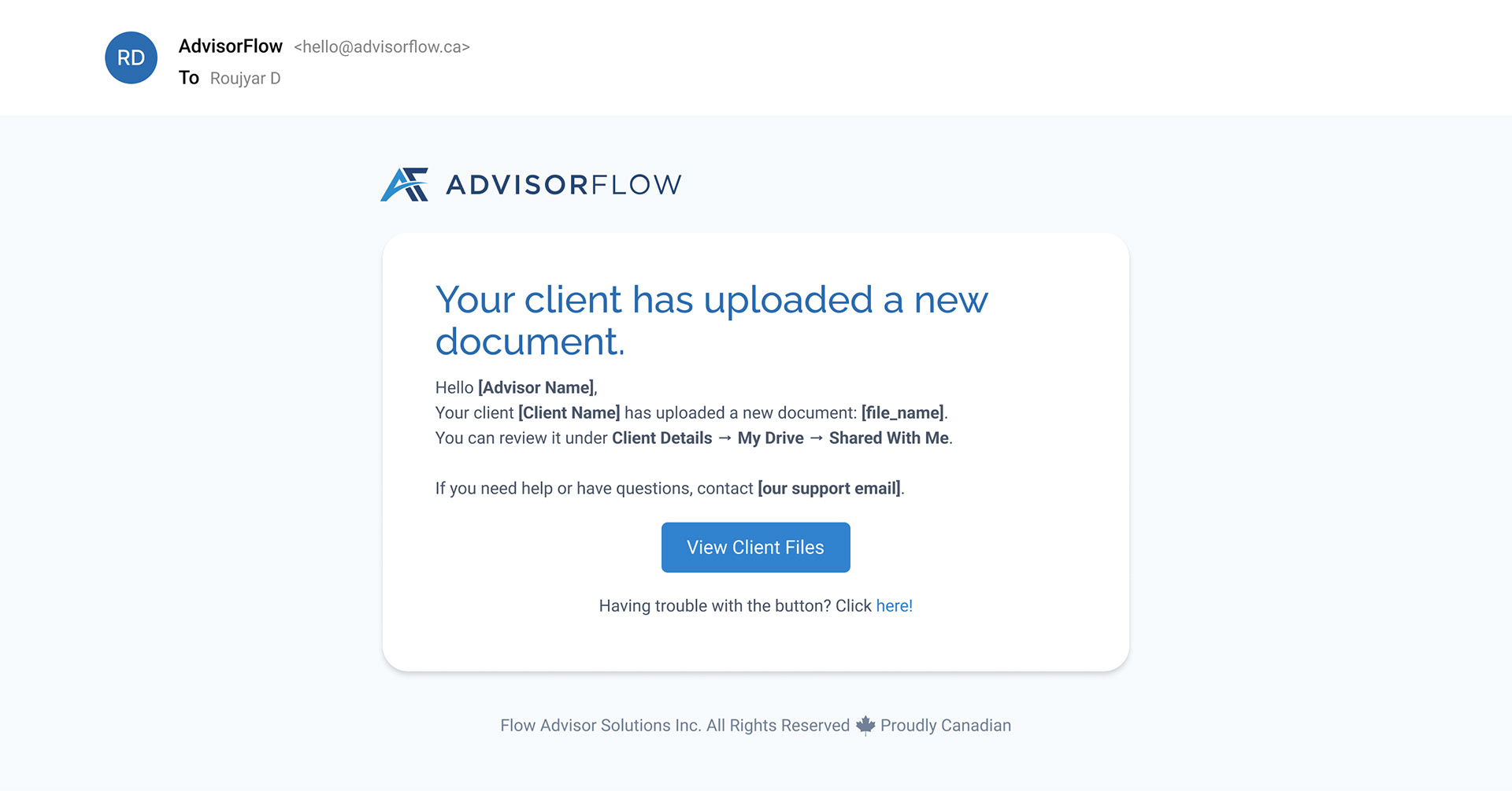
Client Upload File - Email to Advisor
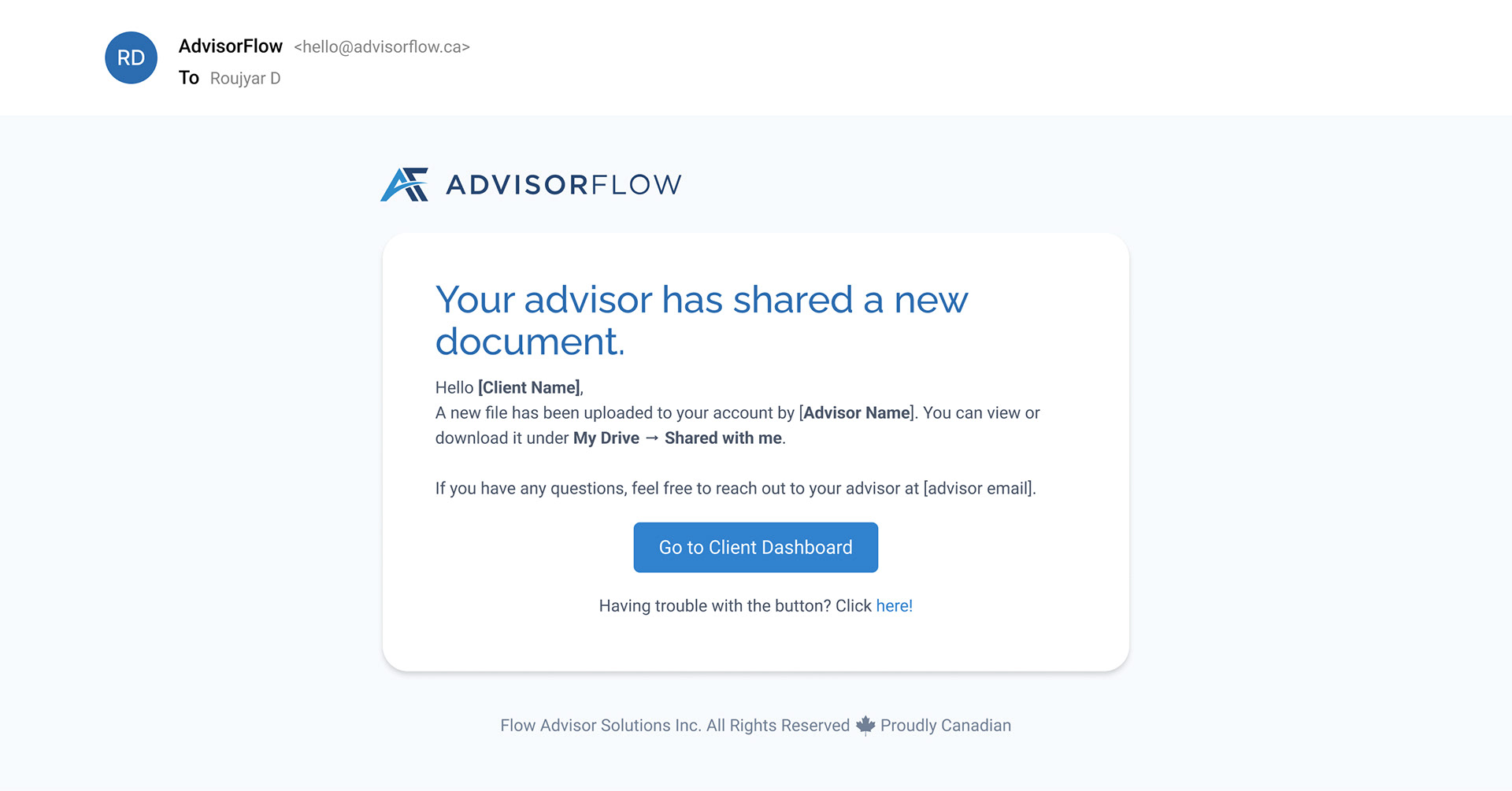
Advisor Upload File - Email to Client
Conclusion
Designing the File Upload feature required balancing usability, security, and scalability across multiple user roles. By clearly defining ownership, permissions, and system feedback, the experience reduces confusion while supporting real-world advisor–client workflows.
This work demonstrates my approach to product design: grounding decisions in user needs, designing for edge cases, and creating systems that scale as teams and permissions grow—without compromising clarity or trust.