Production website: https://advisorflow.ca/
Project Overview
Client onboarding previously began with sending a form. This connected the creation of a client record to assigning work, even when an advisor simply wanted to prepare a profile first.
Client Creation Shell introduces a separate starting point. Advisors can create a client with basic information, add further details at their own pace, and prepare the profile before sending an invitation. They can also return to the Client Details page to add or edit information later.
The experience brings client creation, profile setup, and ongoing editing into a connected workflow, with saved profile information mapped to corresponding form fields.
My Role:
I designed the client creation and profile editing experience, refining the flow through discussions with product and development. My work focused on separating quick creation from detailed setup, defining the transition from a modal to a dedicated page, and clarifying navigation, saving, validation, and unsaved changes.
I collaborated with Aaron on product requirements, Chris on frontend behaviour, and Sahib on backend implementation.
Tools:
Figma for interface design and flow exploration, Confluence for requirements and documentation, and team standups for reviewing decisions and implementation constraints.
Problem
An advisor may have a client's basic details before they are ready to assign a form or send an invitation. A form-first entry point did not reflect that preparation process.
The new experience needed to support two common situations: creating a client quickly with limited information, and adding a more complete profile when information was already available.
It also needed to provide a clear place to maintain that information over time, without turning the initial creation step into a long intake form.
Solution
I separated the experience into a short creation step and a dedicated client-information page.
The advisor starts with first name, last name, and email. They can create the client and finish the quick flow, or choose to add more information. Both paths save the client record before further setup continues.
Additional profile information can be entered before an invitation is sent or updated later from Client Details. This gives advisors flexibility while keeping creation, profile editing, and invitation timing understandable.
Key Features
A Short Starting Point
The initial modal focuses on the basic information needed to create a client. Additional profile details belong in the extended setup experience, keeping the first step manageable.
Optional Profile Setup
Advisors can add personal, contact, family, and employment information when it is available. They can also return later, so a complete profile is not a prerequisite for creating the record.
A Dedicated Information Page
After creation, detailed setup and editing move into a full-page experience. This provides more room for information and gives advisors a consistent place to review and maintain the profile.
Clear Saving and Exit Behaviour
The flow distinguishes creating a record from saving changes to an existing profile. Section-level saving and unsaved-changes feedback help advisors understand what has been saved and what would be lost when leaving.
Information Carried Into Forms
Saved profile information maps to corresponding form fields. The intent is to reduce repeated entry when clients complete forms and make the advisor's preparation useful beyond the profile itself.
The following screens show the client creation and profile setup experience, from a quick initial record to ongoing information management
Advisors Workflow
Advisors begin by entering the client's basic information in the creation modal. They can finish there or continue to add more details. Choosing the extended path creates the record first, then opens the dedicated client-information page.
On that page, information is organized into sections so advisors can focus on one category at a time. The same experience supports later editing through Client Details, connecting initial setup with ongoing profile maintenance.
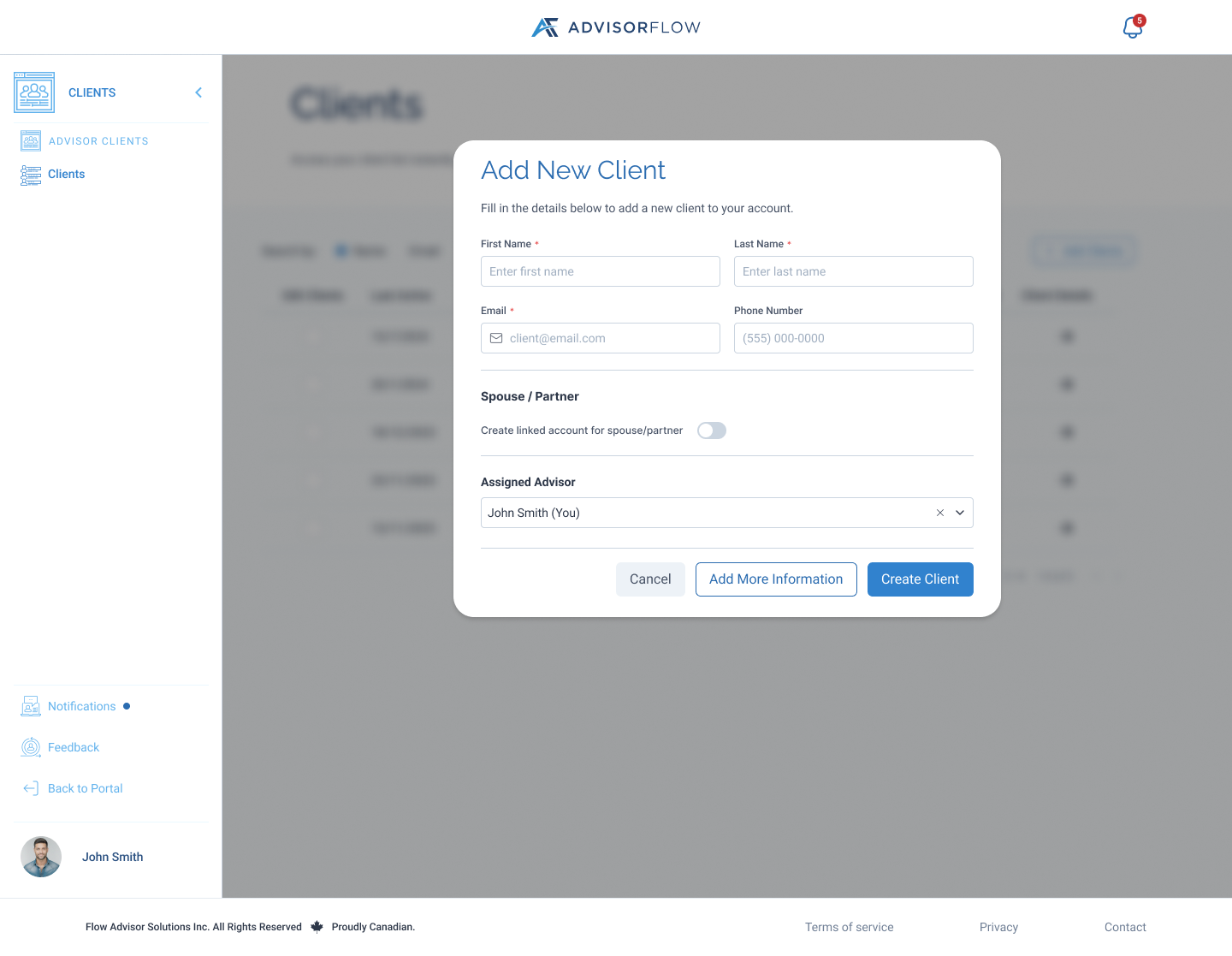
Quick client creation - Advisors can create a client with basic details or choose to add more information before completing setup.

A dedicated client-information page - A dedicated profile page brings basic, personal, contact, family, and employment information into one place for ongoing updates.
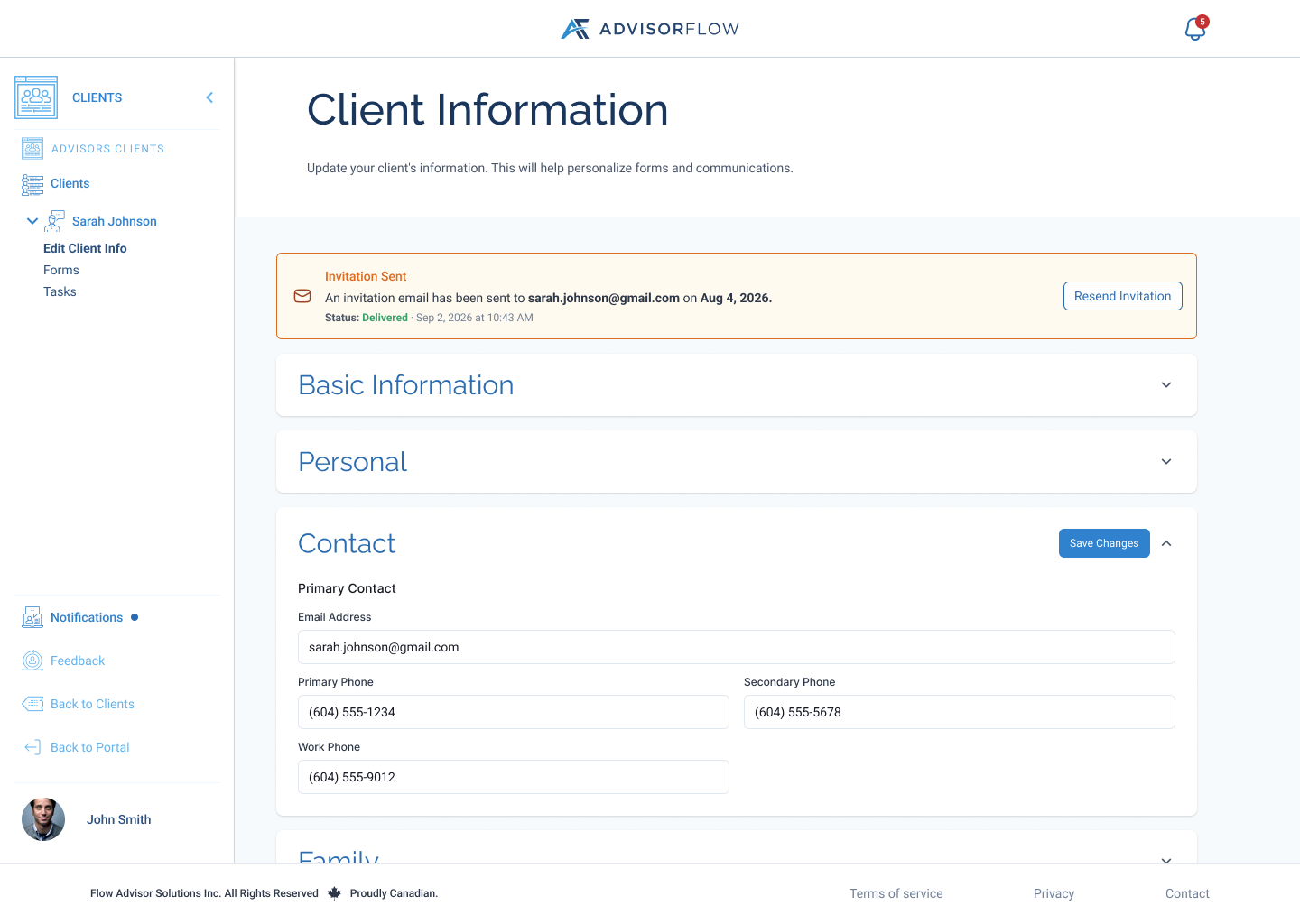
Editing one section at a time - Expandable sections let advisors focus on one category of information and save changes within that section.
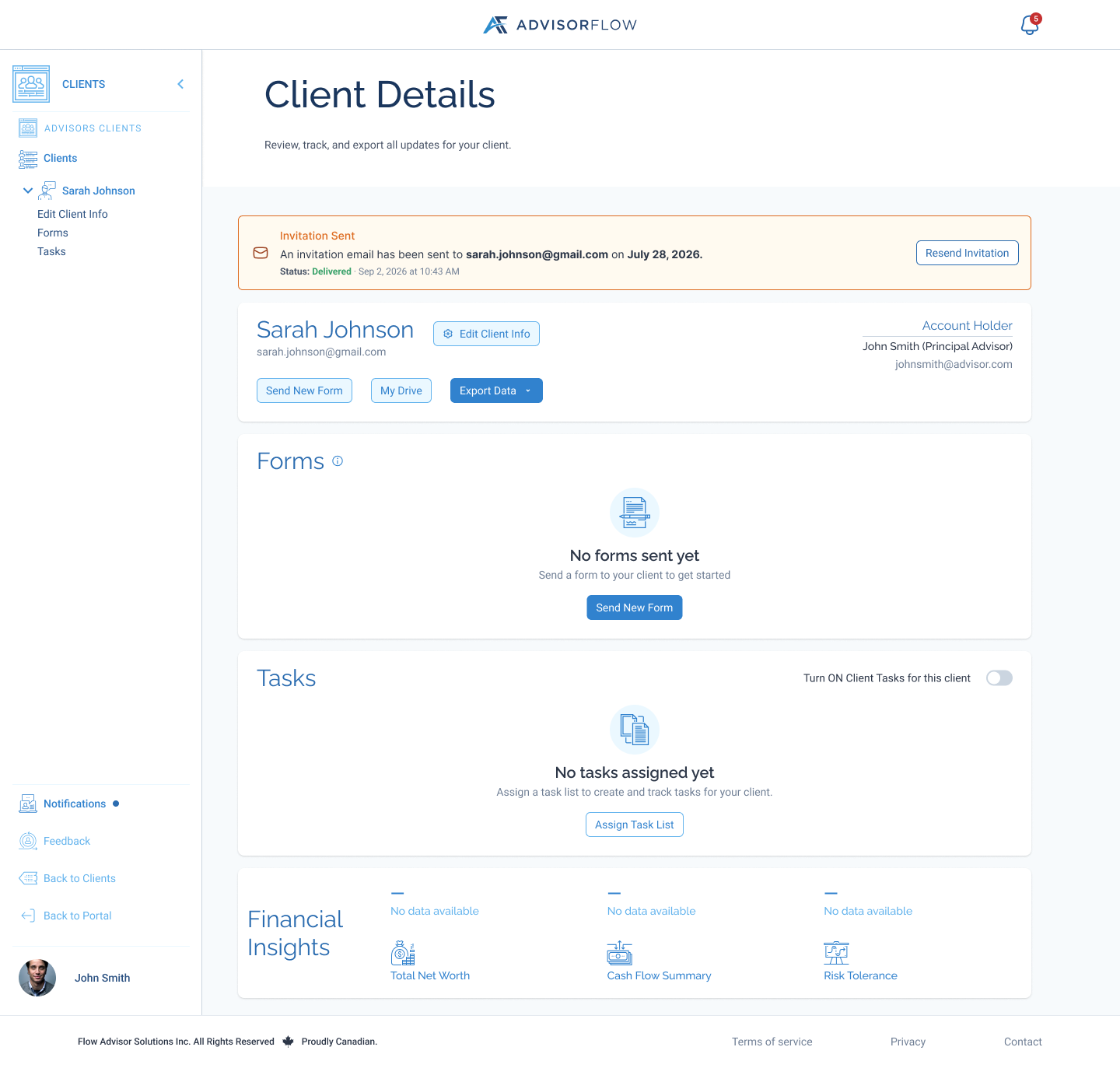
Client details and invitation status - Client Details provides a route back to profile editing, alongside invitation status and actions for forms and tasks.
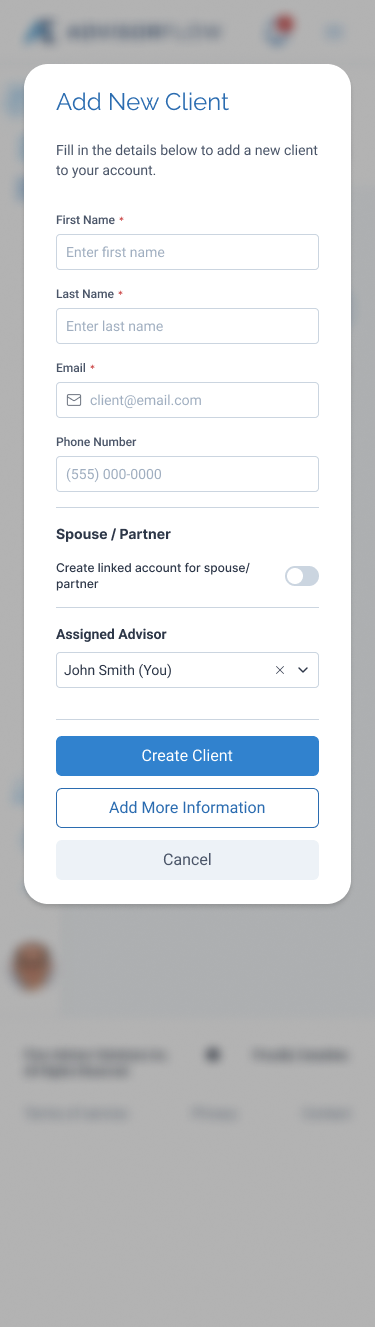
The mobile creation experience - On mobile, the creation form uses a single-column layout with stacked actions for creating a client or adding more information.
Design Decisions
Separating Creation From Detailed Editing
The modal provides a focused starting point. Moving the extended experience to a page gives larger profiles more space and supports the same editing pattern for new and existing clients.
Saving the Record Before Continuing
Both creation paths establish the client record first. This gives additional information a clear destination and makes the transition into profile setup easier to explain.
Refining the Flow With Development
The design evolved through discussions about navigation, saving, validation, and mobile interaction. These reviews helped connect the intended experience with the frontend and backend behaviour needed to support it.
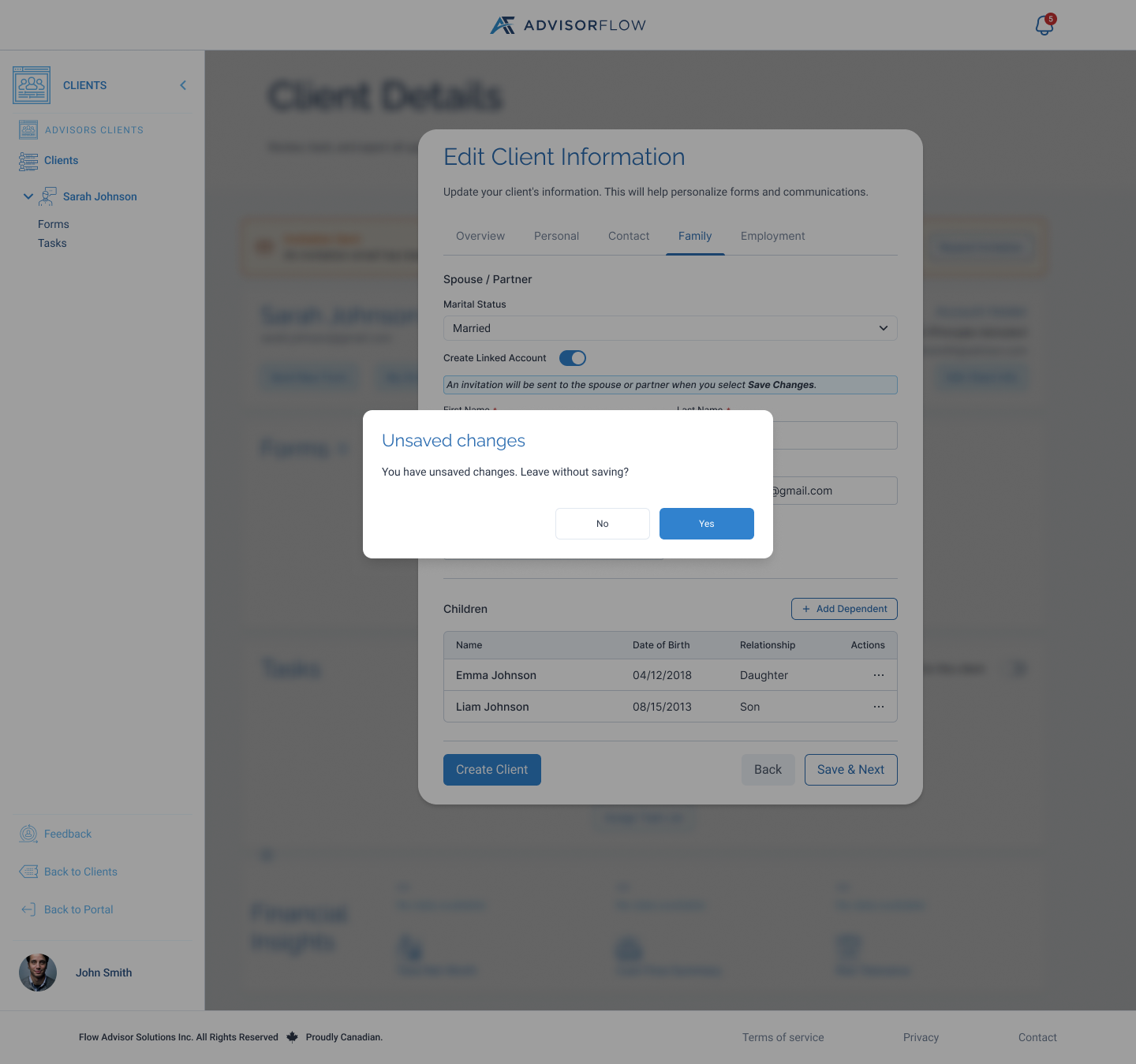
Earlier exploration: an unsaved-changes confirmation asks advisors to confirm before leaving the modal editor. Detailed editing later moved to a dedicated page.
Conclusion
Client Creation Shell shifts onboarding from a form-first process to a client-first workflow. Advisors can create a record, prepare information, and return to update it as their relationship with the client develops.
The central design decision was to keep creation small while giving ongoing information management enough space. The resulting flow supports quick entry and more detailed preparation within a connected experience.