Production website: https://advisorflow.ca/
Project Overview
Financial advisors often need to guide their clients through a sequence of forms and information requests as part of the planning process. However, without clear guidance, clients may not know which forms to complete first or what actions are expected of them.
To solve this problem, we introduced Potential Next Steps (PNS) — a feature that allows advisors to recommend forms directly to clients and guide them through their financial planning journey.
This feature surfaces advisor-recommended tasks directly in the Client Dashboard, making it easier for clients to understand what they should do next while giving advisors visibility into their progress.
My Role:
My responsibilities included designing the end-to-end user flow for both advisors and clients, improving the form recommendation workflow, creating responsive UI for desktop, tablet, and mobile, defining system behaviors and edge cases, and collaborating closely with developers and product leadership to ensure the feature aligned with AdvisorFlow’s platform architecture.
Tools:
Figma was used for wireframes, high-fidelity designs, and interactive prototypes. Jira supported task tracking and collaboration with the development team, while Confluence was used for documenting requirements, user flows, and design decisions. Slack and Google Meet facilitated ongoing communication with stakeholders and developers throughout the project lifecycle.
Problem
Advisors needed a way to recommend specific forms, guide clients through the financial planning process, and track whether those tasks had been started or completed.
Without a structured system, clients often filled out forms in a random order, missed important tasks, or were unsure what their advisor expected from them.
The platform required a clear and flexible workflow that could support both structured guidance and client flexibility.
Solution
The Potential Next Steps feature allows advisors to recommend forms that appear as tasks in the client dashboard.
Clients can then start these forms directly from the dashboard, while advisors maintain visibility into client activity and progress.
The feature was designed with flexibility in mind so advisors can choose between structured workflows or more flexible client-driven progress.
Key Features
Advisor-Assigned Next Steps
Advisors can recommend specific forms for their clients by adding them to the Potential Next Steps list. These recommendations appear directly on the client dashboard, helping clients understand what actions their advisor expects them to complete next.
Completion Control
Advisors can control whether clients must follow a structured workflow or complete tasks freely. When Completion Control is enabled, clients must complete steps in the advisor-defined order. When it is disabled, clients can complete any recommended form in any order.
Visual Step Indicators
When Completion Control is enabled, each step displays a numbered badge indicating the required order, while subsequent steps remain locked and visually grayed out until the previous one is completed. When the toggle is disabled, the badges are hidden, allowing clients to complete the recommended forms in any order.
Form Automation
Automation rules allow certain forms to reappear after a defined period of time. This supports recurring financial planning tasks such as annual reviews or periodic compliance forms.
The following screens showcase the Potential Next Step experience across both Advisor and Client Portals, highlighting most important screens .
Advisors Workflow
Advisors configure Potential Next Steps from Forms → Potential Next Steps, where they can select forms, assign them as recommended steps for clients, and define how those steps should be completed. A Completion Control toggle allows advisors to either enforce a structured workflow or provide flexibility. When the toggle is ON, steps are locked in a specific order, numbered badges appear, and clients must complete earlier steps before accessing the next ones. When the toggle is OFF, clients can complete forms in any order and step badges are hidden, giving them more autonomy while still highlighting advisor recommendations. Additionally, automation allows forms to repeat after a defined period—such as annually updated risk profiles or recurring compliance forms—ensuring important information is refreshed without enforcing a strict sequence.
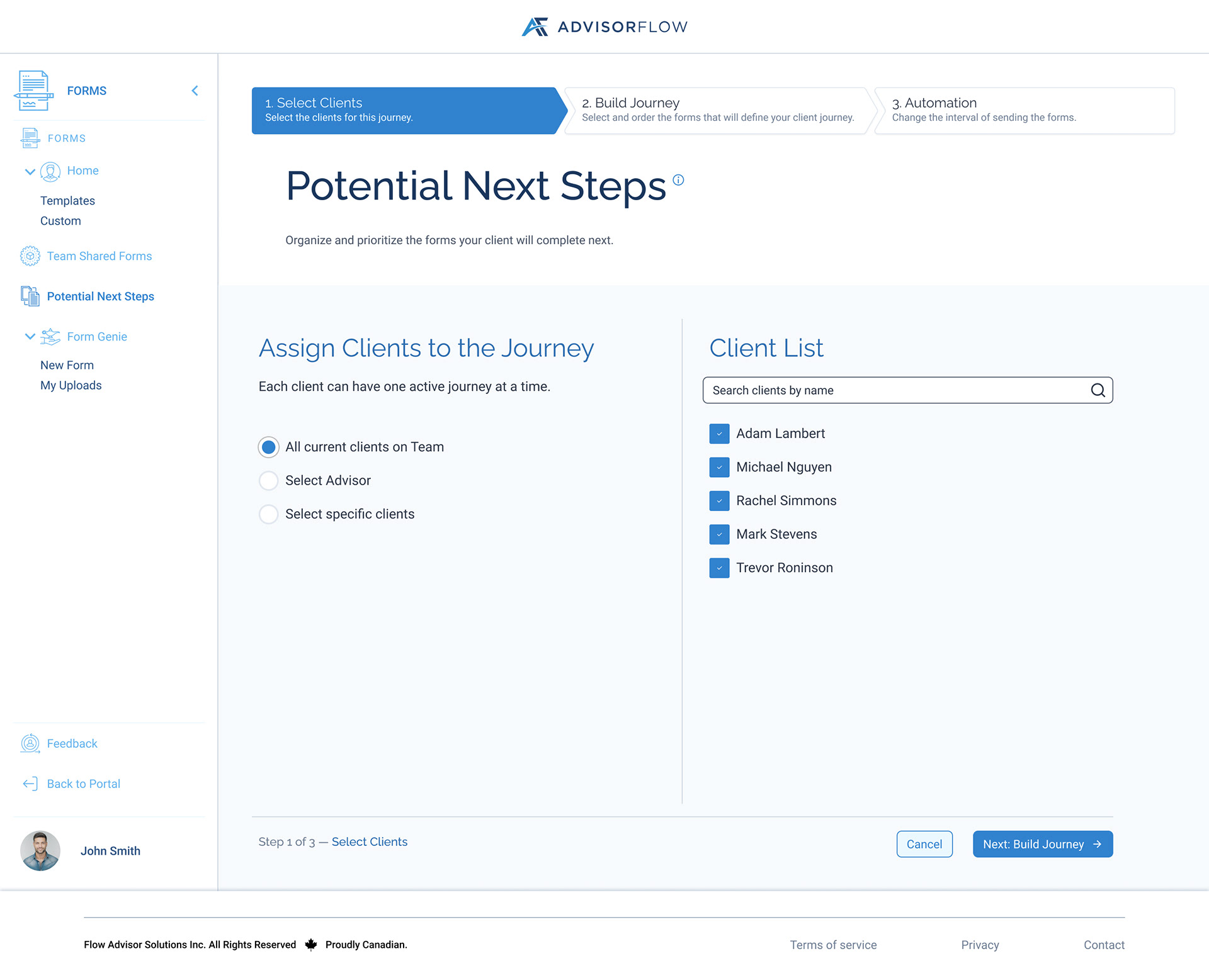
PNS - Step 1
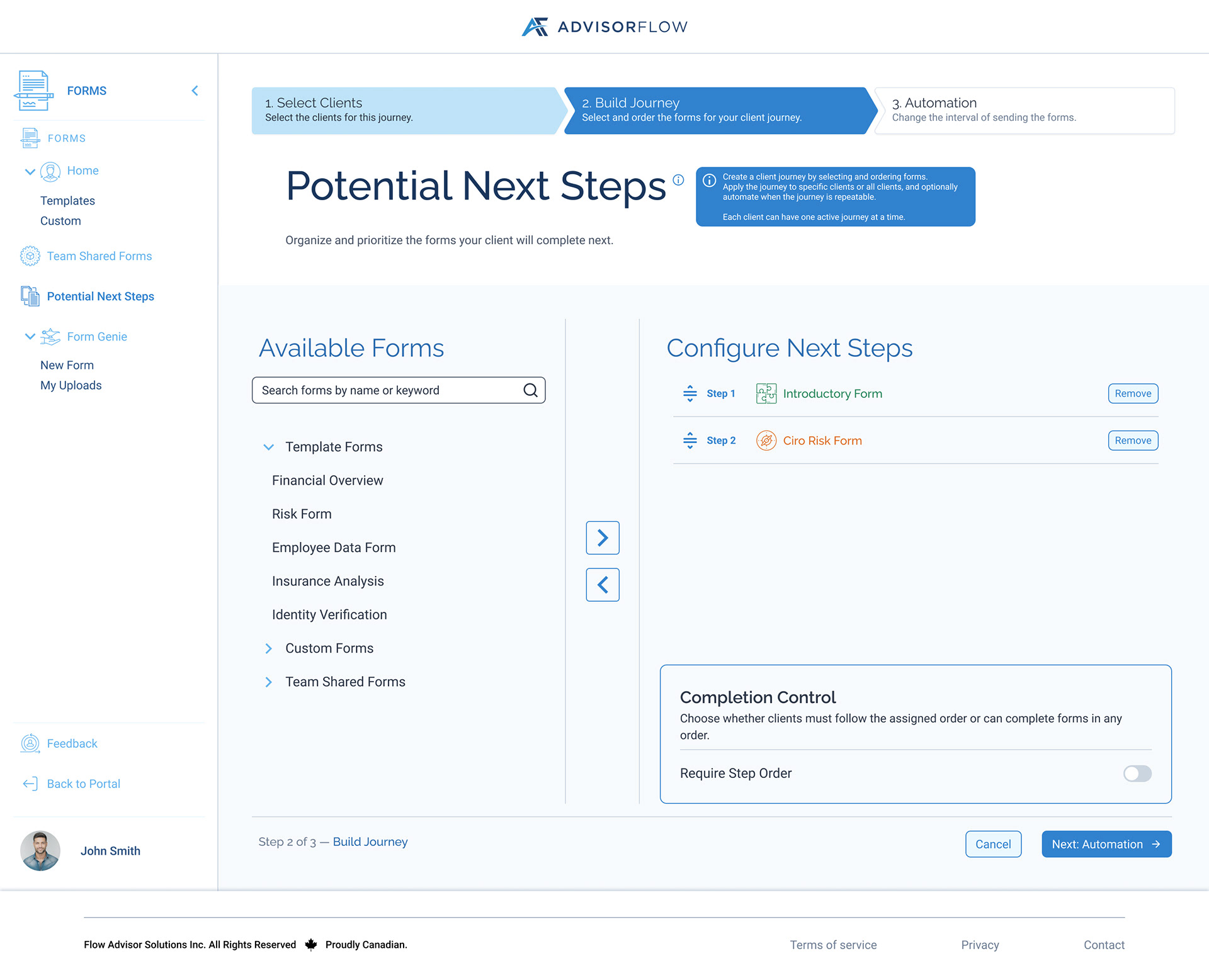
PNS - Step 2
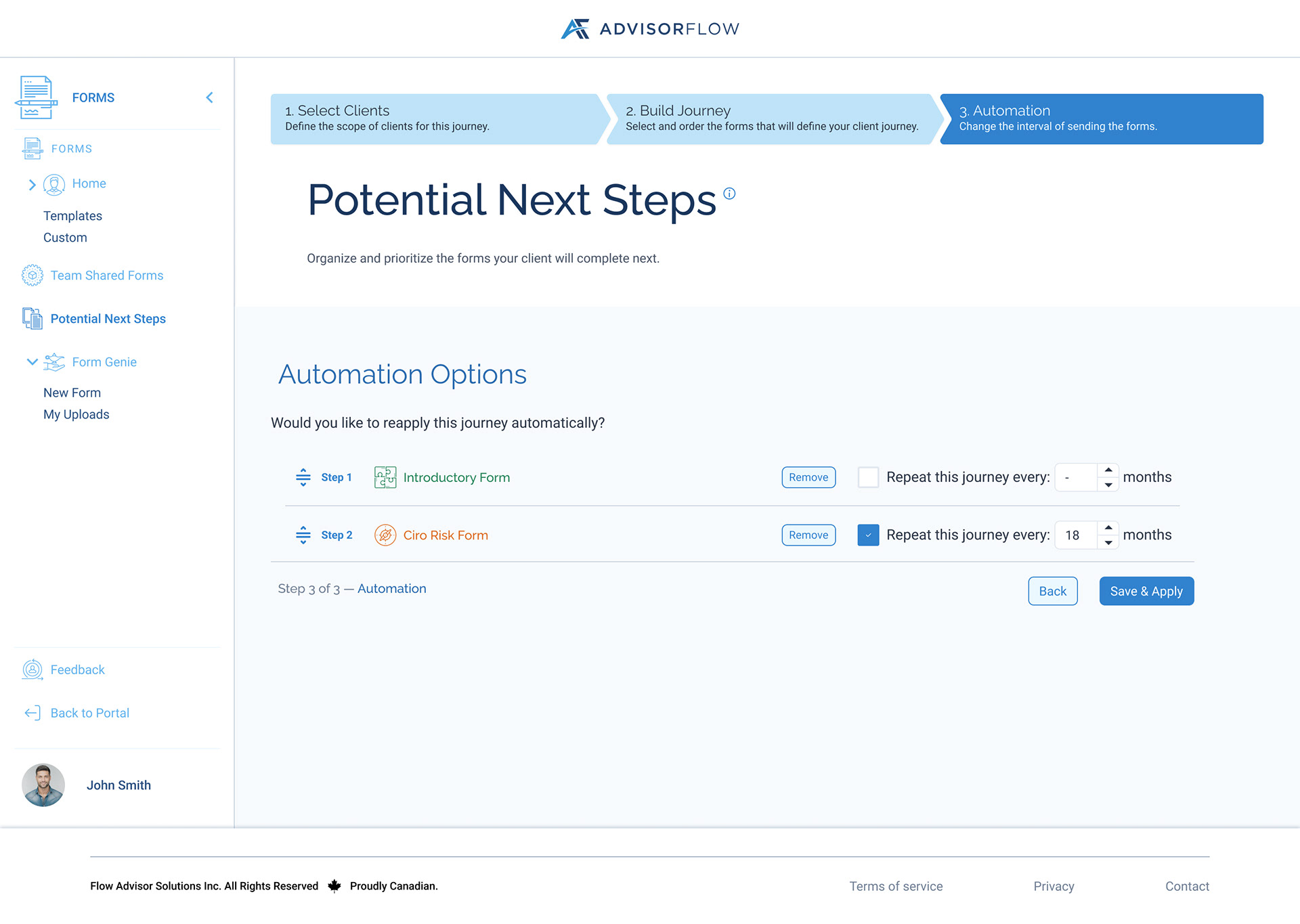
PNS - Step 3
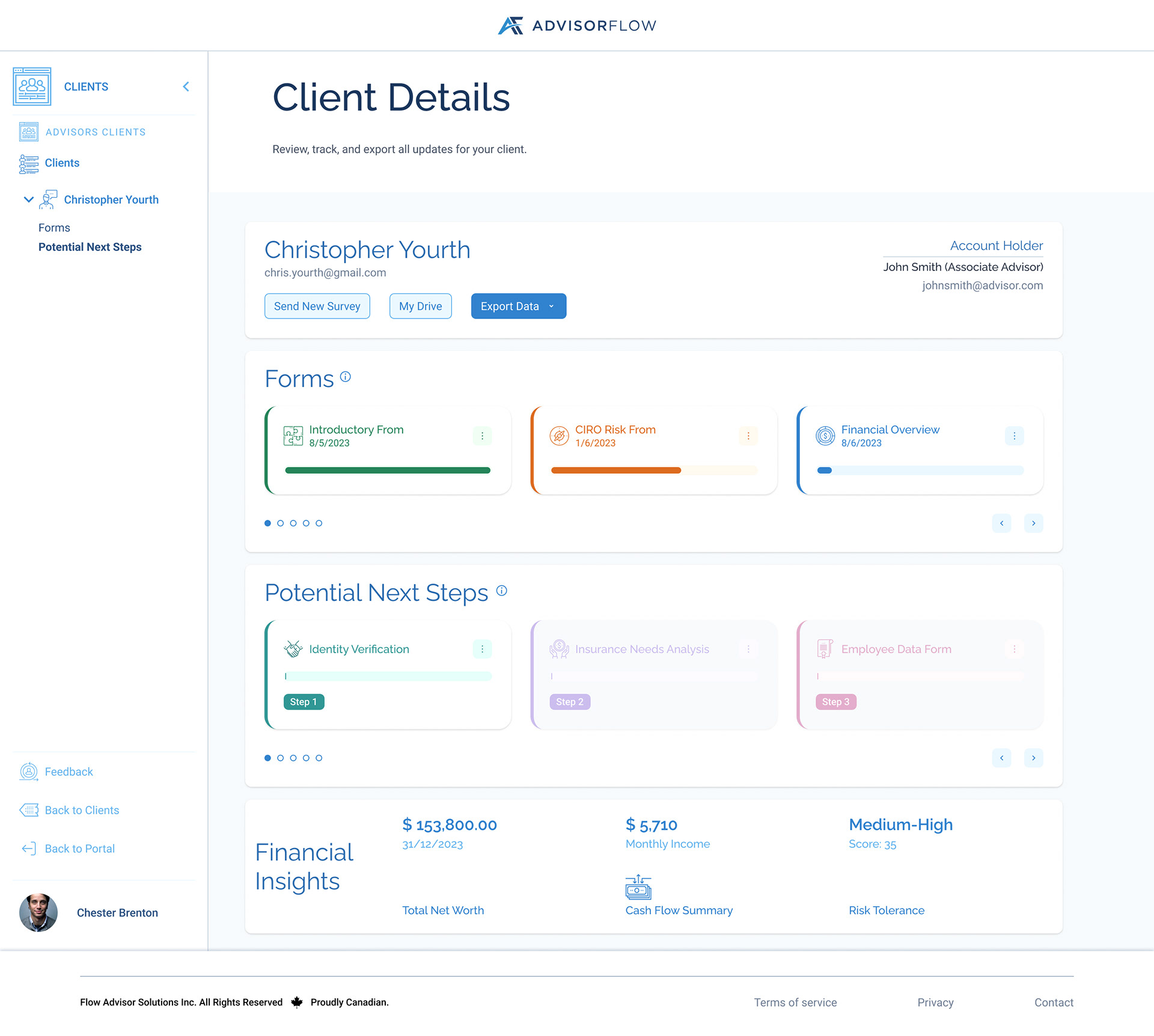
Client Details Page PNS added
Client Workflow
Clients see recommended forms inside the Potential Next Steps card on their dashboard. Each step is displayed as a card that includes the form name, a short description, a status indicator, and a button to start the form. This structure helps clients clearly understand the actions their advisor expects them to complete.
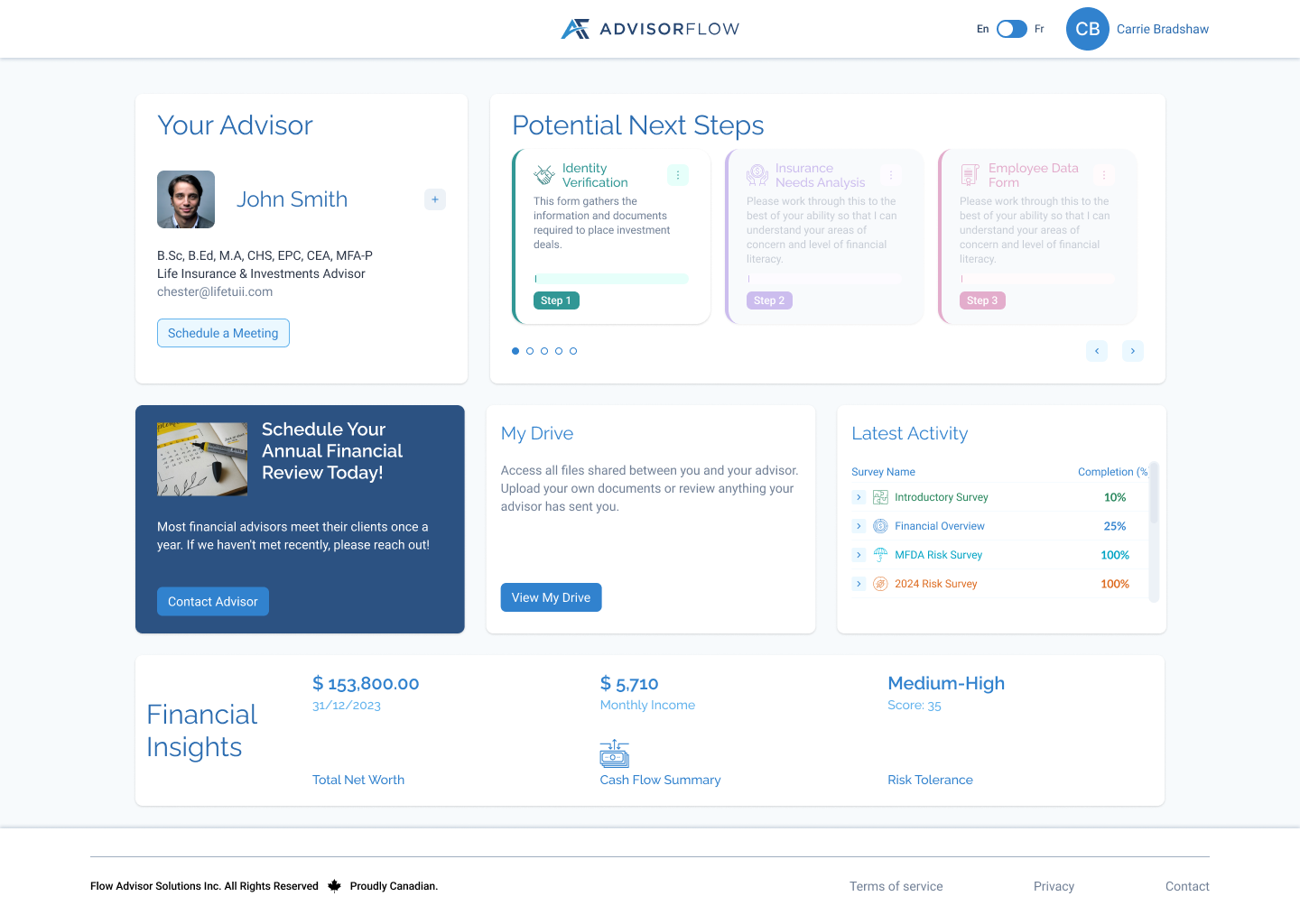
Client Dashboard - PNS forms step 1
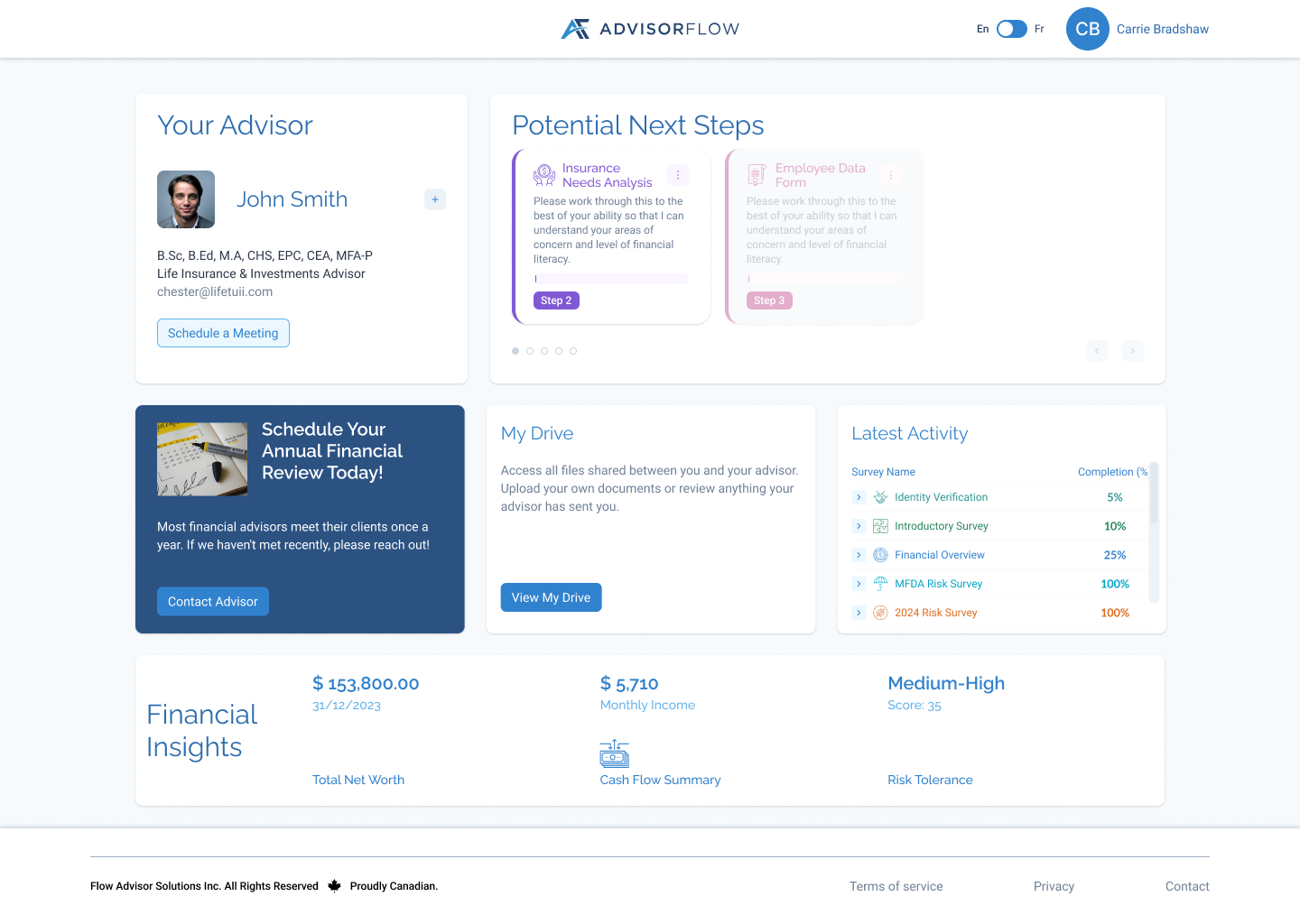
Client Dashboard - PNS form step 2
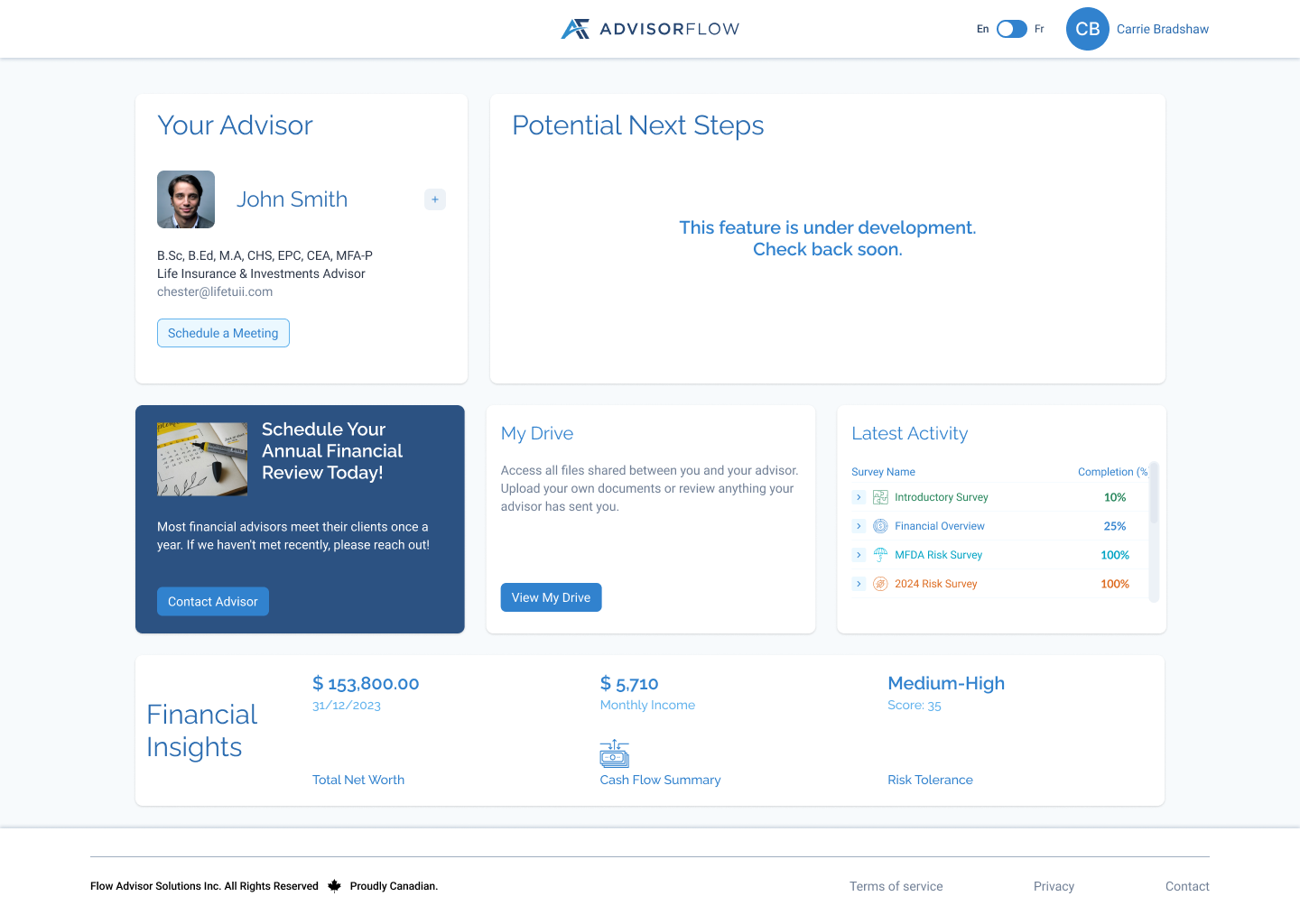
Client Dashboard - Message Board
Conclusion
The Potential Next Steps feature improves how advisors guide their clients through important financial planning tasks. By surfacing advisor-recommended forms directly on the client dashboard, the feature makes it easier for clients to understand what actions to take next while giving advisors better visibility into their progress.
A key design goal was balancing structure and flexibility. The Completion Control toggle allows advisors to enforce a specific order when needed or give clients the freedom to complete forms in any sequence.
By automatically moving started forms to Latest Activity, the interface stays focused on outstanding tasks while maintaining a clear record of client activity. Overall, this feature creates a more transparent and intuitive workflow between advisors and clients within the AdvisorFlow platform.